25
Easier Application & Access
EasyAccess_EasyGuider_04_03
You need to switch off the DVD recorder to activate
the Timer Record function.
This DVD recorder allows users to enter a maximum
of 16 Timer Record programs. If your setting list is
full, you will need to delete some of the programs
before you can input new ones.
This DVD recorder allows users to enter date up to
2099/12/31 (December 31, 2099). Date beyond this
day CANNOT be set.
Introducing System Setup(p.14)
..........................................................................................
Timer Recording through VCR
Plus+ System
(Select Models Only)
Before you start...
• Check if your model features the VCR Plus+
system
support and refer to ‘Using Easy Guider: Record’.
Model Comparison Chart (back cover)
Using Easy Guider:Record (p.24)
..........................................................................................
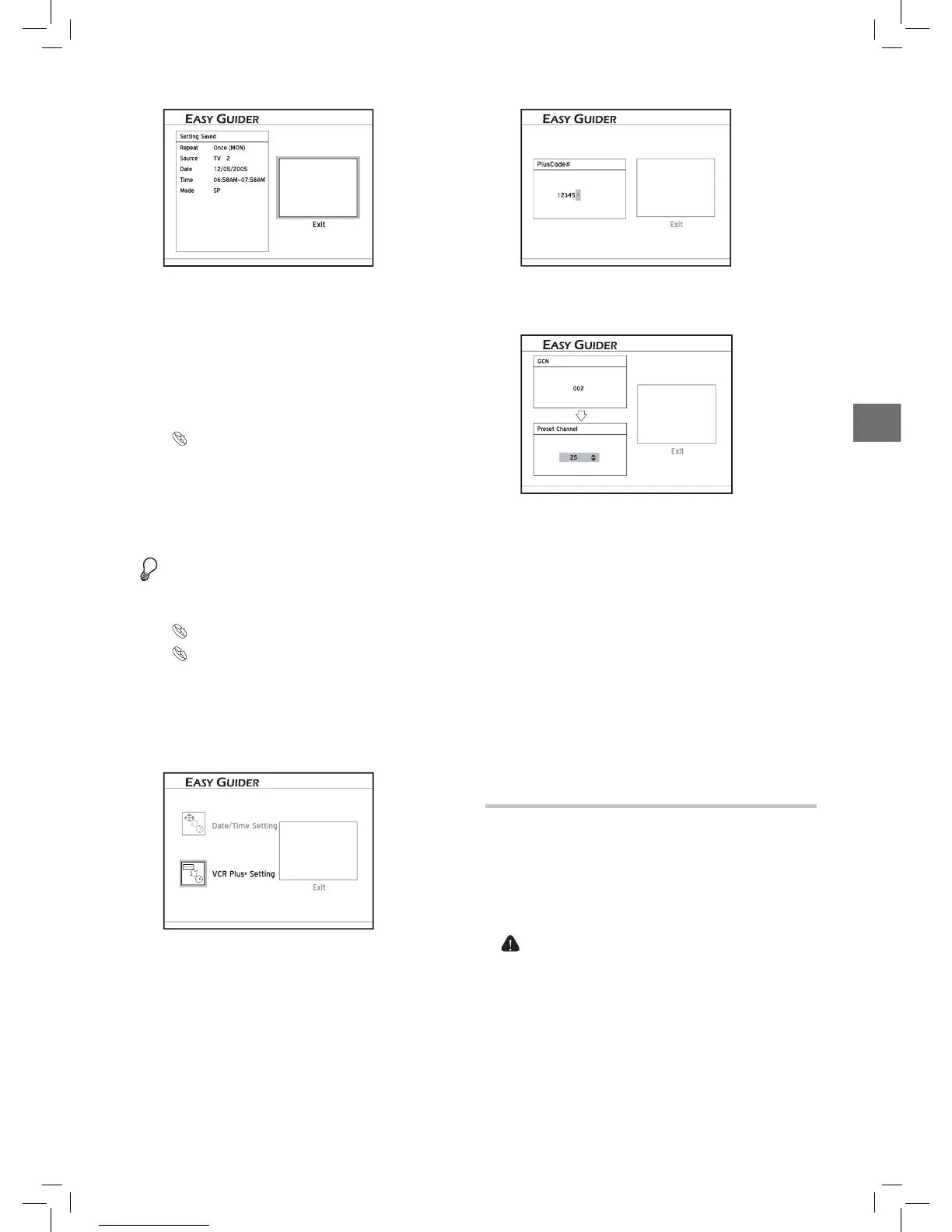
1. On the Easy Guider menu, press to select ‘Timer
Record’, then press ENTER.
2. Press to select ‘VCR Plus+ Setting’, then press
ENTER.
EasyAccess_EasyGuider_04_04
3. Press to select ‘Once’, ‘Daily’ or ‘Weekly’.
4. Press the number buttons (0-9) to enter the PlusCode
number, then press
ENTER.
EasyAccess_EasyGuider_04_05
5. The ‘Preset Channel’ dialogue box will then appear,
if the DVD recorder fails to find information of a
corresponding channel. Press to enter the channel
number shown on your TV, then press
ENTER.
EasyAccess_EasyGuider_04_05
To make use of the VCR Plus+ system for timer
recording, you need to match the GCNs (guide chan
-
nel numbers) used by the VCR Plus+ system with
the channel numbers shown on your TV, so that the
relevant information can be correctly assigned to the
programs you would like to record.
6. Press to select a recording mode, then press
ENTER.
7. The Timer Program information will appear. Press
ENTER to exit the Timer Record setting.
You need to switch off the DVD recorder to activate
the Timer Record function.
This DVD recorder allows users to enter a maximum
of 16 Timer Record programs. If your setting list is
full, you will need to delete some of the programs
before you can input new ones.
Using Easy Guider: Disc Tools
Disc Tools offers a quick access to completing post-
production tasks. With Disc Tools, you can easily erase
materials on discs, and finalize discs when necessary.
Erase
Before you start, make sure all your important files
are safely backed up.
1. On the Easy Guider menu, press to select ‘Disc
Tools’, then press
ENTER.



 To Next Page