7. Fan Assembly.
8. Motor Housing Assembly.
page 5
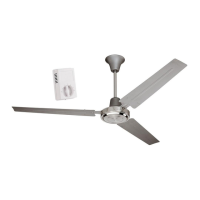
Hold motor housing up to hanging bracket
to determine which 2 screws align with
slotted holes on top rim of motor housing.
Put motor housing down and partially loosen
the 2 screws in the hanging bracket that
correspond to slotted holes in the motor
housing. Remove the other 2 screws from the
hanging bracket.
Raise motor housing to hanging bracket
again, allowing slotted holes in motor
housing to align with loosened screws in
hanging bracket. Twist motor housing to
lock. Re-install the 2 screws that were
removed and then tighten all screws to
secure motor housing.
motor
mounting
screws
and washers
motor
assembly
motor
mounting
screws
and
washers
motor
housing
screws
motor
housing
screws
motor
housing
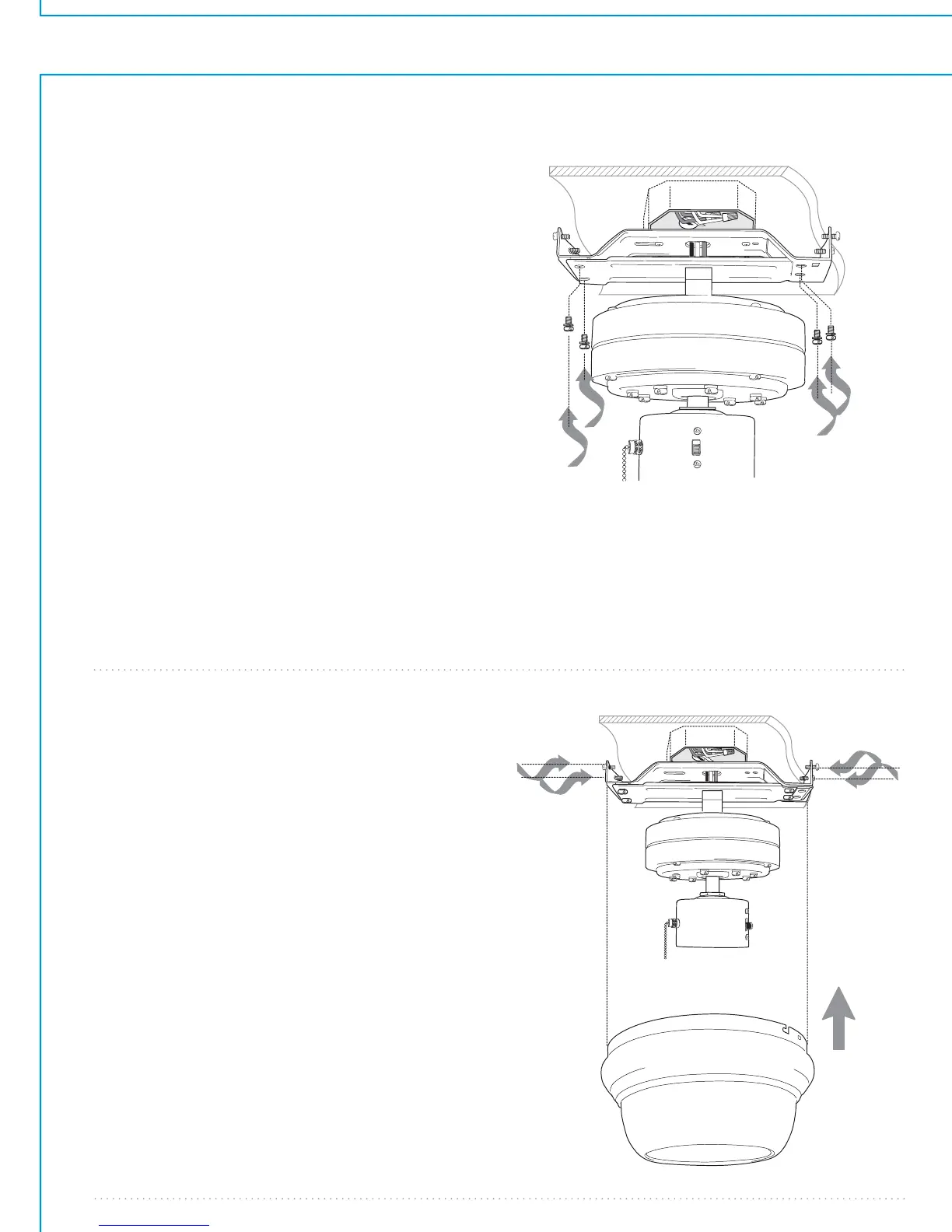
Locate 4 motor mounting screws and
washers in hardware pack.
Carefully push wiring and wire
connectors into outlet box. Leave
notched end of bar on motor assembly
in square opening of hanging bracket
and lift the other end of motor
assembly toward hanging bracket. Align
motor assembly screw holes with
hanging bracket screw holes. Use motor
mounting screws and washers provided
to attach motor assembly to hanging
bracket. Securely tighten all 4 motor
mounting screws. [Note: This is
extremely important so that fan is
mounted securely.]


 To Next Page