Version 7.0
10
Encryption
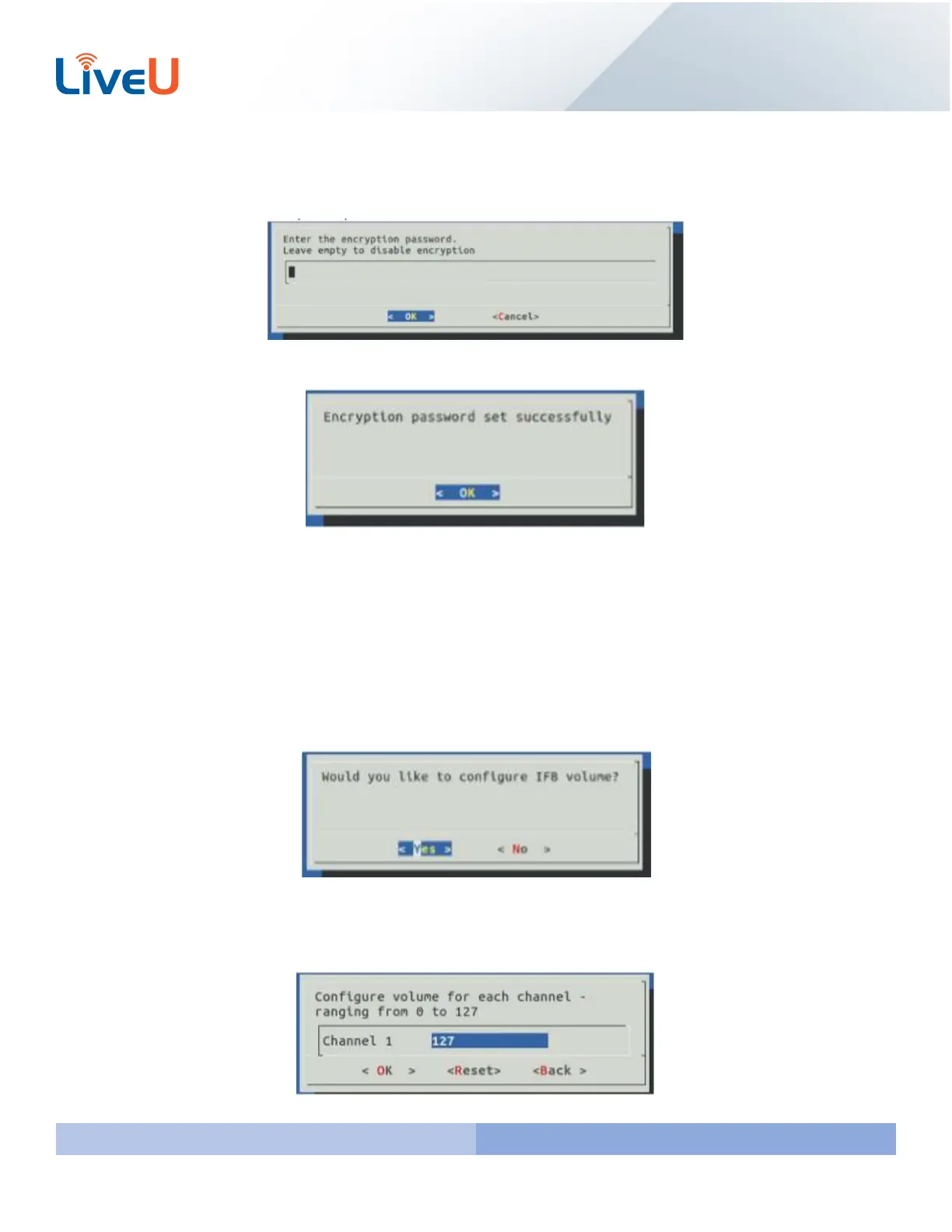
If you would like to setup an encryption password enter the password in the given field. Note if you accidently selected
this option or you would like to disable the feature leave the box blank and hit “Enter” on your keyboard.
Once you enter your encryption password you will get a message stating that “Encryption password set successfully”
IFB Configuration
To setup IFB you will need the device plugged in beforehand. These are the devices that we support on 7.0
Komplete Audio 6 – 4 ports audio device (not recommended for new deployments)
Presonus AudioBox 22VSL - 2 port XLR audio interface
Presonus AudioBox 1818VSL – 8 port XLR audio interface
The first thing you will be asked is if you would like to configure the IFB Volume. Select “Yes” and press “Enter”.
You will then be asked to configure the volume for each channel. You can go as low as 0 and as high as 127. Use your
keyboard to enter the figure for each channel. Use the tab key to filter through Channels, OK, Reset, and Back. Once
your values are correct press “Enter” to proceed.



 To Next Page