Version 7.0
9
Advanced Configuration
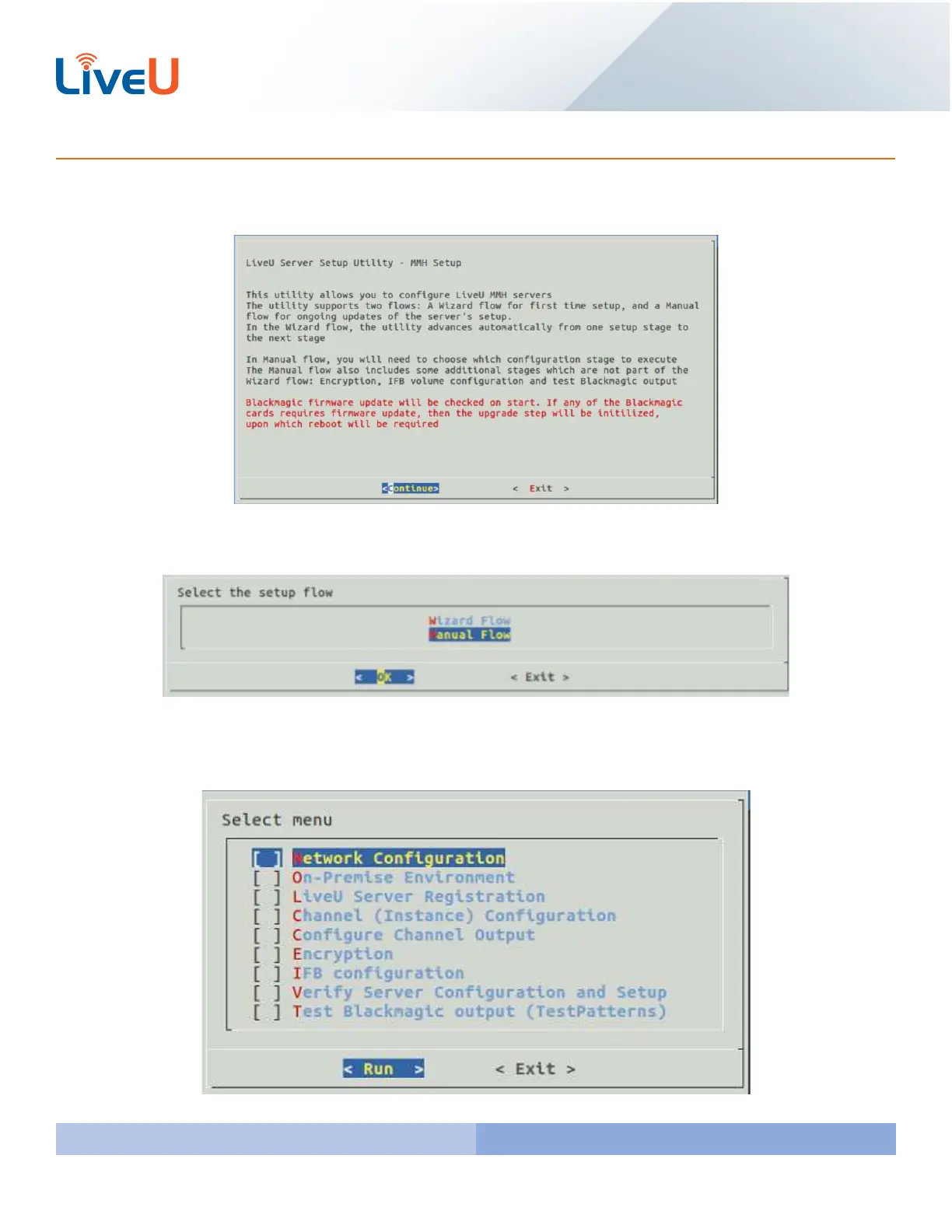
By launching the “liveu-config” again you will be brought to the LiveU Server Setup Utility. Press “Enter” to continue
with the setup.
You are given the option for a Wizard setup or a Manual Setup. For the Advanced setup you will want to select Manual
Flow. Hover over “Manual Flow” and press “Enter” on your keyboard to proceed.
You will now see the select menu. To select what you want to configure hover over the option you want and press
the spacebar. This will put an * in the [ ]. This confirms what you have selected. Once you have everything checked
that you want to configure press “Enter”.



 To Next Page