Version 7.0
13
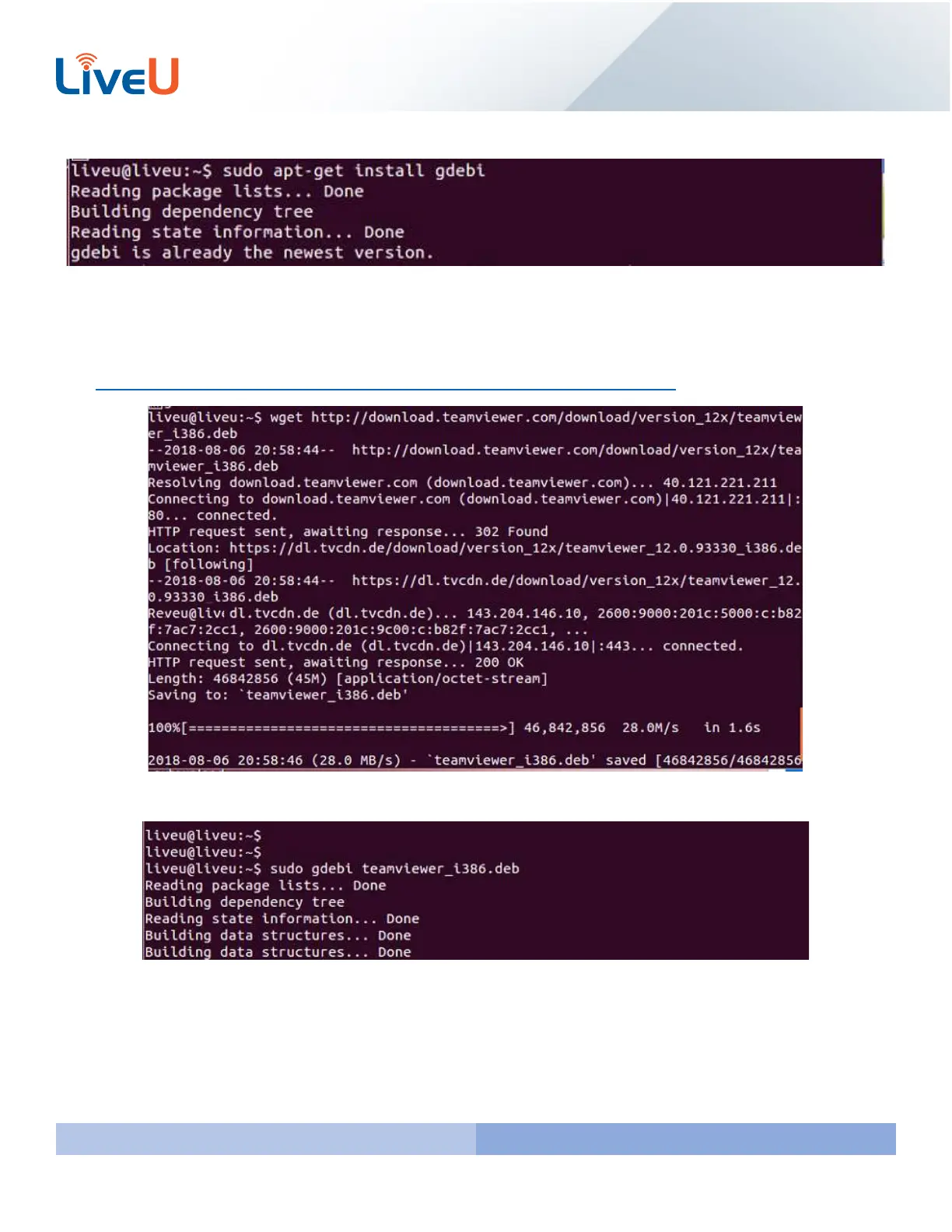
Once you let the latest updates install the next command you will run is “sudo apt-get install gdebi”
Now that you have gdebi installed you will want to download the teamviewer deb. We will use Teamviewer 32 bit to
avoid package conflicts.
Run the following command:
wget http://download.teamviewer.com/download/version_12x/teamviewer_i386.deb
Lastly you will need to install the package by running the sudo gdebi teamviewer_i386.deb command



 To Next Page