Need help?
Do you have a question about the Livoo DOD179 and is the answer not in the manual?
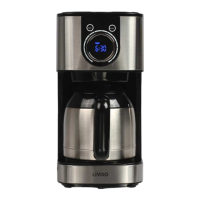
This document outlines the operation and maintenance of a thermal programmable coffee maker, designed to provide a convenient and enjoyable coffee brewing experience. The manual emphasizes safety and proper usage to ensure the longevity of the appliance and the satisfaction of the user.
The thermal programmable coffee maker is designed to brew coffee using ground coffee and water, delivering a hot beverage that can be kept warm for a period. Its programmable features allow users to set a specific time for the coffee maker to automatically start brewing, ensuring fresh coffee is ready when desired. The device includes a "BOLD" (aroma) function for users who prefer a stronger coffee taste. After brewing, the coffee maker automatically enters a "KEEP WARM" function to maintain the coffee's temperature.
First Use Preparation: Before brewing coffee for the first time, it is recommended to run a cycle with just water to clean the internal components. This involves pouring 1200ml of water into the water tank, placing the nylon filter in the funnel (without coffee grounds), covering the water tank, and placing the carafe on the warm plate. After connecting the appliance, the display will show "12:00". Pressing the ON/OFF button will initiate a cycle where water drops out automatically. Once this cycle is complete and no more water is dropping, all containers should be thoroughly cleaned before actual coffee brewing begins.
Setting Current Time (CLOCK): To set the current time, first press the ON/OFF button. Then, press the "PROG" button once. The upper right corner of the display will show "CLOCK". The time can be adjusted by rotating the knob. Rotating it clockwise increments the hour until "23:00" is displayed. The hour number will flash until it is determined (after 3 seconds of no operation). Subsequently, the minute number "00" will flash, allowing adjustment by rotating the knob. If no operation occurs for 5 seconds or the "PROG" button is pressed within 5 seconds, the time stops flashing, and the LED screen displays the adjusted time. It's important to note that the "PROG" button must be pressed after ON/OFF to set the program.
Setting the Timer (Auto Power On): To set a timer for automatic brewing, press the "PROG" button again after setting the current time. The upper left corner of the display will show "TIMER". The steps for setting the preset time are the same as setting the current time. Once the preset time is set, pressing "PROG" will display a blue dot and "CLOCK", indicating that the auto power-on function is activated.
BOLD (Aroma) Function: For those who prefer a more intense coffee flavor, the "BOLD" function can be activated. Press and hold the "PROG" touch button for 3 seconds. The LED screen will display a specific icon (two overlapping circles). To cancel this function, press and hold the "PROG" button for 3 seconds again, and the icon will disappear from the LED screen. When the "BOLD" icon is displayed, pressing the ON/OFF touch button will initiate the brewing function with enhanced aroma. During this process, the heating tube cycles on for 20 seconds and off for 10 seconds until brewing is complete. After brewing, the "BOLD" word disappears, and the program automatically enters the "KEEP WARM" function.
Brewing Coffee:
Keep Warm Mode: After brewing, the coffee maker automatically activates the "KEEP WARM" mode. The LED screen will display "KEEP WARM" and a timer starting from "00:00". During this mode, the temperature controller resets, and the heating tube cycles on and off for 35 minutes to maintain the coffee's temperature. After 35 minutes, the machine turns off, but the LED screen continues to display the current time until power is disconnected.
General Cleaning:
Descaling:
This comprehensive guide ensures that users can operate and maintain their thermal programmable coffee maker efficiently, enjoying delicious coffee with ease and safety.
 General
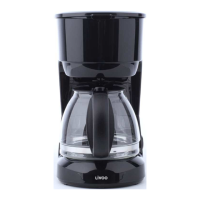
| Product Type | Coffee Maker |
|---|---|
| Model | DOD179 |
| Brand | Livoo |
| Power | 900 watts |
| Color | Black |
| Voltage | 220-240 V |
| Frequency | 50/60Hz |
| Features | Anti-drip system, Keep warm function |
| Material | Plastic |
| Capacity | 1.5 Liters (12 Cups) |

 To Next Page