7
Getting Started
8
Basic Features
The option of aspect is vary with different source.
1. Press [ZOOM] to display the aspect ratio. Press this key several times to switch this mode.
2. You can select 16:9, Zoom 1, Zoom 2, 4:3. ( When VGA input only 16:9, 4:3, 1:1 are available)
Press [Picture] one or more times to select the picture mode which you want. You can select
Standard, Mild, Dynamic, and User (a mode that you defined) mode.
1 Press the [Menu] button to open the main menu.
2 Press [▲/▼] to select a menu option, then press [ ►/OK]
to enter the menu.
3 In each menu, you can:
Press [▲/▼] to select an item,
Press [◄/►] to adjust the value,
Press [►/OK] to enter the submenu,
Press [Menu] to return back the previous menu.
4 Press [Exit] button to exit the menu.
Selecting the picture mode
Selecting the aspect ratio
1. You can specify the time you want your TV to wait before it automatically turns off. Press [Sleep] one
or more times until the remaining time which you want appears.
2. You can select Off, 10 minutes, 20 minutes, 30 minutes, 60 minutes, 90 minutes,...... 240 minutes.
Setting the sleep timer
To use the Menu
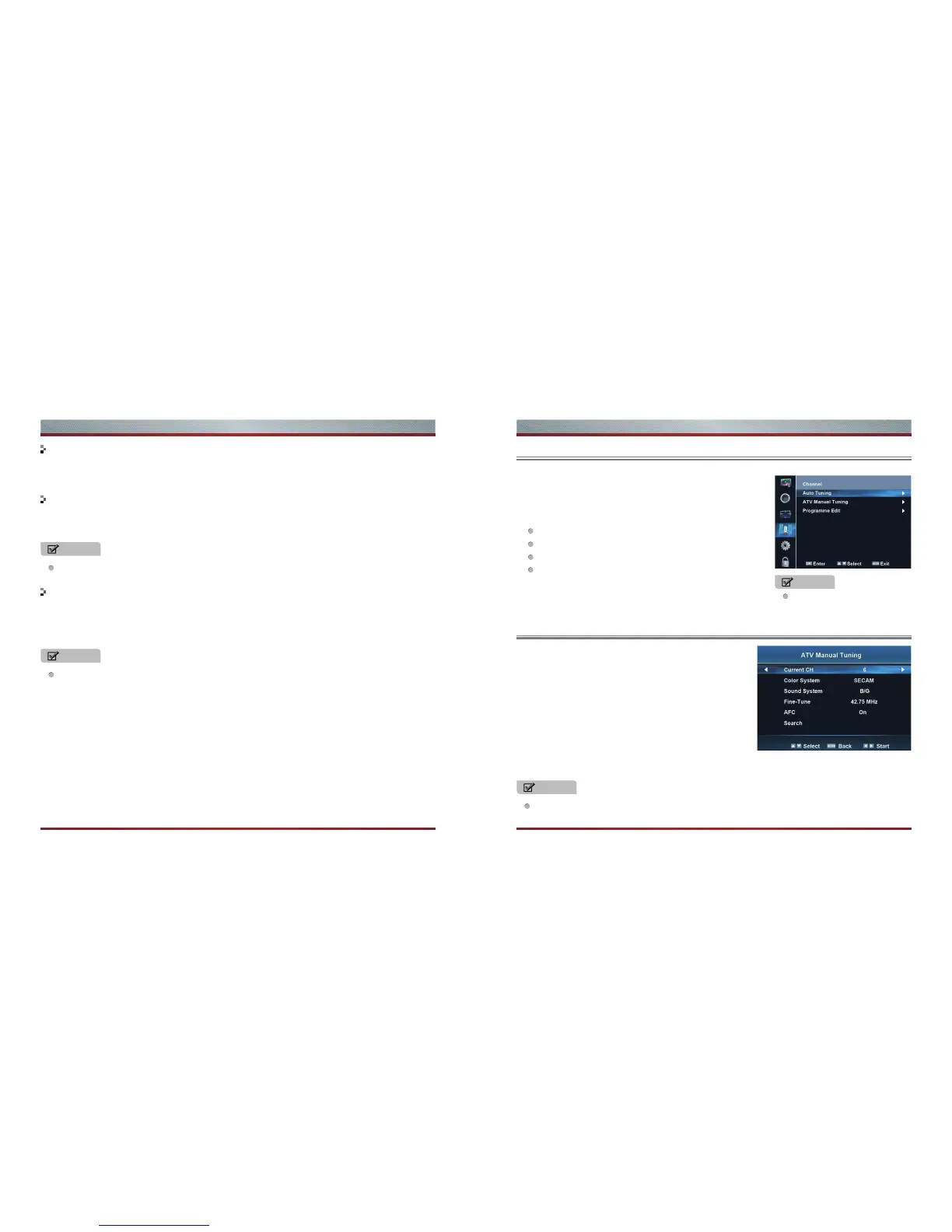
Using the Channel menu
NOTE
If there are no input signal, the TV set will turn to standby mode automatically after about 15
minutes.
NOTE
Wrong sound system selected may result in abnormal sound and image.
The menus in the user manual
may vary slightly from the
actual screen.
Auto Tuning: Auto Tuning will search for available channels
and program receivable channels.
ATV Manual Tuning:
Channel CH: To set the current channel No..
Color System: To set the color system of current channel.
There are three modes to be chosen in all including
PAL,SECAM,NTSC.
Sound System: To set the sound system of current
channel. There are four modes to be chosen in all including
B/G, I, D/K,MN.
NOTE
NOTE



 To Next Page