5
Getting Started
6
Getting Started
NOTE
NOTES
NOTE
Turn the Power button off when you do not intend to use the TV for long periods, for example
overnight. Remove the connection from the wall power outlet if you do not intend to use the unit for
longer period, for example, if you plan to be away for a few days. Wait at least 5 seconds after
turning off if you want to turn on the TV again.
1. To turn your TV on: Connect the TV to an AC power outlet and turn on the AC Power ON/OFF switch
and turn on the Power button. A few seconds later an image will appear on the screen.
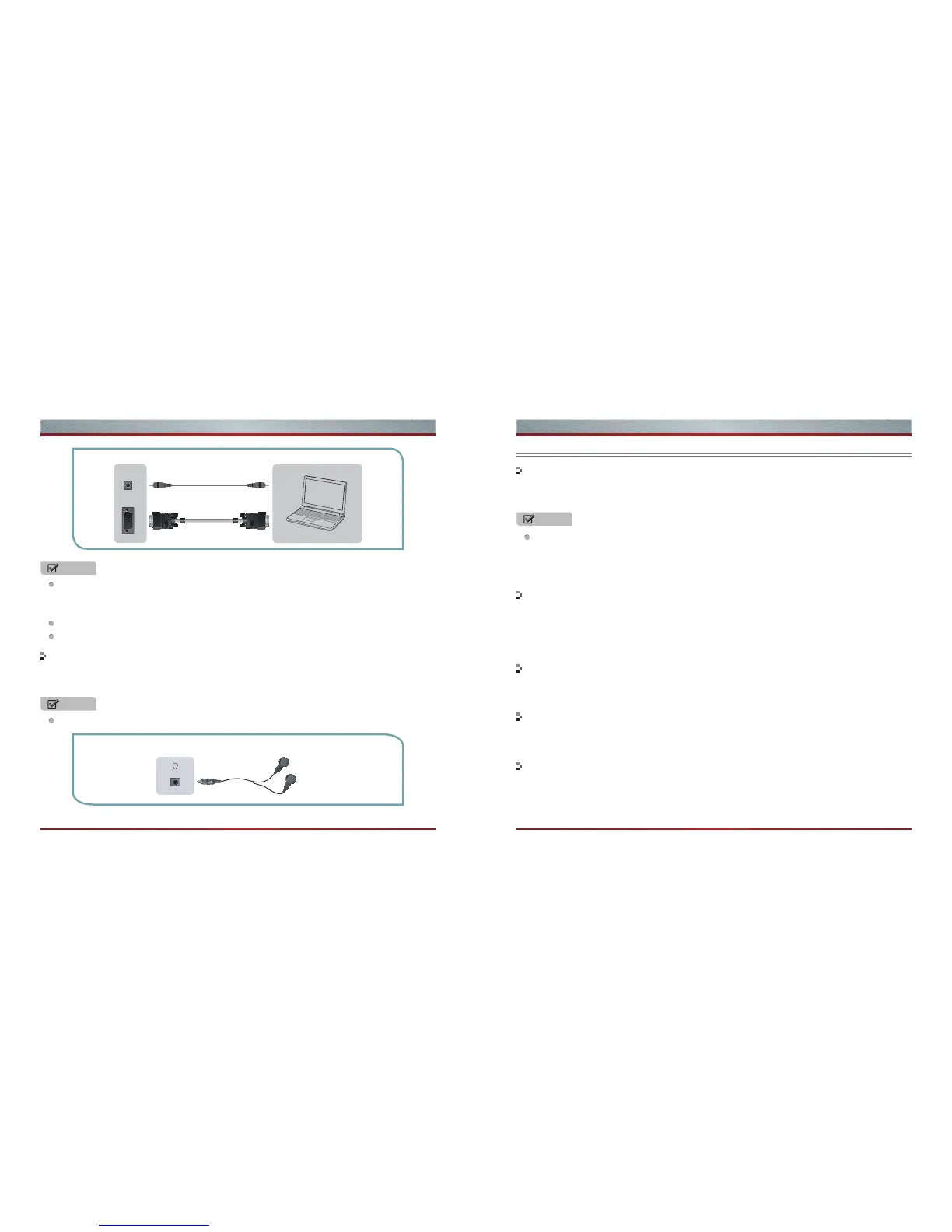
Connecting a headphone
Turning your TV on and off
1. Select the video source depending on the video device you have connected to the TV set. TV, AV,
Component, HDMI, VGA and DMP can be chosen as the video source.
2. Press [Source] to select the video source . When the list of video source appears, press [▲/▼] to
select the source, then press [OK] to enter.
Selecting the video source
Press [VOL+/VOL- ] to increase or decrease the volume. Press [Mute] to turn off the Audio. Press
[Mute] again to turn on the Audio.
Adjusting the volume
Press [CH+/CH-] to go to the previous or next channel. Either, Press the number buttons to select a
channel. For example, to select channel 12, press 1, then 2 within 3 seconds.
Changing channels
Press [Sound] one or more times to select the sound mode which you want. Standard, Music,
Movie,Sports, User(a mode that you set) mode can be selected.
Selecting the sound mode
Primarily this unit is intended for use as an LED TV. If you want to use it as a monitor, please
contact the manufacturer of the PC Video/Graphic's card for further support. Perfect compatibility
is not warranted.
The VGA cable will not be supplied with the product.
We strongly recommend to use VGA cable with 2 cores as shown in the figure.
Headphones can be connected to the HEADPHONE output on your set. (While the headphone is
connected, the sound from the built-in speakers will be disabled.)
To prevent possible hearing damage, do not listen at high volume levels for long periods.
EXTERNAL DEVICES
Computer
TV JACK
VGA
PC AUDIO IN
Audio Cable
(not included)
VGA Cable
(not included)
HEADPHONE
EXTERNAL DEVICESTV JACK
Shortcuts Instructions



 To Next Page