9
Basic Features
10
Basic Features
You can rename the channel by no more than 5 characters.
Fine Tune: Under poor reception conditions, or when receiving analogue signals from distant TV
stations, the picture or sound quality might be improved by using the Fine Tune option.
Program Edit: Allows you to edit TV programs in the Channel list. After having searched for channels,
you can Enter Program Edit menu to select the program you want to edit.
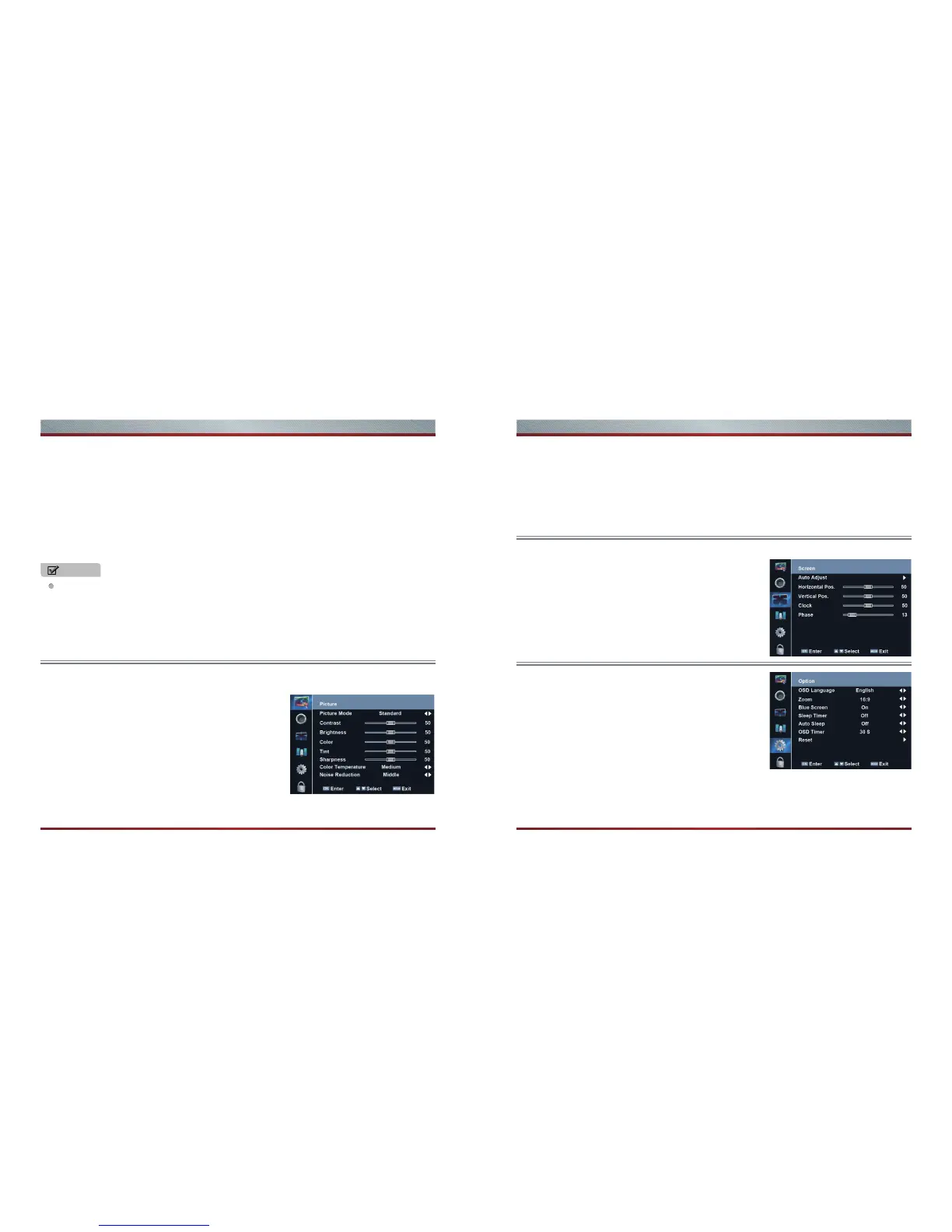
Tint: Adjust the color of the image more red or more green to make the image more natural.
Color Temperature: Change the color temperature by pressing [◄/►]. You can select the color
temperature from these options: Medium, Warm, and Cool.
Noise Reduction: It can optimize the picture signal from time and space; reduce the outside noise
interference and return the pure initial signal. It has four ratings: Low, Middle, High, and Off.
Clock: Adjust the VGA Clock to match the PC clock.
Phase: Adjust the VGA phase to match the PC.
OSD Language: Allows you to select your desired on screen
menu language. Press the [◄/►] buttons to select your
desired on-screen menu language.
ZOOM: 4:3 or 16:9 /ZOOM1 /ZOOM2 (when VGA input only
16:9,4:3,1:1 are available)
Blue Screen: Set the background when there is no signal. The
background will show blue screen when it’s on and show noise
when off.
Sleep Timer:You can select off,10min .....240min
Auto Sleep:You can select off,3H,4H,5H
OSD Timer:You can select 5,10,......30s.
Reset: Parameter settings to its original state.
Auto Adjust: Adjust the VGA Clock to match the PC clock.
Horizontal / Vertical Position: Adjust the horizontal / vertical
position of the image by pressing [◄/►] buttons.
Color: Adjust the brightness of the color by pressing [◄/►] .
Sharpness: Increase the sharpness level for clearer images or decrease the sharpness level for
smoother images by pressing [◄/►].
Allows you to set your preferred picture mode.
Picture Mode: Allows you to select the picture mode which you want, Standard, Mild, Dynamic, and
User (a mode that you see) can be selected.
Contrast: Decrease or Increase the contrast of the image by
pressing [◄/►]. The grade reflects the contrast between the
image and the background.
Brightness: Decrease or Increase the brightness of the image
by pressing the [◄/►]. The grade shows the brightness of the
current image.
1. Delete channels: Press the [Red] button once to delete the selected channel.
2. Rename channels: Press the [Green] button to rename the selected channel. Press the [ ▲/▼]
buttons to select the characters to represent the station name. Press the [ ◄/►] buttons to move to
the next character and then press the [Green] button again to confirm the new name.
3. Move channels: Press the [Yellow] button and press the [▲/▼] to move the selected channel. Press
the [OK] button to confirm.
4. Skip channels: Press the [Blue] button to skip the selected channel. Press the [Blue] button again to
undo it.
Using the Screen menu(VGA mode only)
Using the Option menu
Using the Picture menu
NOTE



 To Next Page