EasyManua.ls Logo

LoadSurfer WH-25ES - User Manual

LoadSurfer WH-25ES
12 pages
Print Icon
To Next Page IconTo Next Page
Loading...
InstructionManual
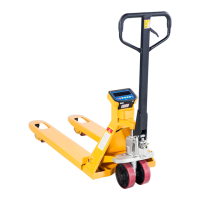
Pallet Truck with Scale
Note: Owner/Operatormust read and understand this instruction
manualbeforeusingthe pallettruckwithscale.
Question and Answer IconNeed help?

Do you have a question about the LoadSurfer WH-25ES and is the answer not in the manual?

Summary

General Specifications

Assembly and Adjustment

Attach Handle to Pump Unit

Instructions for connecting the handle to the pump unit.

Adjust Release Device

Steps to adjust the control lever for fork lifting and lowering.

Maintenance and Lubrication

Hydraulic Oil Maintenance

Guidance on checking and maintaining hydraulic oil levels and type.

Expel Air from Pump Unit

Procedure for removing air from the hydraulic pump unit.

Daily Check and Lubrication

Routine checks and lubrication points for the pallet truck.

Safe Operation Guidelines

Troubleshooting

Weighing Operation

Battery Power and Replacement

Component Lists

Pump Assembly Parts List

Detailed list of parts for the pump assembly.

Handle Parts List

Detailed list of parts for the handle assembly.

Frame Parts List

Detailed list of parts for the pallet truck frame.

Electrical and Wiring

Wiring Diagram and Connections

Diagrams for scale, junction box, and sensor wiring.

Printer Operation

Changing Printer Paper

Instructions for replacing the paper roll in the printer.

Weighing Unit Troubleshooting

LoadSurfer WH-25ES Specifications

General IconGeneral
BrandLoadSurfer
ModelWH-25ES
CategoryTrucks
LanguageEnglish