EasyManua.ls Logo

LOBSTER the pickle champion - User Manual

LOBSTER the pickle champion
16 pages
Print Icon
To Next Page IconTo Next Page
Loading...
owners manual
the pickle champion
play more. win more.
®
®
Question and Answer IconNeed help?

Do you have a question about the LOBSTER the pickle champion and is the answer not in the manual?

Overview

The document is an owner's manual for "the pickle champion" ball machine by Lobster Sports, designed for pickleball practice.

Function Description

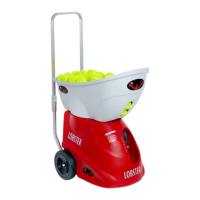
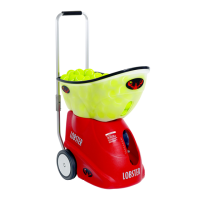
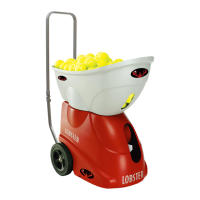
The Lobster pickle champion is a ball machine designed to throw pickleballs for practice on a pickleball court. It offers various play modes, including manual operation, preset drills, and oscillation patterns, allowing users to practice different shots and improve their game. The machine is intended for use with conventional pickleballs only.

Important Technical Specifications

  • Weight: Approximately 44 pounds (depending on the model).
  • Ball Type: Designed to throw pickleballs only.
  • Speed: Adjustable from 20 to 65 MPH (in 5 mph increments) for manual mode, and 35 to 65 MPH for 2-Line and Oscillation modes.
  • Elevation: Adjustable between 2 and 80 degrees (in 1-degree increments) for manual mode, and for 2-line, manual, and test functions via remote.
  • Spin: Adjustable top and back spin up to three levels for manual, 2-Line, and Oscillation modes.
  • Feed Rate: Adjustable between 2-9 second intervals, or a random setting, for manual mode. For 2-Line and Oscillation, it's 4-9 second intervals or random. For pre-loaded drills, it's a fixed 4-9 seconds or random.
  • Battery Life: For optimal battery life, fully charge after each use. A standard charger takes 12-18 hours for a depleted battery. A premium fast charger takes 3-6 hours. The premium charger can extend run time by up to 2 hours if the battery is mostly charged.
  • Warranty: 2-year warranty on materials and workmanship (excluding battery and server wheels, which have a 6-month warranty). Chargers, accessories, demonstration models, and reconditioned machines have a 1-year warranty. Extended warranties are available for purchase.

Usage Features

  • Control Panel: Features a POWER button, REMOTE button, Menu Buttons (for scrolling and selection), Settings buttons (for adjustment), and eight preset buttons for play modes.
  • Power On/Off: Push and hold the POWER button to turn the machine on. Battery level is shown at startup. The machine performs functional checks to calibrate motors. A main power switch is located on the left side of the metal box below the control panel for long-term storage (off for one month or longer).
  • Remote Control (Optional): Available as a handheld remote or a smartphone app (Apple only, requires grand remote purchase and installation). The remote allows control of play/pause, test, random, 2-line, drills, sweep, depth, speed, spin, feed, and elevation functions from a distance. Control panel settings override remote control.
  • Handle Operation: A metal handle can be raised for pushing/pulling the machine. It folds down for transport.
  • Hopper Assembly: The hopper detaches and can be inverted to cover the machine for transport.
  • Court Placement: Place the machine with the white line marker over the baseline, at the court's center mark. Players should stand at a minimum of 22 feet away from the machine.
  • Test Button: Used to align the machine for proper ball placement. Throws one ball to land within a 2-foot radius of the opposite non-volley line and center lines convergence. Adjustments can be made using the settings buttons or by nudging the machine.
  • Manual Mode: Allows repetitive practice of a single shot with adjustable speed, elevation, spin, angle, and feed rate.
  • Preset Modes:
    • 2-Line: Offers Narrow (forehand/backhand at court center) and Wide (forehand/backhand at sidelines) options. Adjustable speed, spin, depth (Row A Deep, Row B Mid, Row C Short, or Random), and feed rate.
    • Oscillation (Sweep): Throws balls randomly across the court width. Adjustable depth (Short, Mid, Deep, or Random), speed, spin, and feed rate.
    • Pre-Loaded Drills: Six custom-designed drills with sequential shots, combining court location, ball speed, and spin. Difficulty can be adjusted by setting a fixed (4-9 seconds) or random feed rate.
      • DRIVE TO THE KITCHEN: Baseline to kitchen movement, higher balls, drives, and pop-ups.
      • GREEN LIGHT RED LIGHT: Battles drives, stop-and-hit approach, moving to the kitchen.
      • DEFUSE THE BANGER: Deals with fast drives at the net, balls moving left, right, up, and down.
      • FLYING ERNE: Practice shots for perfecting the Erne.
      • AROUND THE CLOCK: Movement across all areas of the court for cardio and overall fitness.
      • STOP DROP AND LOB: Running down lobs from the kitchen, defending, and returning to the kitchen.
  • Ball Consistency: Best achieved with balls of the same age and type (new vs. old, indoor vs. outdoor). Altitude, wind, and environmental conditions can affect consistency.

Maintenance Features

  • Battery Charging: Charge before first use and after each use for optimal battery life. Recharge monthly during storage. Trickle charge technology prevents overcharging.
  • Battery Replacement: Replacement batteries are available on the Lobster Sports website. Installation can be done by the owner or by sending the machine to Lobster for maintenance. Using non-approved batteries may void the warranty.
  • Cleaning the Machine: Turn power OFF. Wipe the outside with mild detergent. Vacuum the inside to remove dirt and debris. Remove small debris from balls before refilling the hopper.
  • Server Wheels Maintenance: Server wheels will need replacement over time. Parts and tutorial videos are available on the Lobster Sports website.
  • Cleaning Server Wheels: Ensure power is OFF. Use a 100-grit sandpaper sponge to sand the entire wheel, one section at a time (2-3 times per wheel), to remove build-up from ball coatings.
  • Storage: Store indoors in a clean, dry location. Avoid rain, snow, and extreme heat (e.g., closed vehicle reaching 180°F). An elite storage cover is recommended.
  • Troubleshooting:
    • Machine Doesn't Power On: Check main power switch (ON), battery charge, and battery wire connections (undo control panel screws, gently pull back, check red/black wires to control board).
    • Machine Error: Error messages appear on the LCD. Turn the machine off and on again. Consult the support section of lobstersports.com or contact Customer Service.

LOBSTER the pickle champion Specifications

General IconGeneral
BrandLOBSTER
Modelthe pickle champion
CategorySports & Outdoors
LanguageEnglish

Related product manuals