10
INSTALLING INTERIOR ASSEMBLY (F)
Step 4
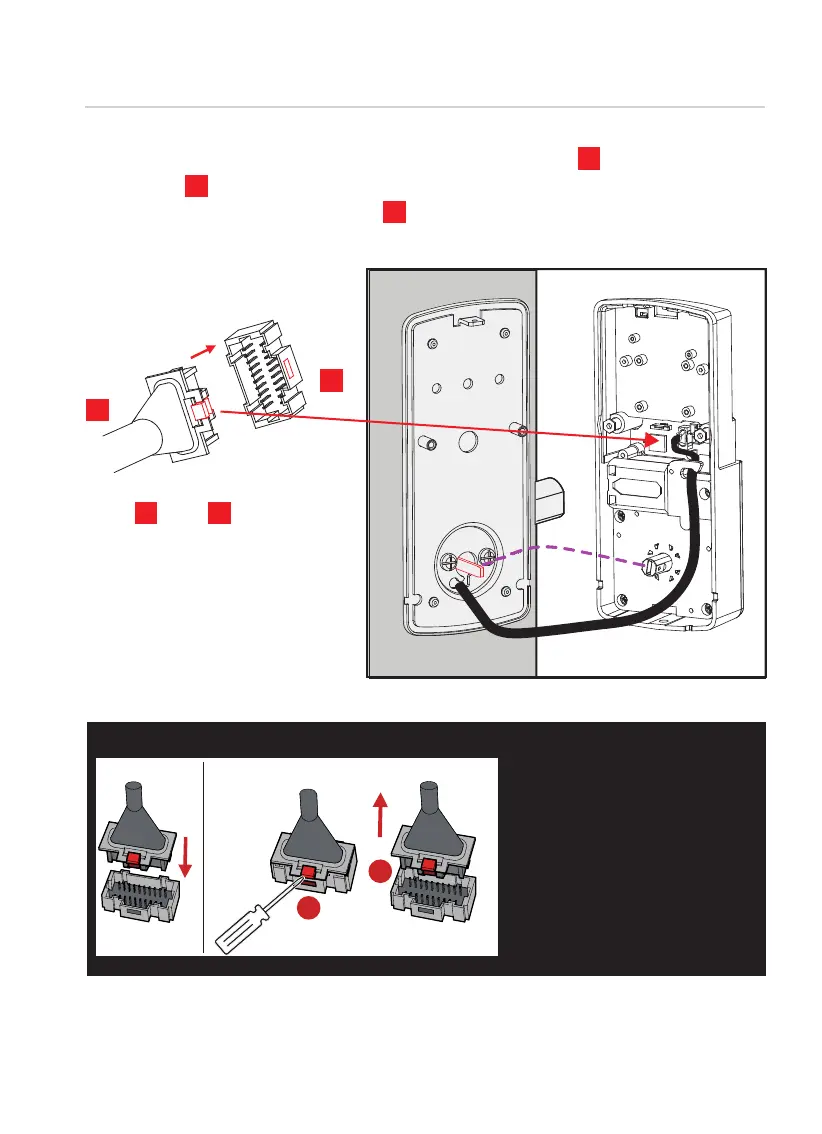
Plug into , match
red side of plug with red on
socket- insert tightly.
X
X
Y
Y
Plug the cable coming through mounting plate into the interior
assembly as shown. Tuck cable under eyelet hooks and route to
the right on interior assembly .
D
F
F
1
2
Install Cable Remove Cable
IMPORTANT:
If you need to disconnect
this cable, use a screw-
driver to hold down the
tab (marked red) before
carefully unplugging. DO
NOT FORCE as this may
result in damaging the
lock.



 To Next Page