13
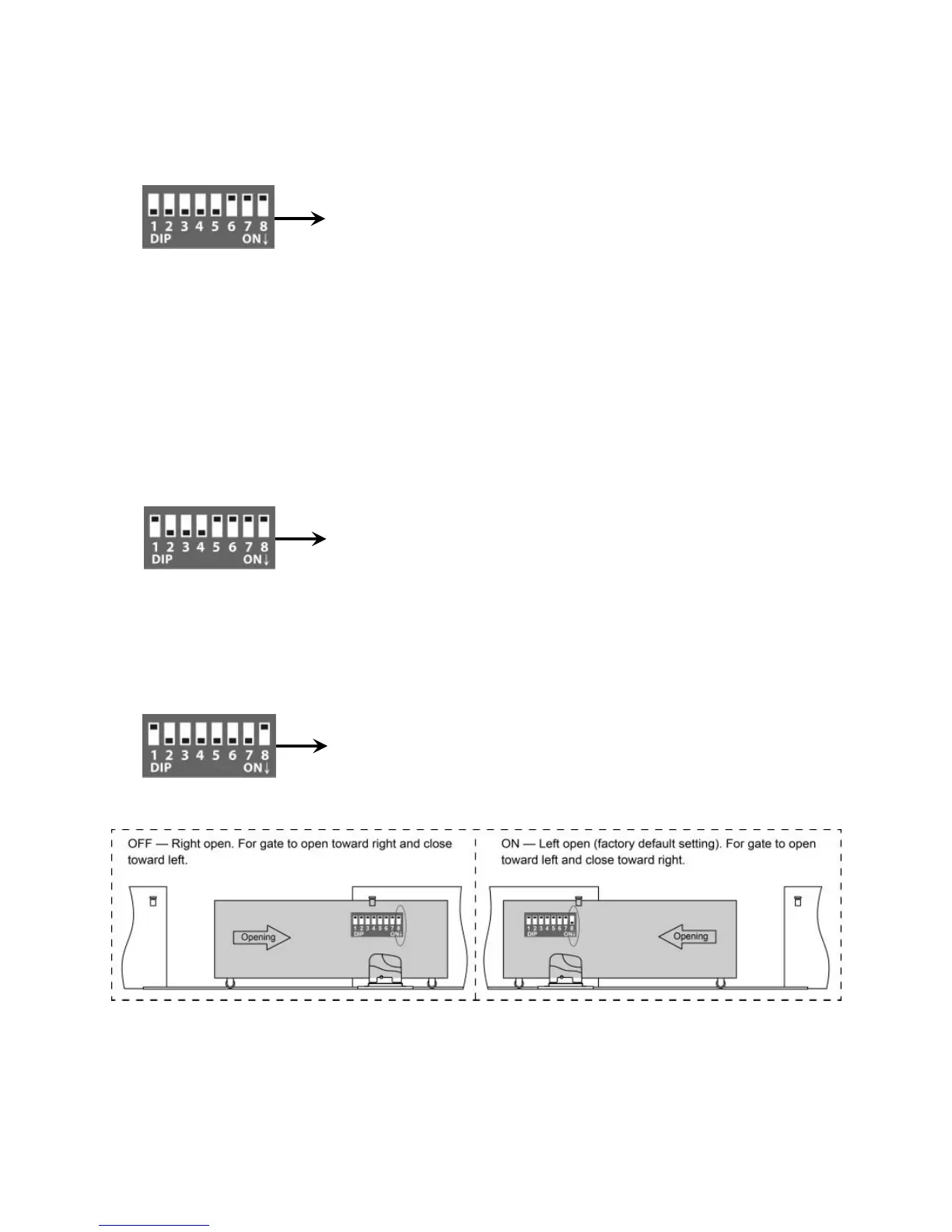
DIP Switch #1–#2: Running time of the motor in Midway Mode
DIP Switch #1: ON – 2 Seconds OFF – 0
DIP Switch #2: ON – 4 Seconds OFF – 0
NOTE: The midway mode function would be disabled if both DIP switches are turned off. Factory
default setting is disabled.
DIP Switch #3–#5: Fine adjust the soft stop period of the motor
DIP Switch #3: ON – 1 Second OFF – 0
DIP Switch #4: ON – 2 Seconds OFF – 0
DIP Switch #5: ON – 4 Seconds OFF – 0
NOTE: Every time you restart the gate opener after power off, you should use the access control
device (such as remote, push button and etc.) to operate the gate opener to run for a complete
opening cycle and a complete closing cycle to get the full opening time and the full closing time. You
would achieve the soft stop in your next opening/closing cycle. Factory default soft stop time is 0
Second. You can turn the DIP switches on/off to fine adjust the soft stop time to meet your actual
needs.
DIP Switch #6–#7: Auto close time of the gate opener
DIP Switch #6: ON – 30 Seconds OFF – 0
DIP Switch #7: ON – 60 Seconds OFF – 0
NOTE: The auto close function would be disabled if both DIP switches are turned to off (factory
default setting).
DIP Switch #8: Left/Right open
2. Potentiometers
Potentiometer A and B are used to adjust the stall force of the gate opener. Both two potentiometers of
factory default force have been set to at 15:00 o’clock.
Turn the potentiometer clockwise to increase the stall force.
Turn the potentiometer counter-clockwise to decrease the stall force.
E.g. Running time of the opener in pedestrian mode is 2+4=6 seconds.
E.g. The soft stop period of the motor is 1+2=3 seconds.
E.g. Auto close time of the gate opener is 30+60=90 seconds.



 To Next Page