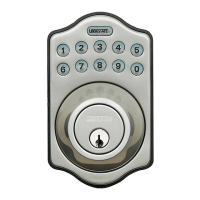
Need help?
Do you have a question about the LockState LS-DB500 and is the answer not in the manual?
Use the template to mark the door for lockset and latch hole placement.
Essential step to ensure correct operation by identifying door handing before programming.
Step-by-step guide for programming user codes (4-10 digits) into the lock system.
Instructions for updating the primary programming code for enhanced security.
Steps to enable or disable the auto-lock feature and set the desired delay time.
Resetting the lock to default configurations, requiring re-identification of door handing.
Door won't lock, three beeps; often due to incomplete door-handing identification.
No button feedback or backlight; check battery installation or cable connections.
Errors during door-handing setup indicate incorrect orientation or memory issues.
Latch bolt immobility after initial setup; check batteries or internal connections.
Sudden latch bolt immobility during use; try battery reset or verify strike alignment.
Locking works, but user codes fail to unlock; may indicate micro-switch problems.
Latch bolt issues related to strike plate alignment or hole depth.

 To Next Page
 General