EasyManua.ls Logo

Loewe Concept 1700 - Programme Memory Location Management

Loewe Concept 1700
Print Icon
To Next Page IconTo Next Page
To Previous Page IconTo Previous Page
Loading...
_
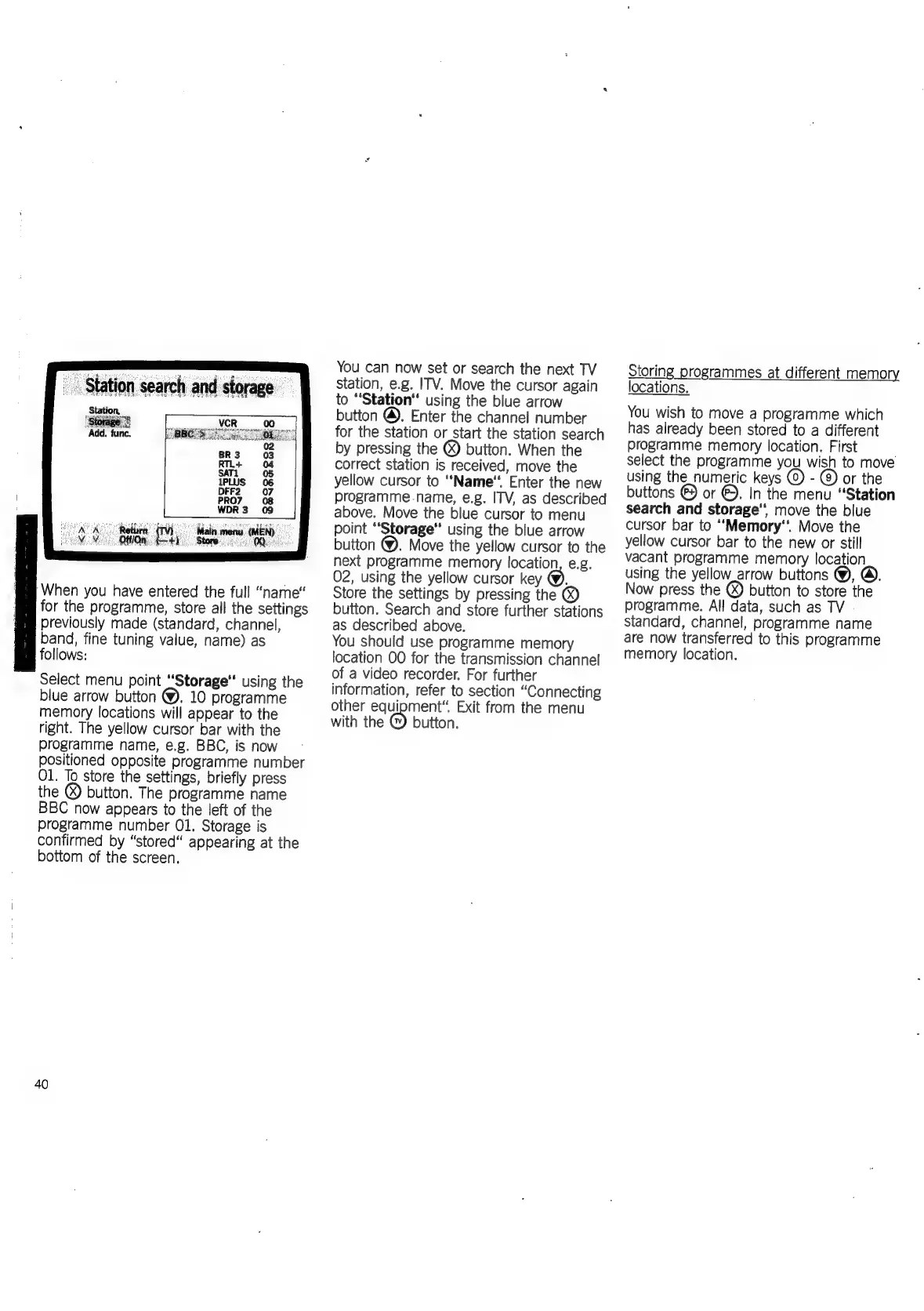
Station
search
and
storage
_
Station,
Storage’!
Add.
func.
Return.
(TV)
Main
menu
(MEN)
Ot/On
ey
Store:
MQ).
‘When
you
have
entered
the
full
“name“
for
the
programme,
store
all
the
settings
previously
made
(standard,
channel,
band,
fine
tuning
value,
name)
as
follows:
Select
menu
point
“Storage
using
the
blue
arrow
button
@.
10
programme
memory
locations
will
appear
to
the
right.
The
yellow
cursor
bar
with
the
programme
name,
e.g.
BBC,
is
now
positioned
opposite
programme
number
O1.
To
store
the
settings,
briefly
press
the
®)
button.
The
programme
name
BBC
now
appears
to
the
left
of
the
programme
number
01.
Storage
is
confirmed
by
“stored
appearing
at
the
bottom
of
the
screen.
40
You
can
now
set
or
search
the
next
TV
station,
e.g.
ITV.
Move
the
cursor
again
to
“Station
using
the
blue
arrow
button
@.
Enter
the
channel
number
for
the
station
or
start
the
station
search
by
pressing
the
@)
button.
When
the
correct
station
is
received,
move
the
yellow
cursor
to
‘‘Name‘.
Enter
the
new
programme.-name,
e.g.
ITV,
as
described
above.
Move
the
blue
cursor
to
menu
point
‘Storage’
using
the
blue
arrow
button
@.
Move
the
yellow
cursor
to
the
next
programme
memory
location,
e.g.
02,
using
the
yellow
cursor
key
@),
Store
the
settings
by
pressing
the
®
button.
Search
and
store
further
stations
as
described
above.
You
should
use
programme
memory
location
OO
for
the
transmission
channel
of
a
video
recorder.
For
further
information,
refer
to
section
“Connecting
other
equipment”
Exit
from
the
menu
with
the
button.
Storing
programmes
at
different
memory
locations.
You
wish
to
move
a
programme
which
has
already
been
stored
to
a
different
programme
memory
location.
First
select
the
programme
you
wish
to
move
using
the_numeric
keys
-@
or
the
buttons
©
or
©.
In
the
menu
“Station
search
and
storage’‘
move
the
blue
cursor
bar
to
“‘Memory‘
Move
the
yellow
cursor
bar
to
the
new
or
still
vacant
programme
memory
location
using
the
yellow_arrow
buttons
@),
Now
press
the
()
button
to
store
the
programme.
All
data,
such
as
TV
-
standard,
channel,
programme
name
are
now
transferred
to
this
programme
memory
location.

Related product manuals