EasyManua.ls Logo

Loewe Concept 1700 - Teletext Guide; Teletext Programme Information; Activating Teletext Mode

Loewe Concept 1700
Print Icon
To Next Page IconTo Next Page
To Previous Page IconTo Previous Page
Loading...
Teletext.
Are
you
already
familiar
with
Teletext?
Teletext
is
like
a
“newspaper
in
the
television’
where
you
can
find
up-to-date
information
(news,
weather,
sport,
stock
market
prices,
programme
previews,
etc.).
Teletext
is
particularly
important
for
the
hard
of
hearing
and
the
deaf,
as
it
allows
them
to
follow
the
TV
programme
via
subtitles
displayed
at
the
bottom
of
the
screen.
As
in
a
newspaper,
teletext
works
with
pages,
topics
and
topic
sections;
it
allows
you
to
page
forwards
and
back
in
the
same
way
as
in
a
newspaper
to
pick
out
the
topics
and
topic
sections
which
are
of
interest
to
you.
A
precondition
for
good
teletex
reception
is
a
good
TV
signal.
Teletext
makes
high
demands
on
reception
quality;
this
means
the
least
possible
“ghosting
and
no
“white
noise“
in
the
TV
picture,
Fine
tuning,
in
particular,
should
be
precisely
adjusted.
If
you
still
have
problems
with
certain
programmes,
you
should
ask
your
dealer
to
check
your
antenna
system.
Does
the
station
transmit
teletex?
Not
all
stations
transmit
teletex
signals
in
addition
to
the
TV
signal.
To
find
out
which
stations
do
transmit
teletex,
simply
press
button
@),
If
the
“running“
clock
appears
at
the
bottom
or
top
of
the
picture,
the
station
transmits
teletext;
if
the
station.
does
not
transmit
teletex,
-
the
message
“No
text"
will
appear.
Teletext
programmes.
_
ARD
and
ZDF
(German
Ist
and 2nd
channels)
operate
a
joint
teletex
program
using
the
teletext
standard
TOP
(Table
Of
Pages).
With
TOP,
access
to
the
desired
information
is
quicker
and
easier
and
eliminates
the
time-consuming
selection
of
page
numbers.
Not
all
stations
with
teletext
support
the
TOP
operating
system.
You
therefore
have
to
use
teletext
with
TOP
slightly
differently
than
teletext
without
TOP.
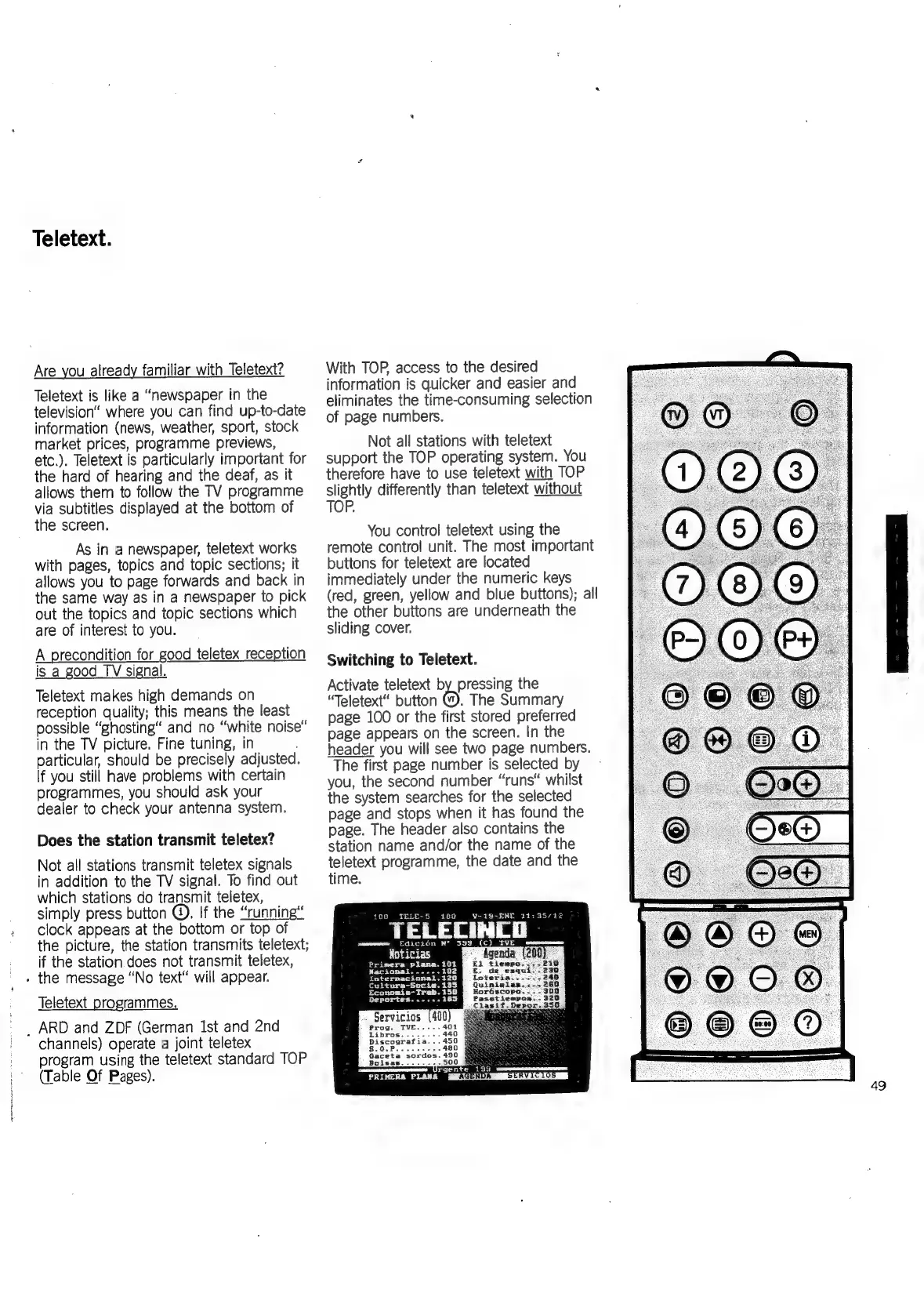
You
control
teletext
using
the
remote
control
unit.
The
most
important
buttons
for
teletext
are
located
immediately
under
the
numeric
keys
(red,
green,
yellow
and
blue
buttons);
all
the
other
buttons
are
underneath
the
sliding
cover.
Switching
to
Teletext.
Activate
teletext
by
pressing
the
“Teletext“
button
oh
The
Summary
page
100
or
the
first
stored
preferred
page
appears
on
the
screen.
In
the
header
you
will
see
two
page
numbers.
The
first
page
number
is
selected
by
you,
the
second
number
“runs“
whilst
the
system
searches
for
the
selected
page
and
stops
when
it
has
found
the
page.
The
header
also
contains
the
station
name
and/or
the
name
of
the
teletext
programme,
the
date
and
the
time.
30
V-19-ENE
211:35/22
TELECINCO
100
amemwwen
«Edicion
N‘
S39
(C)
TVE
Noticias
oo
Agenda’
Primera
plana.
101
El
tiempos:
Nacional.....-
i
de
es:
iInternacional,i126
Quiniglas.«
Horéscopa.
.
POs
Servicios
(400
rgente
199
ma_s_~J—
ND
R
9)
eae
{!
H
Posi
a
MOS
UME
AGENDA
SERVICIOS
©0080
49

Related product manuals