Please fold out this page.
Contents
Remote control – TV functions ................................................................ 3
Control unit front side of the device ....................................................... 4
Connections rear side of the device – Individual 32 ............................... 5
Connections rear side of the device – Individual 40 / Individual 46 ....... 6
Welcome ................................................................................................... 7
Scope of delivery ..........................................................................................................7
About this operating manual .......................................................................................7
TV set equipment .........................................................................................................7
Operating convenience with wizards ...........................................................................8
The wizards in overview ...............................................................................................8
Info display and TV index ............................................................................................8
For your safety ......................................................................................... 9
Environmental protection ...................................................................... 10
Initial installation ................................................................................... 11
Installing the TV set ................................................................................................... 11
Preparing the remote control unit ............................................................................. 11
Connecting the TV set ............................................................................................... 11
Turning the set on/off ................................................................................................ 12
First installation wizard ............................................................................................. 12
Positioning/aligning the DVB-T antenna ................................................................... 14
Operating convenience .......................................................................... 15
General information on menu operation .................................................................. 15
The info display ......................................................................................................... 15
The index in the TV set .............................................................................................. 16
The Assist
+
menu ..................................................................................................... 16
TV menu – Overview diagram................................................................................... 17
Radio menu – Overview diagram ............................................................................. 17
Daily operation ...................................................................................... 18
Select station............................................................................................................. 18
Select video source.................................................................................................... 19
Adjusting the sound .................................................................................................. 20
Adjusting the picture ................................................................................................. 22
Operation without remote control............................................................................. 23
Button functions ....................................................................................................... 24
Managing stations ................................................................................. 26
TV stations ................................................................................................................ 26
Put together / change favourites list ......................................................................... 29
Picture in Picture .................................................................................... 30
Picture in Picture (PIP) ............................................................................................... 30
Configure Picture in Picture (PIP) mode..................................................................... 31
Electronic Programme Guide ................................................................. 32
Electronic Programme Guide – EPG .......................................................................... 32
Configuring EPG ....................................................................................................... 33
Teletext ................................................................................................... 34
Teletext ...................................................................................................................... 34
Teletext menu ............................................................................................................ 35
Digital teletext (MHEG-5) .......................................................................................... 36
Digital radio ........................................................................................... 36
Radio mode ............................................................................................................. 36
EPG – Electronic Programme Guide (radio)............................................................... 37
Audio playback from external devices ....................................................................... 37
DVB ......................................................................................................... 38
Software update ....................................................................................................... 38
Conditional Access module (CA module) .................................................................. 40
Other settings ........................................................................................ 41
Parental lock ............................................................................................................. 41
Timer functions ......................................................................................................... 42
Language .................................................................................................................. 42
On-screen displays .................................................................................................... 43
Time and date ........................................................................................................... 43
Operating additional equipment ........................................................... 44
Connection wizard .................................................................................................... 44
Devices to the connections AV1/AV2/AVS ................................................................. 46
Devices to the HDMI (DVI) connections .................................................................... 48
Concealed installation of HDMI devices .................................................................... 49
Devices to the PC IN connection ............................................................................... 50
Devices to the Component IN connection ................................................................. 51
Sound components wizard ....................................................................................... 52
Play sound via active speakers .................................................................................. 52
Play sound via TV speakers and active subwoofer .................................................... 52
Connecting audio amplifiers ..................................................................................... 53
Assignment of the digital audio input ....................................................................... 54
Audio connection in HDMI (DVI) devices .................................................................. 54
RS-232C interface ..................................................................................................... 54
The direct way to record ............................................................................................ 55
Timer recording with external devices ....................................................................... 57
PhotoViewer ............................................................................................................. 58
MusicBox .................................................................................................................. 60
Operating Loewe equipment .................................................................................... 64
Rotating the TV set.................................................................................................... 66
Troubleshooting ..................................................................................... 67
Technical data ........................................................................................ 69
General data ............................................................................................................. 69
Electrical data ........................................................................................................... 69
Connections (max. equipment) ................................................................................. 69
Accessories ............................................................................................. 70
Setup possibilities ...................................................................................................... 70
Accessories ............................................................................................................... 70
Equipment variants and upgrade kits ....................................................................... 71
Glossary .................................................................................................. 72
Index ...................................................................................................... 76
Service .................................................................................................... 77
Other ...................................................................................................... 78
Trademarks ............................................................................................................... 78
Acknowledgements .................................................................................................. 78
- 2







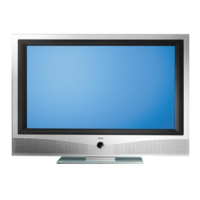
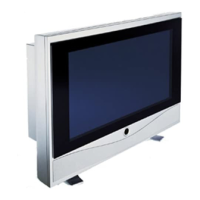
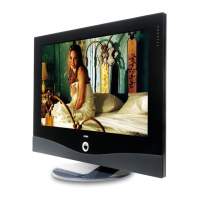


 To Next Page