- 14
Basics about the menu operation
Menus are called via the MENU button or via the button for special menus and
can be hidden by using these buttons or by using the END button. The menu is
displayed in the bottom section of the screen. At the top, you can see additional
information for the menu point selected. In the menus, navigate by using the
cursor5634. You can make settings by using 34. When you exit the
menu, the settings are adopted.
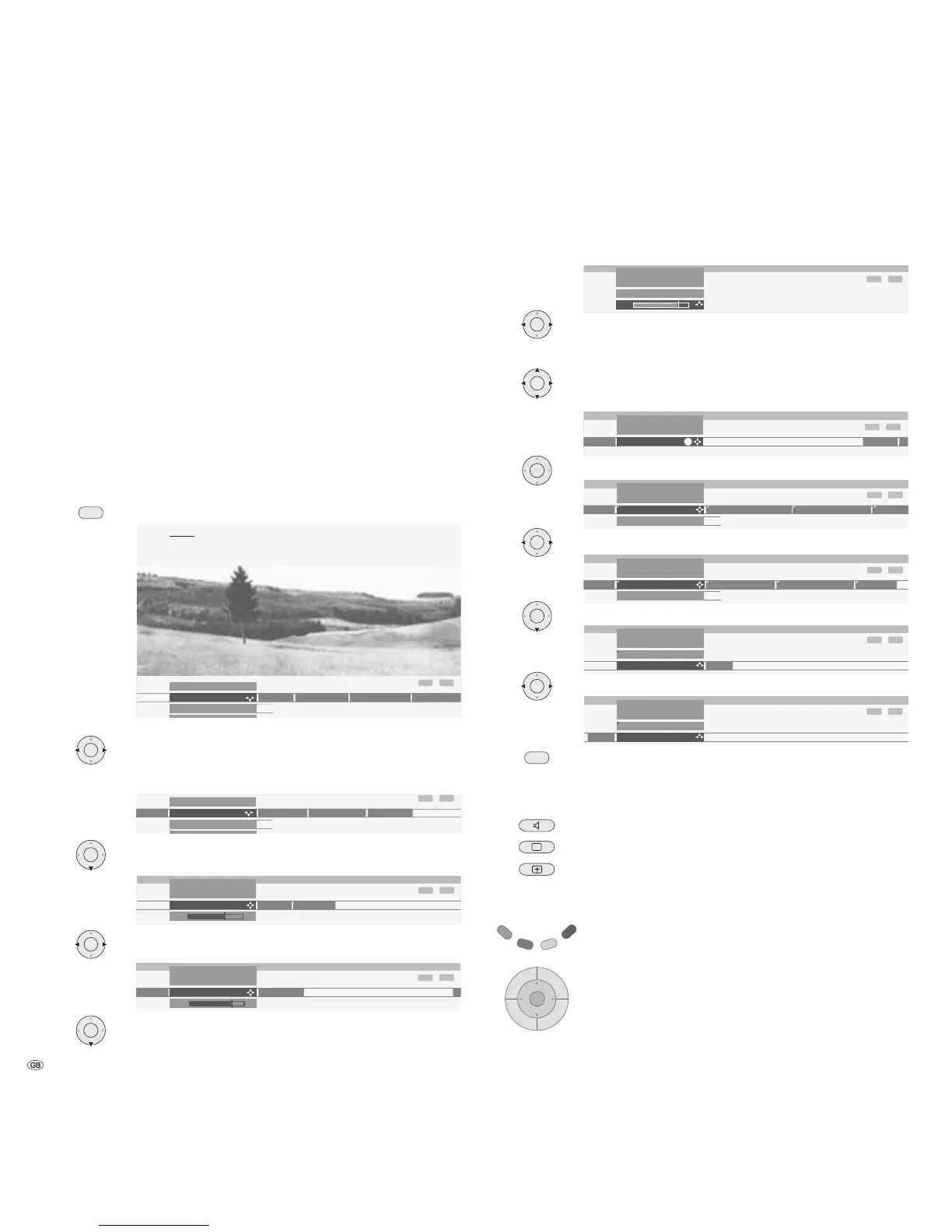
Example of the menu operation
We shall demonstrate how to navigate with the menus using the TV menu as an
example. You can see which buttons you can use in the dark blue eld on your
TV set.
Open TV menu (in TV mode).
Select the function in the TV menu, e.g. “Sound“ (for sound
settings). Use 4 to move the menu points displayed on the
right into the dark blue eld; use 3 to move the menu points
displayed on the left.
Select the sound function below with 6 or OK; you will then
see a list of the sound settings.
In the sound settings, also select the function with 34, e.g.
“Bass“ (for increasing or reducing the bass tones).
To set the bass tones, use 6 or OK to select the setting bar
underneath.
Set the bass tones by using 34.
If you want to make other sound settings, move up with 5
to “Bass“ and select with 34, e.g. “more...“. You can also
move up further to “Sound“ by using 5 and select other set-
tings in the TV menu (such as, picture settings).
Use OK to call additional sound settings.
Select the sound setting using 34, e.g. “Auto volume“ and ...
... use 6 to select the auto volume option.
Use 34 to select “on“ and activate the auto volume.
Press the END button to hide the menu.
Apart from the TV menu shown here, other menus can be opened in TV mode
as follows:
Call the Sound menu directly.
Call the Picture menu directly.
Quick calls for teletext subtitles, personal text pages, head-
phone volume, scan stations and to move the picture up and
down.
Green coloured key: Call standard settings for picture and
sound.
Using the volume control, you can also open other sound
settings, such as Sound via, Sound adjustment, Sound effects
and Loudness.
The key 5 or OK must be pressed for the duration of the
volume display for this.
Daily operation











 To Next Page