P+
OK
P–
V– V+
TV
DVD
VCR
DISC-MENU
T-C
SV SP/LP 000
M
E
N
U
T
E
X
T
END
INFO
abc def
ghi jkl
mno
pqrs
tuv
wxyz
EPG
AV
PIP
RADIO
P+
OK
P–
V–
V+
P+
OK
P–
V–
V+
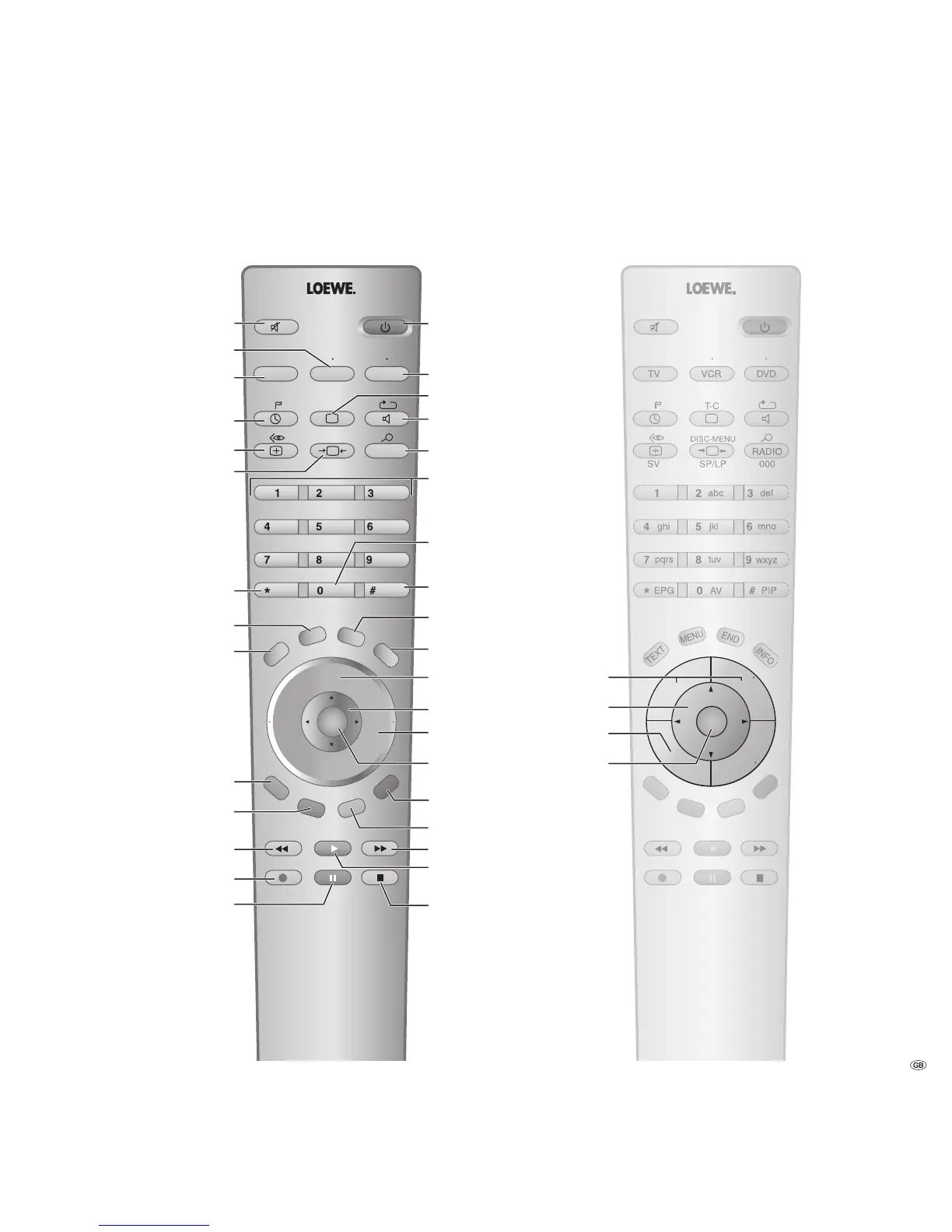
Sound off/on
Green button:
(2
Standard settings
for picture/sound
Red button:
(2
freeze picture on/off
Teletext on/off
(2
Show/hide menu
Electronic Programme Guide
Now&Next Programme Info
(2
Set picture format
Call timer list
Switch over to operate TV set
Switch over to operate VCR
Select station down
/ in the Wizard: back
Direct recording
Freeze picture on/off
Switch on/off
- on standby
Yellow button:
(2
previous station
Open index
/in the menu: info texts on/off
Status display on/off
(2
/in the menu: hide menu
Call AV selection
PIP on/off (picture in picture)
Picture menu on/off
Switch over
to operate DVD player
Sound menu on/off
Radio on/off
(1
Select station directly
/in the menu: enter numbers
or letters
Station list on
/in the menu: confirm/call
Blue button:
(2
programme info
off/on
Select station up
Freeze picture off
Freeze picture on
V–/V+ Volume down/up
for PIP: Position of the PIP picture
/ in the menu: select/set
P+/P– Select station up/down
(1
Radio only for DVB reception
if broadcast by the station
Alternative
remote control
(2
with DVB-T stations in GB
different function. The coloured
keys do not work as described
with DVB-T stations in GB,
but they operate as described
on page 27 (Digital Teletext).
Menu "Additional functions" on/off











 To Next Page