- 36
Operating additional equipment
When operating in the VCR or DVD mode, the indicator above the VCR or DVD
button lights up. In DVD mode, the following DVD players can be operated:
Xemix 6122DO, 8122DA and 6222PS.
In VCR mode, the following VCRs can be operated: ViewVision 8106H, 8136H,
8176H, 6306H, 6336H, 6376H, 6396H, 4306H, 4376H, 2102M, 2302M, 4206,
4236, 4276.
For other Loewe equipment than that listed, please use the original remote
control.
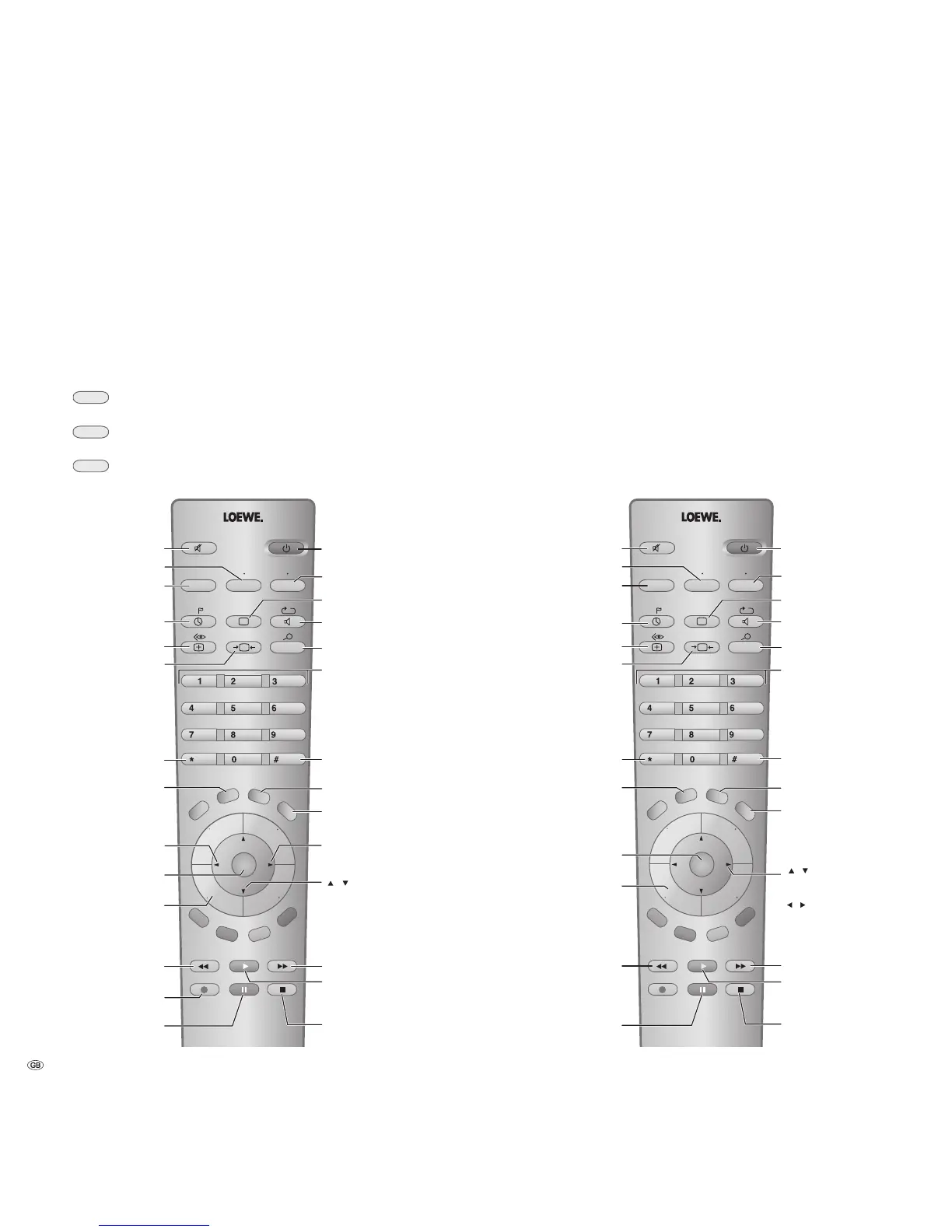
Operating Loewe video recorders and
Loewe DVD players directly
You can switch over the remote control of the TV set to operate Loewe
video recorders and Loewe DVD players. These devices can be operated
directly.
Select the device to be operated:
press the VCR button, the indicator above lights for about
5 seconds.
press the DVD button, the indicator above lights for about
5 seconds.
Switch back to TV operation: Push the TV button.
P+
OK
P–
V– V+
P+
OK
P–
V–
V+
M
E
N
U
T
E
X
T
END
INFO
TV
DVD
VCR
DISC-MENU
abc def
ghi jkl
mno
tuv
wxyz
EPG
AV
PIP
T-C
SP/LP 000
pqrs
RADIO
SV
Switch recorder
on/off – in standby
Fast forward
/search forwards
Start playback
Stop tape
Set picture format (TV)
Select picture and sound source
Operating DVD players
Select station directly
/in menu: enter digits
Call up station list
/in menu: call up/confirm
Status display on/off
Status display on/off
in the menu: Close menu
Select video and audio input
Set time display to 0:00:00
on playback: Slow motion forward
/in the menu: select/set
or to the next menu
Sound off/on (mute)
V–/V+ volume quieter/louder
Pause (still frame)
/frame-by-frame advance
Rewind
/search backwards
Call AV selection (TV)
Switch to Long Play
/Standard Play
Display/close
ShowView timer Menu
Display/close Timer list
Operating the TV set
Operating VCRs
Start recording
Reverse play
/in menu: select/set
/
at stop: Program up/down
on playback: manual tracking
in the menu: Select position
VCR menu on
/in menu: back











 To Next Page