EasyManua.ls Logo

Logan 750-1 - User Manual

Logan 750-1
16 pages
Print Icon
To Next Page IconTo Next Page
Loading...
INSTRUCTION MANUAL
MODEL 750-1 / 760-1
SIMPLEX ELITE MAT CUTTER
INSTRUCTIONS AND OPERATION MANUAL
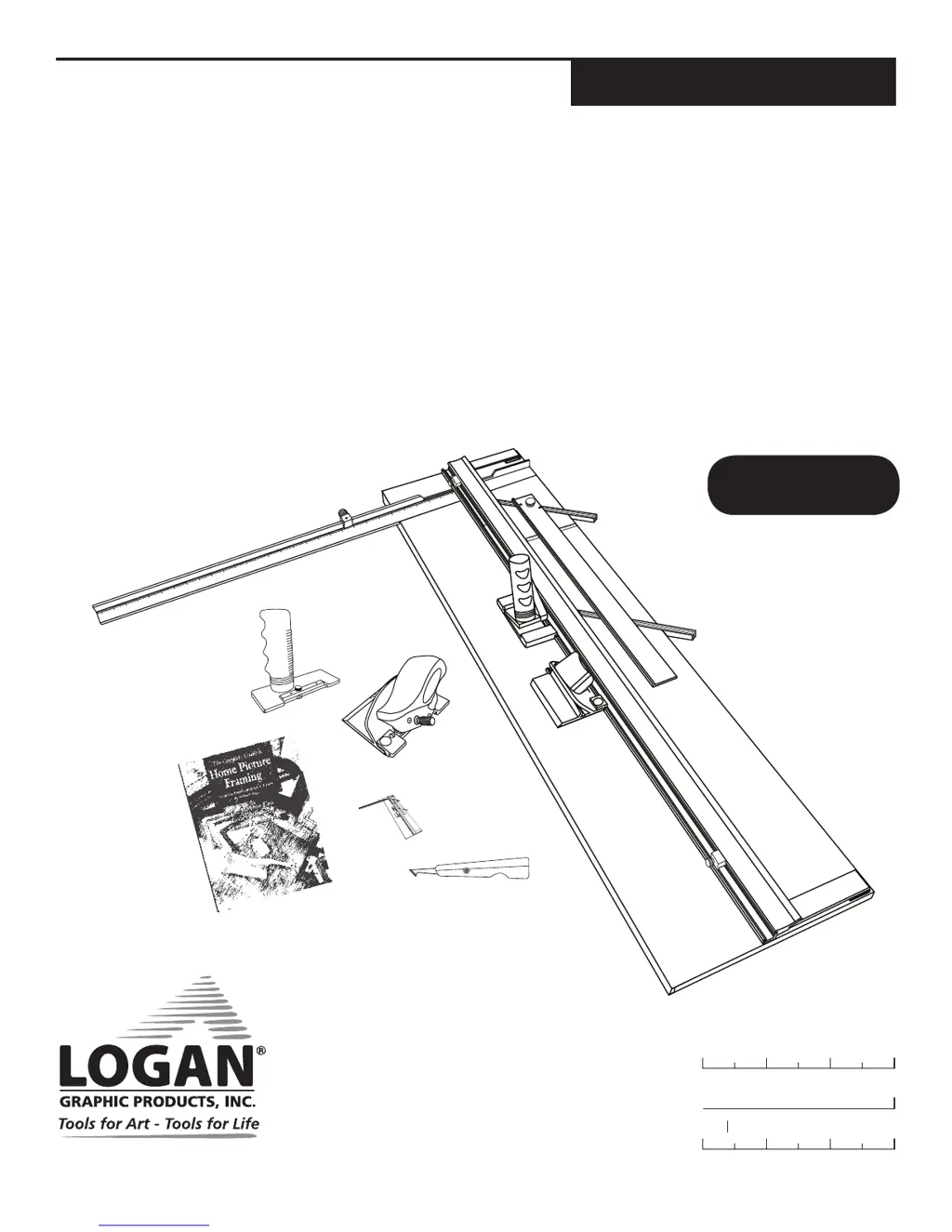
40 in (101 cm) mat cutting system with bevel & straight
cutters, production stops, 32 in (81cm) squaring arm, 8-ply
cutter, acrylic plastic cutter, glass cutter, paper trimmer
and framing book.
L2004DN2 Rev.6 7/17
Purchase Date
ID Number (on bottom of board)
Date (on bottom of board)
LoganGraphic.com
For best results use only
authentic Logan blades
Uses Logan Replacement
Blade #270 and
Blade #271 (8-Ply)

Questions and Answers

  • J
    James LittleJul 27, 2025
    Why is my Logan 750-1 not cutting through the material?
    • M
      Mr. Johnny ThompsonJul 27, 2025
      If your Logan Cutter isn't cutting through, several factors could be at play. First, ensure the machine is placed on a level surface. Second, verify that you're using a Slip Sheet that's at least as long as the mat you're cutting. Lastly, the blade depth may be set too shallow; try increasing it to see if that resolves the issue.
  • J
    Jennifer SandersAug 1, 2025
    How to fix ragged bevel cut with Logan Cutter?
    • C
      Colleen AguilarAug 1, 2025
      A ragged bevel cut with your Logan Cutter is often due to a few common issues. Always use a Slip Sheet during cutting. If you are using one, it may be worn out and needs replacement. Also, ensure you're changing the blade regularly, as a dull blade can cause this problem.
  • C
    christopherlyonsAug 6, 2025
    What to do if mat borders are uneven when using Logan Cutter?
    • D
      Damon MendezAug 6, 2025
      If you're experiencing uneven mat borders with your Logan Cutter, the most likely cause is that the Mat Guide is not parallel. To correct this, adjust the Mat Guide until it is properly aligned and parallel.
  • K
    kerrivasquezAug 11, 2025
    Why does my Logan 750-1 make looks or curves?
    • W
      William MillerAug 11, 2025
      If your cuts with the Logan Cutter are resulting in looks or curves, there are several potential causes. The blade depth might be set too deep, so ensure it is correctly adjusted. A dull blade can also cause this, so replace it with a new one. The blade might be catching on a previous cut in the Slip Sheet, so make sure the Slip Sheet is clear. Finally, uneven pressure applied to the Cutting Head during the cut can lead to curves; apply even pressure throughout the cutting process.
  • D
    Drew WilliamsAug 15, 2025
    What to do if there is overcut on top cut using Logan 750-1?
    • T
      tannercampbellAug 16, 2025
      If you're experiencing an overcut on the top cut with your Logan Cutter, it's likely that the blade depth is set too deep. Adjust the blade depth to resolve this issue.
  • A
    Aaron MooreAug 21, 2025
    What to do if there is overcut on bottom cut using Logan Cutter?
    • B
      brownchristineAug 21, 2025
      If the overcut is too small, align the start and stop indicator slightly below the pencil line before cutting. Conversely, if the overcut is too large, align the start and stop indicator slightly above the pencil line before cutting.

Summary

Identification of Machine Components

Set-Up

Blade Installation - Model 702-1 Bevel Cutter

Instructions for installing the blade into the 702-1 Bevel Cutter.

Blade Installation - Model 701-1 Straight Cutter Elite

Instructions for installing the blade into the 701-1 Straight Cutter Elite.

Mat Guide Assembly

Step-by-step guide for assembling the mat guide.

Squaring Arm Assembly

Straight Cutting Board to Size

Procedure for cutting the mat board to the desired size.

Bevel Cutting Mat Openings

Instructions for making bevel cuts to create mat openings.

Bevel Cutter Adjustments

8-Ply Bevel Cutting Instructions

Paper Trimming Instructions

Plastic Cutting Instructions

Glass Cutting Instructions

Cutting Board Adjustments

Trouble Shooting

Logan 750-1 Specifications

General IconGeneral
BrandLogan
Model750-1
CategoryCutter
LanguageEnglish

Related product manuals