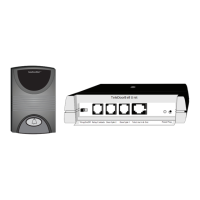
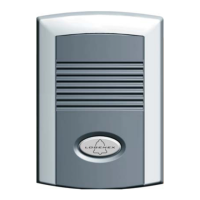
Surface mount the MDU Speaker
Wall /
Mounting
Surface
Fig.1
Fig.2
Fig.3
Fig.4
Installation Procedure
1) Drill (4) mounting holes and knock out (1) wire hole on the Back-
Box of the Door Speaker Station for wiring. (See Fig.1)
2) Position the Back-Box on the wall and drill mounting holes through
the brick or mounting surface.
2) Thread wire through the knockout hole openings of the Back-Box
Note: We recommend that you use silicon sealer at all hole
mountings and wiring locations to ensure a water tight seal.
3) Mount Back-Box by screwing in the four supplied mounting
screws. 2
4) Connect (2) audio wires securely into screw down terminals of the
speaker board.
** Connect (4)video wires securely into screw down terminals
(Applicable for Video Speaker Model Only). (See Fig.3)
(See Fig. )
5) Secure the front flate speaker unit to the Back-Box using the 2
mounting screws located at the top and bottom of the speaker.
(See Fig.4)
6) Slide the screw mount cover plates closed on the speaker
101
103
102
104
101
103
102
104
Video
Back of Speaker Connection
Video Connection
with separate power supply
(for Video Models only)
Audio
- 12V (-) Power
-
- Video Signal -
-
12V (+) Power
()
Video Signal (+)
V+
T
V-
R
12+
12-
Installation Instructions
Installation Note
Installation of the system requires that the installer install a 2-conductor wire 22
AWG, (Max Length 1000 ft) or CAT-5 wiring (for Video/Audio speaker option,
Max Length 250 ft) from the location of the Door Station Speaker to the system
control unit. It is recommended that the system control unit be installed near the
point-of-entry of the customer's main telephone line.
NOTE: To achieve 1000 ft range with video, you must use COAX Cable in-
place of the CAT-5 for the video signal.
IMPORTANT NOTICE:
For added protection we strongly recommend that you use surge protectors on both your power
supply and on the C/O line (phone line) to protect against lightning and other energy surges. This
precaution is extremely important in rural areas.
Page 5
Wall / Mounting
Surface
Knock out a
Wiring Hole
Drilled out
Mounting Holes
Green
Red



 To Next Page