EasyManua.ls Logo

Logenex TeleDoorBell - User Manual

Logenex TeleDoorBell
10 pages
Print Icon
To Next Page IconTo Next Page
Loading...
6A-7500 Martin Grove Rd. Woodbridge, ON. Canada L4L 8S9
Toll Free: 1.888.790.5900 E-mail: info@logenex.com
For complete information please visit our website at www.logenex.com
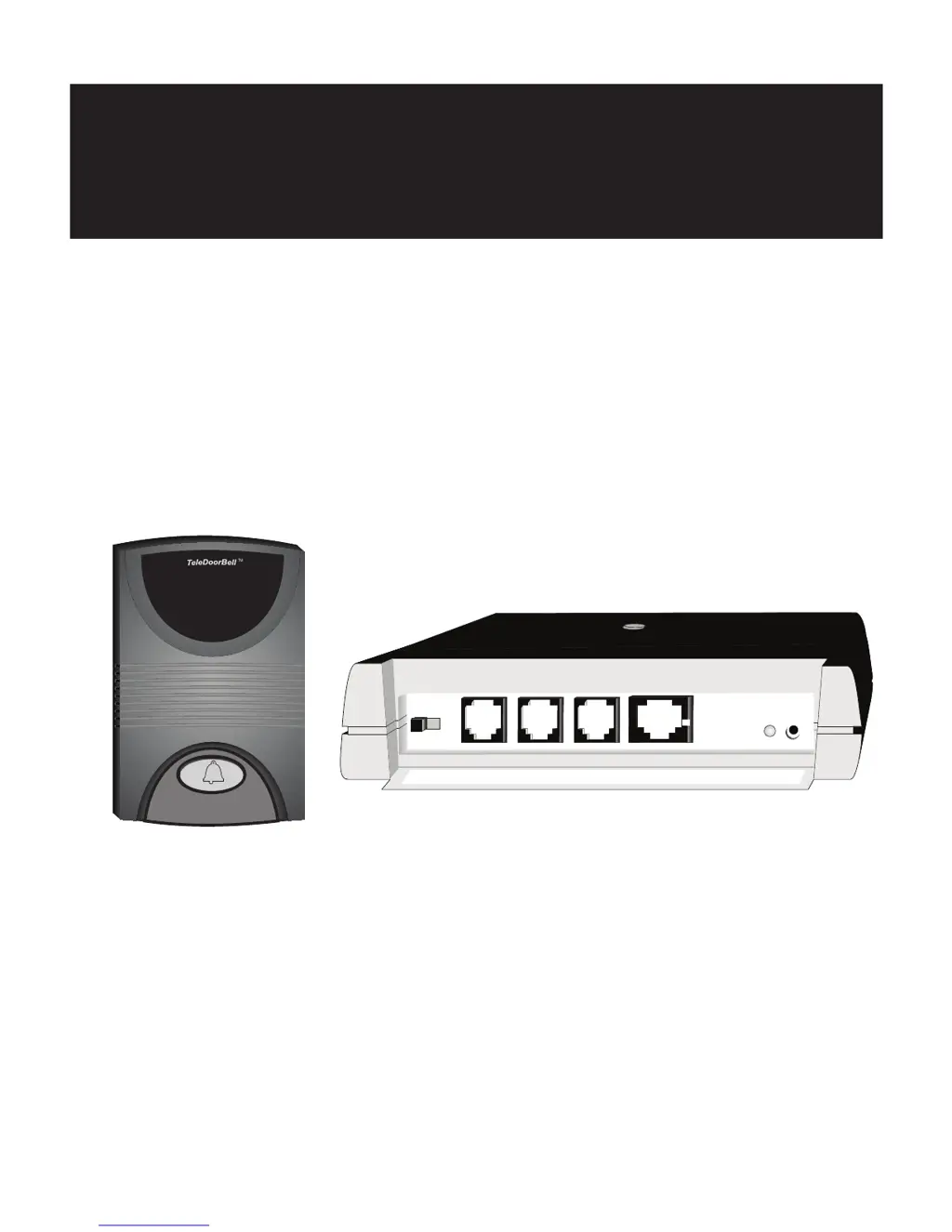
Ri ng On/Off Relay C ontacts Door Spkr 2 Door Spkr 1 Tele L ine In & Out
Power Plug
TeleDoorB ell U nit
Don't open your door to the unknown
TeleDoorB ell
T M
Ins tallation Manual
Page 1
Revision 5 June 2003

Questions and Answers

  • J
    Jessica SimpsonAug 1, 2025
    What to do if Logenex Intercom System phones don't ring when the speaker button is pressed?
    • P
      Patricia GarrisonAug 1, 2025
      If the TeleDoorBell is working but the phones aren't ringing when the speaker button is pressed, here are a few things to check: 1. Make sure the ringer switch on the front of the controller is not set to the OFF position. 2. Verify that the Yellow wire is correctly connected to both the speaker and the controller section of the speaker. 3. Try unplugging all phones and testing them one at a time to identify if one of the phones is causing too much of a load. 4. If you have more than one telephone line, ensure the controller is wired to the correct phone line.
  • L
    Laura BennettAug 7, 2025
    What to do if Logenex Intercom System phones ring, but there is no audio to the door?
    • M
      Mark LynchAug 8, 2025
      If your phones ring when the door speaker is pressed, but you can't hear anything at the door, it could be a wiring issue. The Green and Yellow wires might be reversed, either at the speaker or at the controller. Also, check if the Red and Black wires are reversed at either the speaker or the controller.
  • A
    Anna ChristensenAug 16, 2025
    How to troubleshoot Logenex Intercom System controller not responding?
    • D
      daviskristinAug 16, 2025
      If the controller is not responding, follow these steps: 1. Check your AC and power adapter, and confirm that the LED Power Indicator is ON. 2. Check the power connection into the unit.
  • D
    Denise MoralesAug 22, 2025
    What to do if I have dial tone feedback at the Logenex Intercom System speaker?
    • D
      David BassAug 23, 2025
      If you're experiencing a dial tone feedback at the speaker when the door speaker button is pressed, reverse the In and Out connections on the (RJ31X and/or CA38A) data jack.

Summary

Safety Instructions

General Safety Precautions

Key safety precautions for using telephone equipment to reduce risks of shock, fire, and injury.

Features

Connections and Installation

TeleDoorBell Unit Ports Overview

Detailed explanation of the ports and switches on the TeleDoorBell V-200 unit.

Installation Requirements

Specifies additional components and wiring needed for system installation.

Surface Mount Speaker Installation

Installation Diagrams and Wiring

TeleDoorBell Unit Wiring Diagram

Diagram illustrating connections for doorbell, speaker, phone lines, and alarm jacks.

Additional TeleDoorBell Connections

Troubleshooting Guide

Common Problems and Solutions

Table listing common issues with the TeleDoorBell and their respective solutions.

How to Use Your TeleDoorBell

Programming Features

Guide for programming features like passcodes, long distance restrictions, and enabling/disabling dialing.

Logenex TeleDoorBell Specifications

General IconGeneral
BrandLogenex
ModelTeleDoorBell
CategoryIntercom System
LanguageEnglish

Related product manuals