EasyManua.ls Logo

Logia LOWSL710FWB7 - User Manual

Logia LOWSL710FWB7
26 pages
Print Icon
To Next Page IconTo Next Page
Loading...
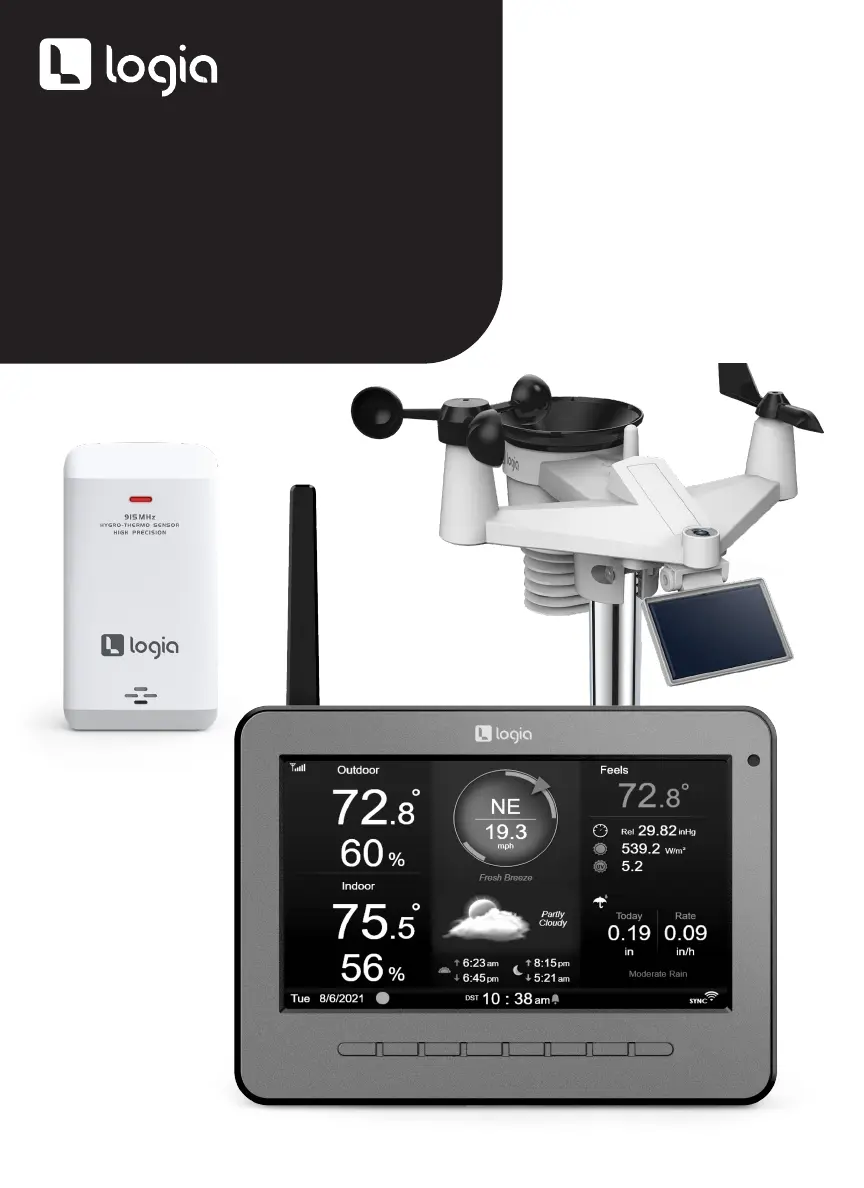
7-IN-1 WIRELESS
WEATHER STATION WITH
WI-FI
®
EVERLASTING
SOLAR CELL, AND 7” FULL-
COLOR HD LCD DISPLAY
USER GUIDE
LOWSL710FWB7
,

Questions and Answers

Summary

Safety Precautions and Product Information

Tips for Sensor Site Selection

Guidelines for choosing the optimal location for the weather sensor for accurate readings.

Product Features Overview

Highlights the key capabilities and components of the wireless weather station.

Package Contents

Lists all the items included in the product package for user verification.

Product Overview

Weather Console Overview

Detailed explanation of the physical components and layout of the weather display console.

Home Screen Overview

Describes the main display screen and its various data readouts and icons.

Detail and Summary Screen Overviews

Explains the different screens for viewing specific weather data and quick overviews.

Wireless Sensor Overview

Wireless Hygro-Thermo Sensor Overview

Provides a diagram and labels for the wireless hygro-thermo sensor.

Installation Instructions

Setting Up the Wireless 7-in-1 Outdoor Sensor

Step-by-step guide to install and configure the main outdoor weather sensor unit.

Installing the Rain Funnel

Instructions on how to properly attach the rain funnel to the sensor unit.

Installing Batteries and Adjusting Solar Cell

Guide on inserting batteries and positioning the solar cell for optimal power.

Mounting the Sensor on a Pole or Wall

Steps for securely mounting the outdoor sensor unit onto a pole or wall surface.

Optional Sensor Orientation (Southern Hemisphere)

Optional guidance for orienting the sensor in the Southern Hemisphere for better solar exposure.

Display Console Setup

Installing Display Console Batteries

Guide on installing the CR2032 backup battery in the display console.

Powering Up the Display Console

Steps to connect the power adapter and turn on the display console.

Initial Console Startup and Configuration

Initial setup steps for the console, including language and region selection.

Operating Instructions

Console Buttons and Navigation

Identifies and explains the function of buttons on the display console interface.

Weather Data Display Elements

Explains forecast icons, trend indicators, signal status, and various weather metrics.

Wind Scales and Time Functions

Details Beaufort scale, wind speed levels, UV index, and astronomical time displays.

Data Management and Logging

Max;Min Records and History Graph

Instructions on how to view and clear maximum/minimum recorded weather data and history graphs.

Data Logging Operation

Explains the data log screen, its navigation, and how to store data on a USB drive.

System Configuration and Settings

General and Time;Date Settings

Configuration options for general settings, time, date, and regional preferences.

Alarm and Alert Settings

Configuration for setting alarms, alerts, and notification preferences.

Display, Unit, and Sensor Settings

Adjustments for display appearance, units of measurement, and sensor status management.

Calibration and Other Settings

Procedures for calibrating sensors and configuring other system parameters.

Data Log Settings Configuration

Configuration for enabling and managing the data logging function.

Connectivity and Cloud Services

Cloud Service Account Setup

Guides for creating accounts and setting up devices with ProWeatherLive, Weather Underground, and Weathercloud.

Weather Server Connection

Steps to connect the console to various weather servers for data upload.

Viewing Weather Data Online

Instructions on how to access and view your weather data on online platforms.

Firmware Updates

Wi-Fi and System Firmware Updates

Procedures for downloading and installing firmware updates for the console.

Troubleshooting and Maintenance

Care and Maintenance Procedures

Guidelines for cleaning components, battery replacement, and factory reset.

Troubleshooting Common Issues

Solutions for common problems such as connectivity, display, and data transfer issues.

Specifications

Console and Sensor Specifications

Detailed technical specifications for the display console and its components.

Wireless Sensor Specifications

Detailed technical specifications for the wireless outdoor sensor and hygro-thermo sensor.

Limited Warranty Information

Warranty Terms and Conditions

Details the warranty period, coverage, exclusions, and service procedures.

FCC Compliance Statement

FCC Compliance Information

States the device's compliance with FCC Rules and conditions for operation.

Logia LOWSL710FWB7 Specifications

General IconGeneral
BrandLogia
ModelLOWSL710FWB7
CategoryWeather Station
LanguageEnglish

Related product manuals