EasyManua.ls Logo

Logia LOWSC7110FWB8 - User Manual

Logia LOWSC7110FWB8
54 pages
Print Icon
To Next Page IconTo Next Page
Loading...
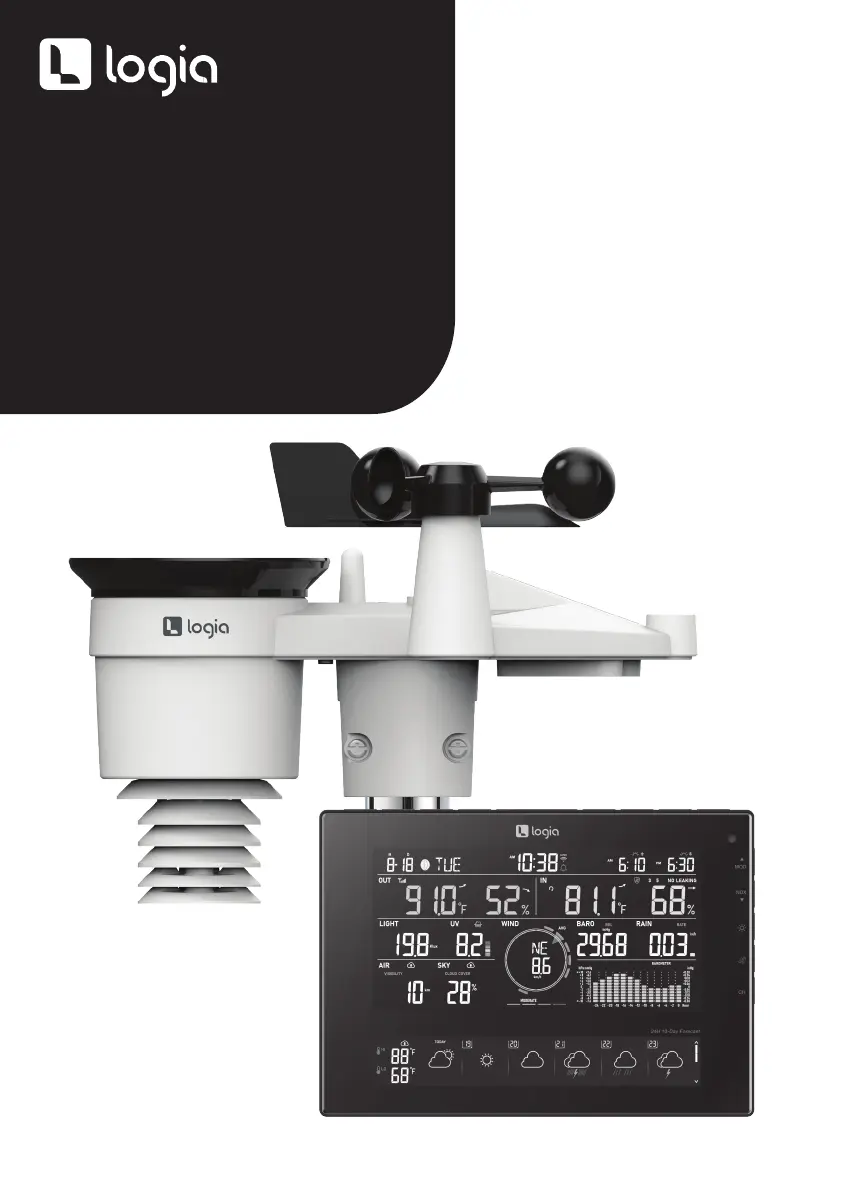
7-IN-1 WIRELESS
24-HOUR/10-DAY FORECAST
WEATHER STATION WITH
WI-FI®, BUILT-IN SOLAR
PANEL, AND 8” FULL-COLOR
LCD DISPLAY
USER GUIDE
LOWSC7110FWB8

Questions and Answers

  • F
    Frederick CarterAug 3, 2025
    Why is my Logia LOWSC7110FWB8 not connecting to Wi-Fi?
    • J
      John SimmonsAug 3, 2025
      If your Logia Weather Station isn't connecting to Wi-Fi, first check that the Wi-Fi icon is displayed on the console. Then, verify that the Wi-Fi settings (router's name, security type, and password) are entered correctly in the console's SETUP page. Also, ensure that you are connecting to the 2.4G band of your Wi-Fi router, as the 5G band is not supported.
  • I
    Ian ColemanAug 7, 2025
    What to do if data isn’t transferring from Logia Weather Station to ProWeatherLive?
    • R
      Rachel MitchellAug 7, 2025
      If data isn’t transferring to ProWeatherLive from your Logia Weather Station, make sure your Station ID and Station Key are correct in the console SETUP page. Also, verify that the device’s Mac address is entered correctly in the “Edit Devices” section of the console on ProWeatherLive.
  • C
    Connie HooperAug 12, 2025
    How to fix Logia LOWSC7110FWB8 Weather Station when the 7-in-1 wireless sensor is not connecting?
    • D
      Deborah SandovalAug 12, 2025
      If the 7-in-1 wireless sensor is not connecting to your Logia Weather Station, ensure that the sensor is within the transmission range. If it still does not work, try resetting the sensor and resynchronizing it with the console.
  • D
    David LopezAug 16, 2025
    What to do if additional wireless sensors are not connecting to my Logia LOWSC7110FWB8?
    • F
      Frank Perry MDAug 16, 2025
      If additional wireless sensors are not connecting to your Logia Weather Station, first ensure that the sensors are within the transmission range. Next, verify that the channel displayed on the console matches the channel selection on the sensor. If the problem persists, reset the sensor and resynchronize it with the console.
  • A
    Angela StevensAug 20, 2025
    Why is the rainfall data incorrect on my Logia LOWSC7110FWB8?
    • C
      chouseAug 20, 2025
      If the rainfall data on your Logia Weather Station is not correct, ensure that the rain collector is clean so the tipping bucket can tip smoothly. Also, confirm that the sensor is on a stable and level surface to ensure correct tipping.
  • B
    Brandon JohnstonAug 25, 2025
    How to prevent high temperature readings on my Logia LOWSC7110FWB8 Weather Station during the day?
    • D
      Danny HunterAug 26, 2025
      If the temperature reading on your Logia Weather Station is too high during the daytime, place the sensor in an open area at least 4.9’ (1.5 m) off the ground. Also, make sure the sensor is away from heat-generating sources or structures like buildings, pavement, walls, or air conditioning units.
  • R
    robertsanchezAug 28, 2025
    What to do if my Logia LOWSC7110FWB8 console is not responding?
    • C
      Crystal PerezAug 29, 2025
      If the console of your Logia Weather Station is not responding, remove the backup battery and unplug the AC adapter. Wait for a minute, then reinsert the backup battery and plug in the AC adapter.

Summary

SAFETY PRECAUTIONS

PRODUCT FEATURES

PACKAGE CONTENTS

PRODUCT OVERVIEW

WIRELESS SENSOR OVERVIEW

Diagram and labels for the wireless outdoor sensor components.

WEATHER CONSOLE OVERVIEW

Diagram and labels for the main display console buttons and features.

SCREEN DISPLAY OVERVIEW

Explanation of the various data fields shown on the LCD display.

INSTALLATION INSTRUCTIONS

SENSOR SETUP AND MOUNTING

Steps for preparing, mounting, and orienting the outdoor sensor.

DISPLAY CONSOLE SETUP

Steps for powering up and pairing the display console with the sensor.

OPERATING INSTRUCTIONS

WEATHER FORECASTS

Understanding weather icons, multi-day, and hourly forecast data.

TEMPERATURE AND HUMIDITY INDEXES

Interpreting outdoor/indoor temp, humidity, and weather indexes.

WIND SPEED AND DIRECTION

Reading wind speed, gust, direction, and Beaufort scale.

RAINFALL MEASUREMENT

Understanding rain rate, hourly, daily, weekly, and total rainfall.

UV INDEX AND LIGHT INTENSITY

Assessing UV exposure levels and sunlight intensity.

AIR QUALITY AND SKY CONDITION

Checking visibility, air quality, cloud cover, and lightning data.

HISTORY GRAPHS

Viewing historical trends for pressure, rain, temperature, and humidity.

MAX;MIN DATA RECORDS

Accessing and resetting daily and cumulative maximum/minimum readings.

MOON PHASE AND SUNRISE;SUNSET TIMES

Information on moon phases and astronomical timing data.

OTHER SETTINGS

TIME, DATE, AND UNIT CONFIGURATION

Setting time sync, date format, and measurement units.

ALARM AND ICE ALERT SETTINGS

Configuring time alarms and ice-alert notifications.

BACKLIGHT AND APP CONNECTIVITY

Adjusting display brightness and setting up the WSLink app.

CALIBRATION AND FIRMWARE

CALIBRATION PROCEDURES

Steps to recalibrate specific console functions for accuracy.

FIRMWARE UPDATES

Guide to checking for and installing device firmware updates.

CARE AND MAINTENANCE

BATTERY REPLACEMENT

Instructions for replacing low batteries in sensors and the console.

CLEANING AND REPAIR

Procedures for cleaning sensor components and maintaining the device.

TROUBLESHOOTING

SPECIFICATIONS

GENERAL SPECIFICATIONS

Physical dimensions, weight, power, and operating environment details.

WI-FI COMMUNICATION SPECIFICATIONS

Details on Wi-Fi standards, frequency, security, and app support.

TIME AND FUNCTION SPECIFICATIONS

Specifications for time display, hour format, and synchronization methods.

BAROMETER SPECIFICATIONS

Information on barometer units, measuring range, and accuracy.

TEMPERATURE AND HUMIDITY SPECIFICATIONS

Accuracy and resolution for indoor and outdoor temp/humidity readings.

WIND SPEED;DIRECTION SPECIFICATIONS

Details on wind speed units, range, accuracy, and direction measurement.

RAIN DISPLAY SPECIFICATIONS

Specifications for rainfall units, rate, accuracy, and measurement range.

UV INDEX AND LIGHT INTENSITY SPECIFICATIONS

Display range and resolution for UV index and light intensity.

WARRANTY

Logia LOWSC7110FWB8 Specifications

General IconGeneral
BrandLogia
ModelLOWSC7110FWB8
CategoryWeather Station
LanguageEnglish

Related product manuals