46
1. Remove the two (2) screws at the bottom of the radiation shield.
2. Gently remove the shield.
3. Carefully remove any dirt or insects on the sensor and ventilation fan (do not let the
sensors inside get wet).
4. Clean the shield with water to remove any dirt or insects.
5. Install all the parts back when they are clean and fully dried.
The display console of the Logia 7-in-1 Wireless 24-Hour/10-Day Forecast Weather Station
with Wi-®, Built-In Solar Panel, and 8” Full-Color LCD Display can be paired with other add-
on sensors like the indoor hygro-thermo, soil moisture & temperature, and lightning add-on
sensor.
Visit www.logiaweatherstations.com for the most updated list of compatible Logia add-on
sensors.
CLEANING THE HYGRO-THERMO SENSOR
COMPATIBLE DEVICES
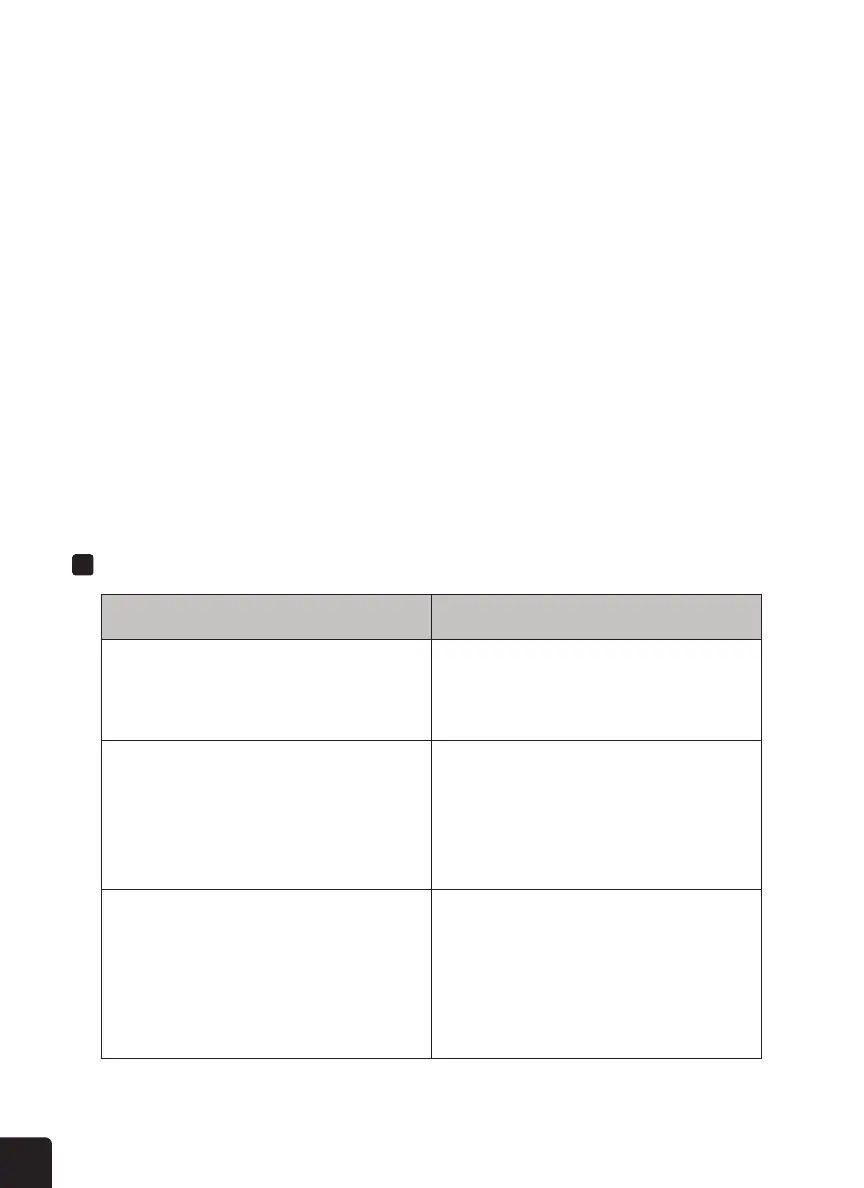
TROUBLESHOOTING
Problem
Solution
The 7-in-1 wireless sensor is not connecting. 1. Make sure the sensor is within the transmission
range.
2. If it still does not work, reset the sensor and
resynchronize with the console.
Additional wireless sensor(s) are not connecting. 1. Make sure the sensor(s) is/are within the
transmission range.
2. Make sure the channel displayed matches the
channel selection on the sensor.
3. If it still does not work, reset the sensor and
resynchronize with the console.
No Wi- connection 1. Check the WI-FI icon on the display, it should be on if
connectivity is successful.
2. In the console SETUP page, make sure the WI-FI
settings (router’s name, security type, password) are
correct.
3. Make sure you connect to 2.4G band of the WI-FI
router (5G not supported).



 To Next Page