EasyManua.ls Logo

Logia LOWSC710B - User Manual

Logia LOWSC710B
32 pages
Print Icon
To Next Page IconTo Next Page
Loading...
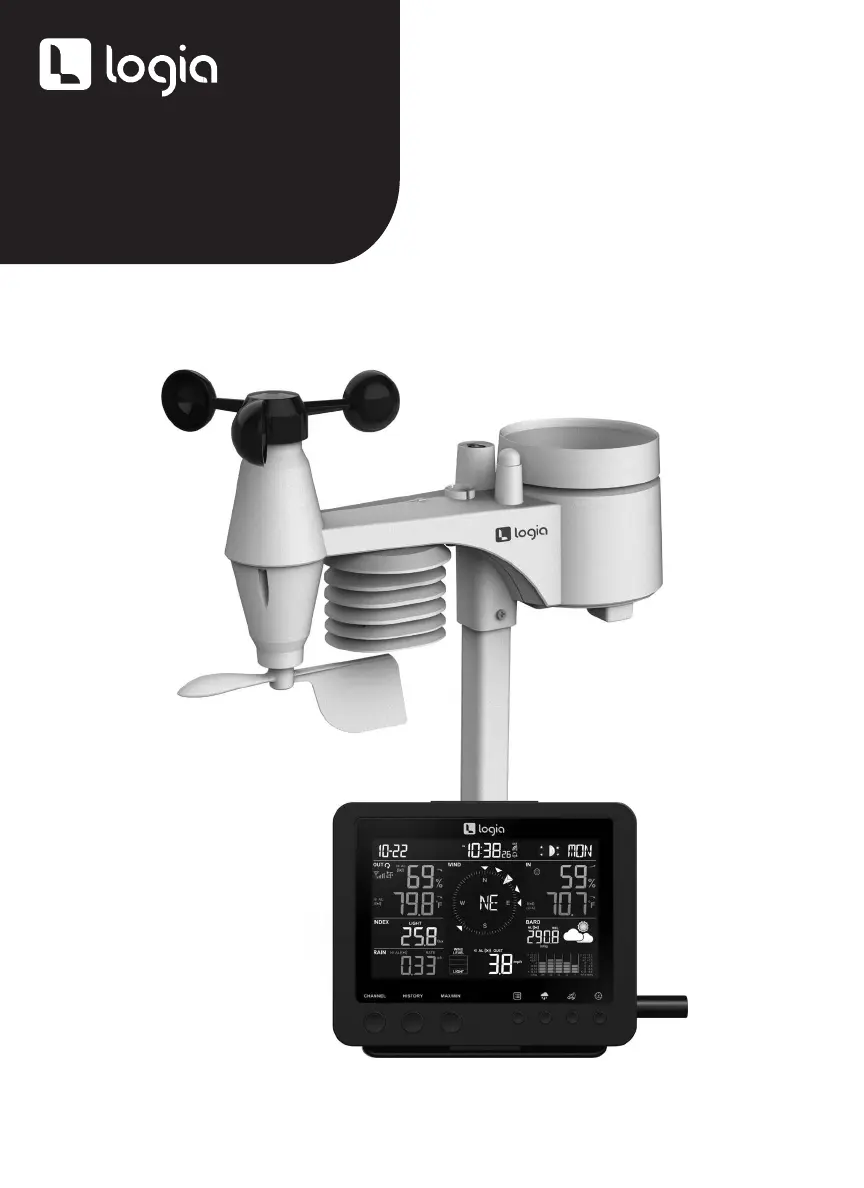
7-IN-1 WIRELESS
WEATHER STATION
LOWSC710B

Questions and Answers

  • G
    guerrerokevinAug 6, 2025
    What to do if hygro-thermo sensor not working on Logia LOWSC710B?
    • J
      Jasmine SmithAug 6, 2025
      If you are not receiving any data or measurements from the hygro-thermo sensor of your Logia Weather Station, check the radiation shield and the sensor casing.
  • P
    Pamela JohnsonAug 11, 2025
    How to troubleshoot wind speed not showing on Logia LOWSC710B Weather Station?
    • G
      gjenkinsAug 11, 2025
      If you are not receiving any data or measurements for wind speed or direction on your Logia Weather Station, check the wind cups and the wind vane.
  • C
    cmasonAug 18, 2025
    What to do if signal is lost on Logia LOWSC710B?
    • F
      fpetersenAug 18, 2025
      If you see symbols indicating signal loss on your Logia Weather Station console, try relocating the console and outdoor sensor closer to each other. Ensure the console is away from electronic appliances like TVs, computers, and microwaves. If the problem persists, reset both the console and the outdoor sensor.
  • M
    Mark LeeAug 25, 2025
    Why is the temperature reading too high on my Logia LOWSC710B?
    • L
      Lindsey MoralesAug 25, 2025
      If the temperature reading on your Logia Weather Station is too high during the daytime, make sure the sensor isn't located near any heat-generating sources.
  • E
    Eugene SmithAug 29, 2025
    How to fix no data from rain sensor on Logia Weather Station?
    • A
      Austin MedinaAug 29, 2025
      If you are not receiving any data or measurements from the rain sensor of your Logia Weather Station, check the drain hole in the rain collector and the balance indicator.

Summary

Safety Precautions

Product Overview

Console and LCD Display Overview

Explains the console's physical layout and LCD screen elements.

Outdoor Sensor Overview

Details the components and layout of the wireless outdoor sensor unit.

Installation Instructions

Setting Up Outdoor Sensor

Guide to installing batteries and mounting the 7-in-1 outdoor sensor on a pole.

Setting Up Display Console

Instructions for installing batteries, powering up, and pairing the display console.

Operating Instructions

Time and Alarm Settings

How to manually set time, date, and configure alarm functions.

Weather Alerts and Backlight

Setting up weather alerts and adjusting display backlight brightness.

Temperature and Humidity

Outdoor and Indoor Readings

Understanding outdoor and indoor temperature and humidity displays and trends.

Indoor Comfort Indicators

Interpreting pictorial representations of indoor comfort levels.

Barometric Pressure & Weather Forecast

Pressure Settings and Forecast

Adjusting barometer units and understanding weather forecast icons.

Rain and Wind Data

Rainfall Measurement and Units

How to view rainfall data, set units, and reset records.

Wind Speed and Direction

Understanding wind data, units, display modes, and the Beaufort scale.

Weather Indexes

UV, Light Intensity, Feels Like, Heat Index

How to view and calibrate UV, light intensity, feels like, and heat index readings.

Wind Chill and Dew Point

Explains wind chill and dew point calculations and their data sources.

Data History and Records

Viewing and Resetting History

Accessing past 24-hour weather data and managing MAX/MIN records.

Care and Maintenance

Battery Replacement and Cleaning

Procedures for replacing batteries and cleaning sensor components.

Troubleshooting

Specifications

Console and Sensor Specifications

Technical details for the display console and outdoor sensor.

Limited Warranty

Warranty Terms and Exclusions

Details of the limited warranty, coverage, and exclusions.

Logia LOWSC710B Specifications

General IconGeneral
Model NumberLOWSC710B
TypeWireless Weather Station
Display TypeColor LCD
Wind Speed Range0 to 112 mph (0 to 180 km/h)
Solar Radiation Measurement0 to 1800 W/m²
FeaturesWeather Forecast
Power Source (Main Unit)AC adapter (included) or 3 AA batteries (not included)
Power Source (Remote Sensor)2 AA batteries (not included)

Related product manuals