35
SETTING ALARM TIME AND ICE ALERT
VIEW AND ACTIVATE ALARM TIME AND ICE ALERT
In normal time mode, press and hold the ALARM button for two (2) seconds to enter alarm/alert
setting mode.
Then, press the SET button again to save and proceed with the next step of the setting.
1. In normal mode, press the ALARM button to show the alarm time.
2. When the alarm time displays, press the ALARM button again to activate the
alarm function.
3. Press the ALARM button twice to activate the alarm with ice-alert function.
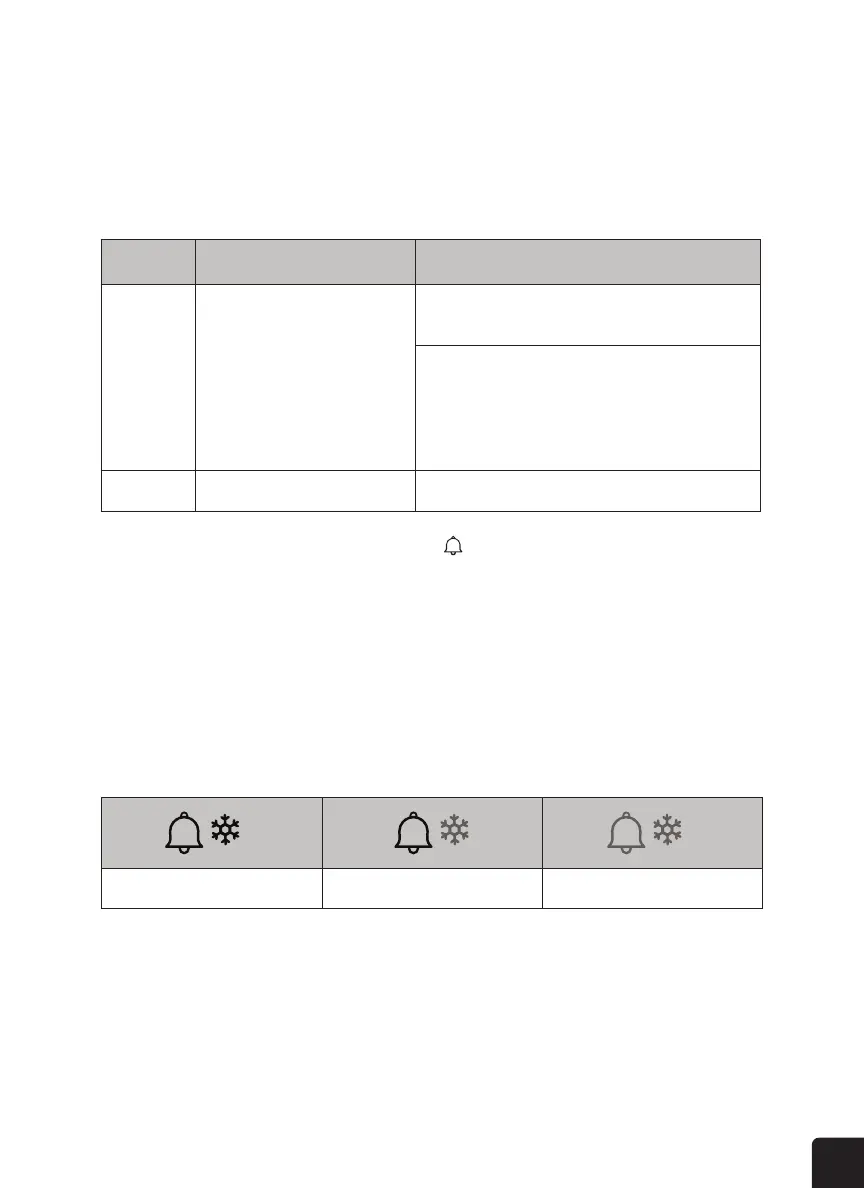
Step Mode How to adjust
1 Time alarm Press the ^/MOD or v/NDX button to adjust the time.
Press the ALARM button to toggle the alarm on or o.
Press the ALARM button to toggle the ice-alert alarm on
or o.
2 Exit setting mode Press the SET button once more to exit.
Alarm o Alarm on Alarm with ice-alert



 To Next Page