30
Step Mode Display
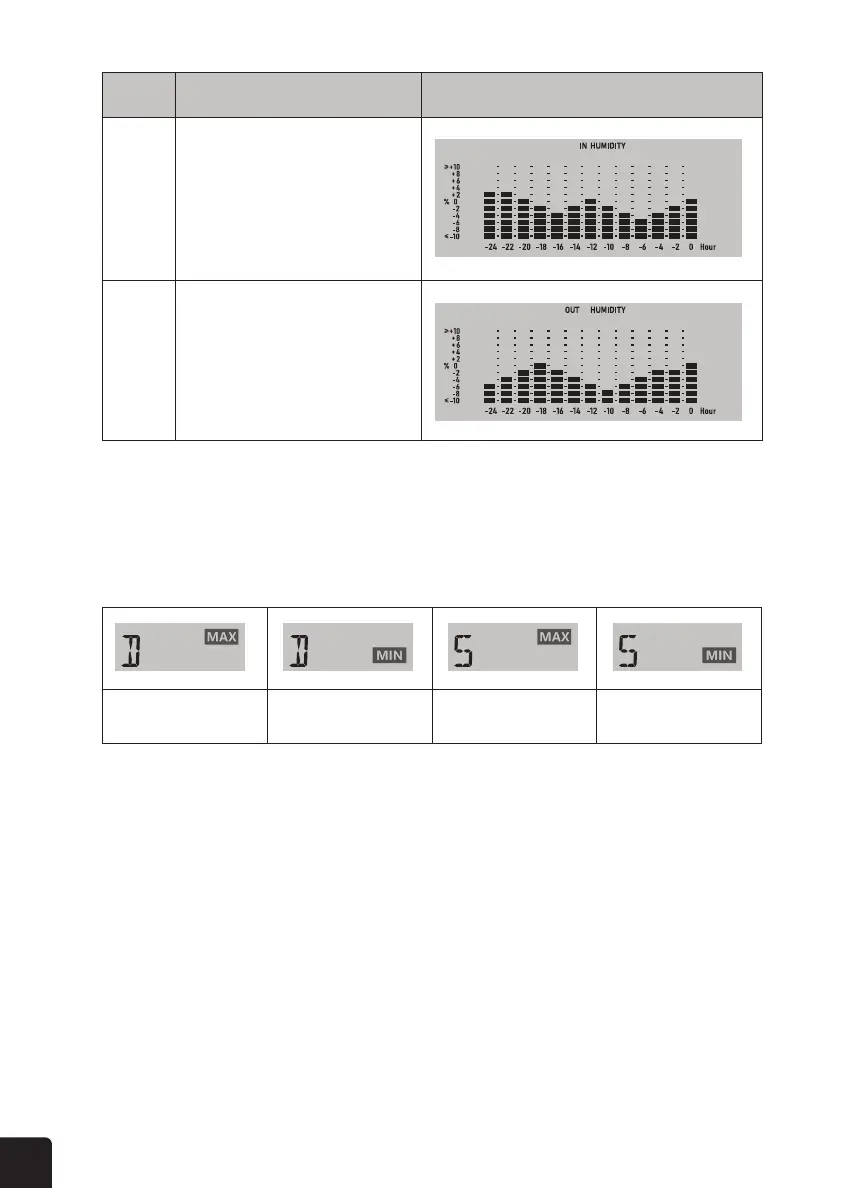
5 Past 24 hours indoor humidity graph
6 Past 24 hours outdoor humidity graph
Daily MAX reading Daily MIN reading MAX reading since
last reset
MIN reading since
last reset
MAX/MIN
MAX/MIN DATA RECORD
TO VIEW THE DAILY AND SINCE MAX/MIN RECORDS
RESET THE TOTAL MAX/MIN RECORDS
The display console can record the daily MAX/MIN weather data or MAX/MIN data since last reset.
While in normal operating mode, press the MEM button to cycle through the MAX/MIN records.
Records are displayed in the following order:
Daily MAX records > Daily MIN records > Since MAX records > Since MIN records
Press and hold the MEM button for two (2) seconds to reset the MAX/MIN records.



 To Next Page