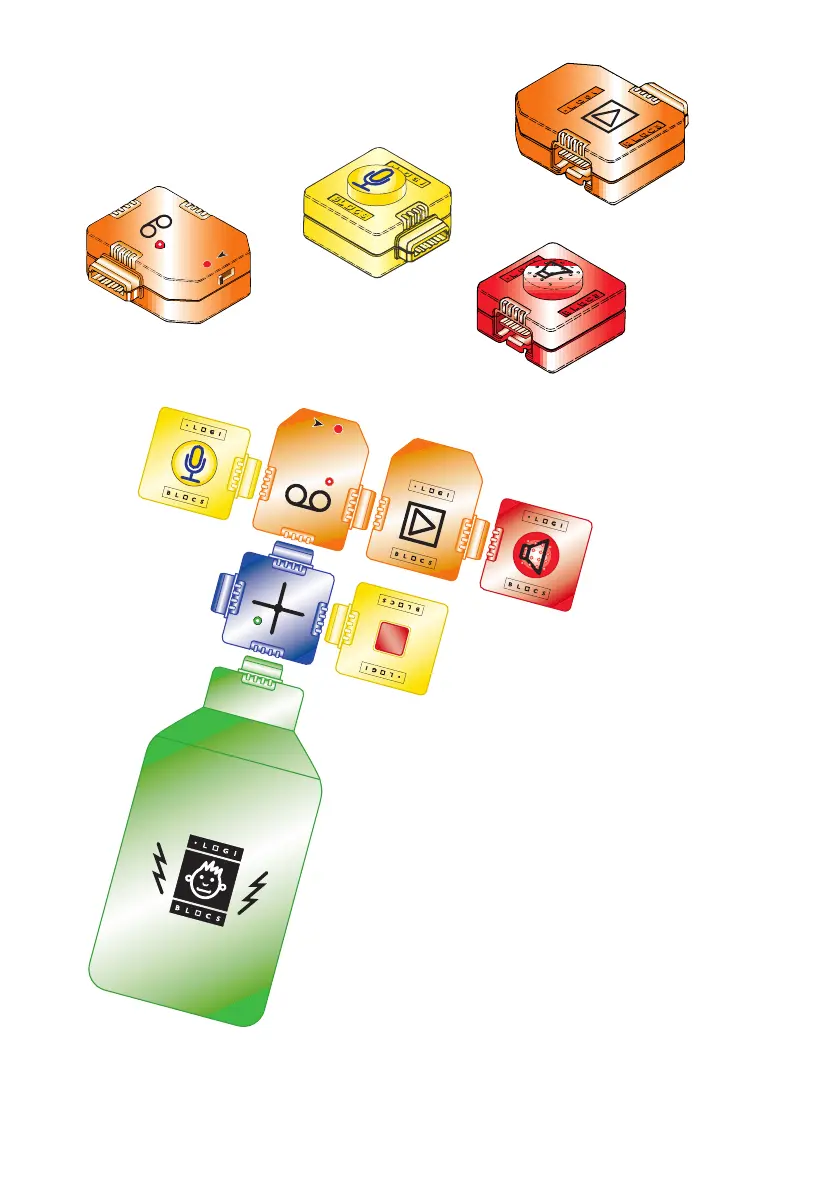
Slide the slider switch on the
RECORDER to Record
●
If you press the BUTTON the red light
will come on. This tells you that the
RECORDER is recording.
Say “Hi!” into the MICROPHONE
while you are pressing the BUTTON.
Now slide the switch to Play ➤
and press the BUTTON again.
If the Logiblocs say “Hi!”
then everything is OK.
Step 4
Now add on the four sound blocks.
MICROPHONE
RECORDER
AMPLIFIER
SPEAKER
8


 To Next Page