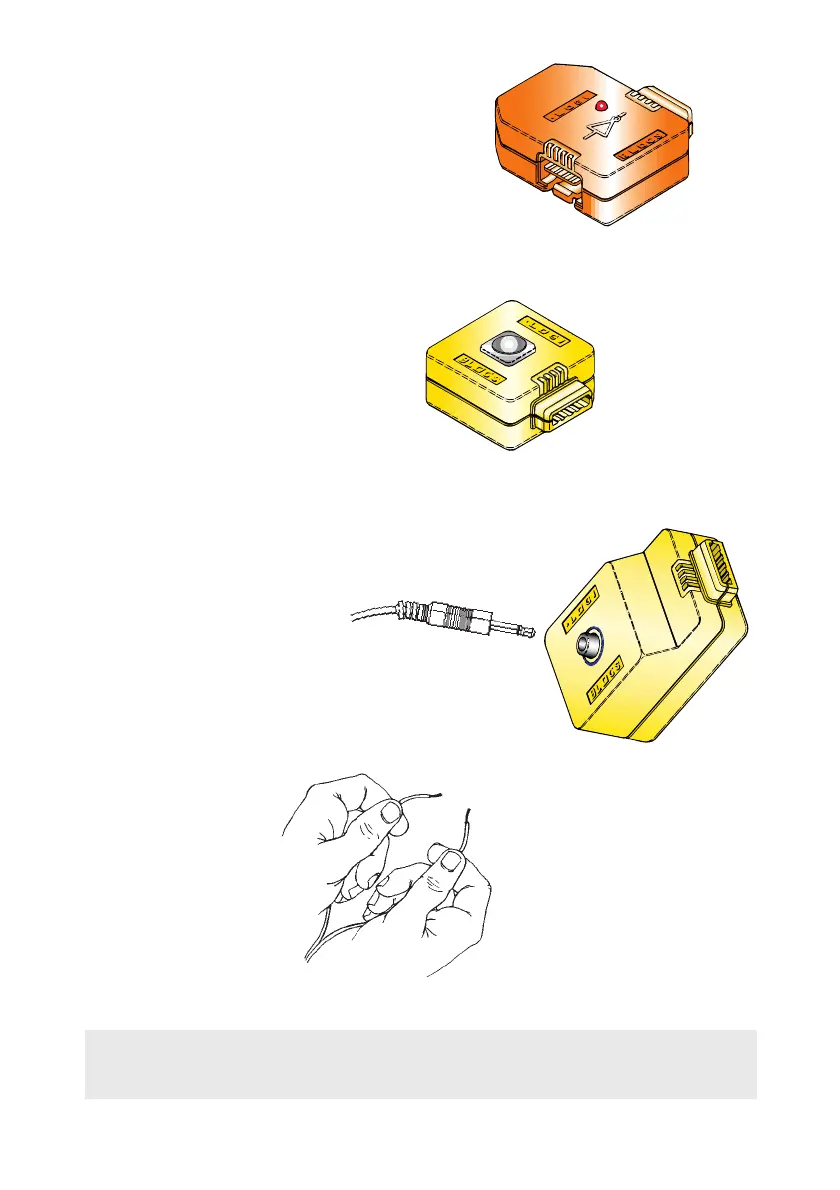
Step 5
Add on the NOT and press the BUTTON
to check that its red light goes on and off.
This block always does the opposite
to what it is told!
Step 6
Replace the BUTTON with the
LIGHT SWITCH. Pass your hand
slowly over the LIGHT SWITCH
and see what happens.
Step 7
Replace the LIGHT SWITCH
with the IN and plug in the
Jack Plug leaving
the wires loose.
Hold the wires, one in
each hand and touch
the metal ends of
the wires together.
Again the Logiblocs
will say “Hi!”
LIGHT
SWITCH
JACK PLUG
IN
9
You have successfully completed the test procedure. Well done!
Now it is time to get the Logiblocs to work and have some fun!
NOT


 To Next Page