9
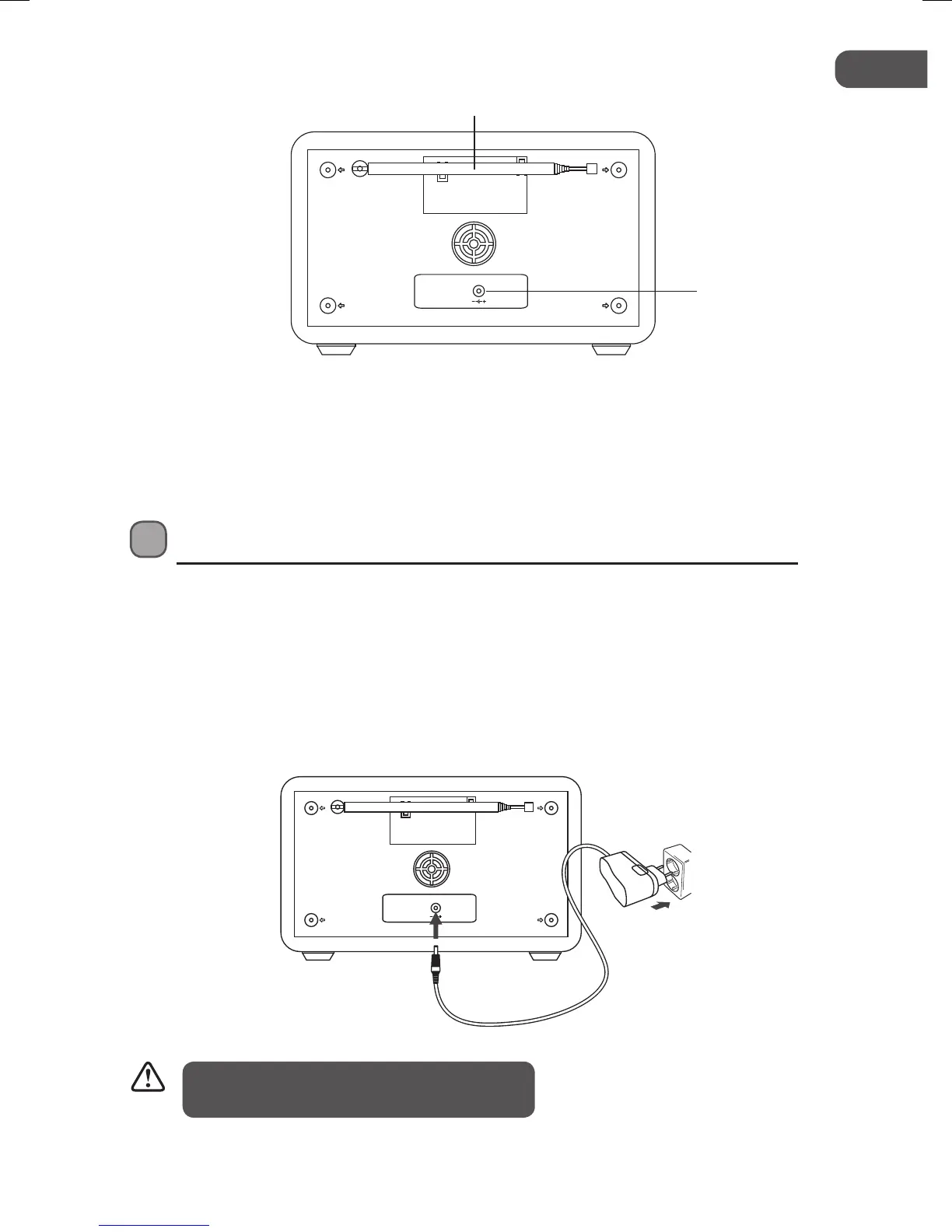
1. FM Aerial 2. DC Socket
Rear View
DC-9V
1000mA
1
Connections
Mains Power
• This unit is designed to operate with the provided mains adapter.
• Connecting the unit to any other power source may damage the unit. Unwind the mains
adapter cable to its full length. Connect the end of the cable to the DC Socket at the rear of
the unit then connect the mains adapter to the mains socket. Make sure the mains adapter
is firmly inserted into the mains socket. The unit is now connected and ready to use.
DC-9V
1000mA
To switch the unit off completely, unplug the
mains adapter from the mains socket.
2
L5DAB13E_IB_130204_Michelle.indb 9 4/2/13 2:32 PM


 To Next Page