19
Adjusting Salt Consumption
Salt consumption must be adjusted to correspond to the water hardness level in your area. If you don’t know how
hard the water in your home is, please ask the company that supplies water in your area.
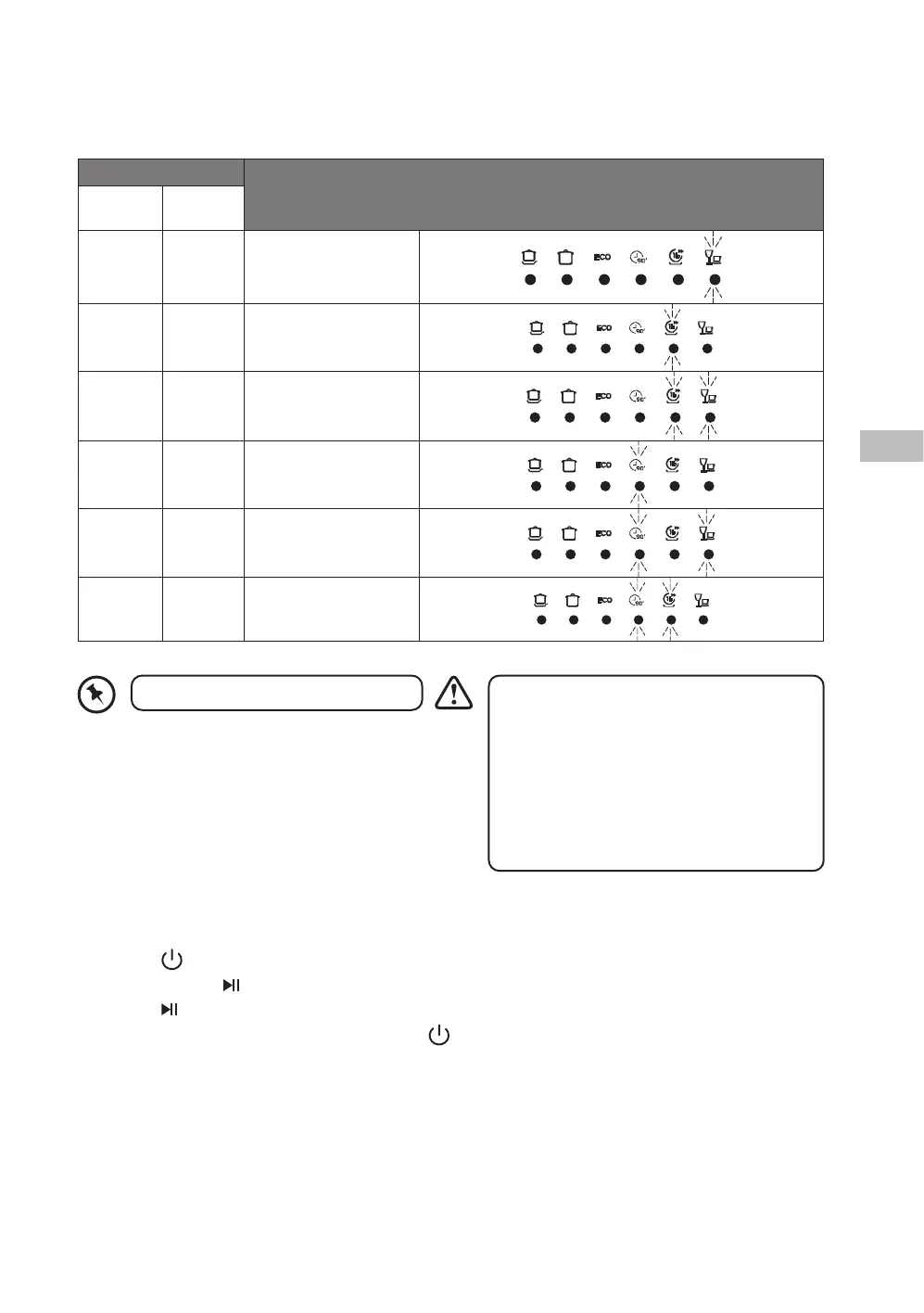
It is recommended that adjustments should be made in accordance with the following chart.
Water Hardness
Selector Position
German
˚dh
mmol/l
0-5 0-0.9 H1
6-11 1.0-2.0 H2
12-17 2.1-3.0 H3
18-22 3.1-4.0 H4
23-34 4.1-6.1 H5
35-55 6.2-8.0 H6
To optimise your dishwasher for the local water hardness, please follow the steps below and refer to the table
above.
1. Press the
button to switch on the dishwasher.
2. Press and hold the
button for 5 seconds until the salt rell warning indicator illuminates.
3. Press the
button repeatedly to adjust the water hardness level: H1 / H2 / H3 / H4 / H5 / H6.
4. After adjusting the water hardness level, press the
button to save the setting.
1˚dh (German degree) = 0.178 mmol/l
• Do not use everyday table salt or cooking salt
as they contain insoluble substances which
could damage the dishwasher.
• Do not pour detergent into the salt container.
This will damage the dishwasher.
• Use the correct amount of salt. Too much may
cause rust stains to occur on cutlery, too little
may cause white residue to occur on cutlery
and crockery.
LDWTT20N_IB_5L_RC_Final221111.indb 19LDWTT20N_IB_5L_RC_Final221111.indb 19 11/11/2022 3:43 PM11/11/2022 3:43 PM


 To Next Page