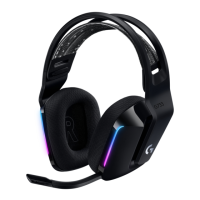
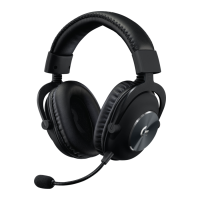
Need help?
Do you have a question about the Logitech G G535 and is the answer not in the manual?
Insert the wireless receiver into the USB port of your PC to establish connection.
Turn the headset on by performing a short press on the power button.
Optionally download Logitech G HUB software for advanced features at logitechG.com/ghub.
The earcups can be adjusted upwards and downwards for optimal fit.
The length of the headband can be adjusted to suit different head sizes.
Flip the microphone boom upwards to mute the mic.
Charge the headset when the battery level is low.
Features an adjustable and reversible suspension headband for comfort.
Equipped with memory foam earpads for enhanced comfort during use.
Utilizes 40 mm audio drivers for clear sound reproduction.
Includes convenient on-ear controls for volume adjustment.
Features a 6-mm microphone that can be flipped up to mute.
Equipped with a USB-C port for charging the headset.
 General
| Driver Size | 40 mm |
|---|---|
| Frequency Response | 20 Hz - 20 kHz |
| Weight | 236 g |
| Microphone | Yes |
| Connectivity | Wireless |
| Microphone Frequency Response | 100 Hz - 10 kHz |
| Circumaural | Yes |
| Type | Over-ear |
| Battery Life | 33 hours |
| Wireless | Yes |
| Microphone Sensitivity | -40 dBV/Pa |
| Compatibility | PC, PlayStation |

 To Next Page