"#$%&'()!*+,-#./!01&%-+&'!2.'
!
!
!
PJ!
How$to$map$buttons$to$your$remote$
I9 M'1'(&!&)'!K8##-*/!&+5!#.!&)'!1'A&!)+.<!7%<'!# A!&)'!7(,'' .9!
39 M'1'(&!+.!4(&%G%&/!A#,!&)'!+,'+!#A!&)'!,'-#&'!/#6!@#61<!1%E'!&#!(,'+&'!+!7'V6'.('!A#,!_7(,''.!#N&%#.7!#,!
,'-#&'!56&&# .7a(+.<!(1%(E(L-9!!
P9 M'1'(&!+!56&&#.!#.!&)'!%1167&,+&%#.!#A!&)'!,'-#&'9!O#6!(+.!7(,#11!&)'!%1167&,+&%#.!&#!7''!56&&#.7!+&!&)'!
5#&&#-!#A!&)'!,'-#&'9!
Q9 *#G',!#G',!+!(#--+.<!&#!+77%$.!&#!&)+&!56&&#.!+.<!(1%(E!#.!N-*3(O,'//\!2@-,#(O,'//\!#,!K-#@!&#!-+E'!
&)'!7'1'(&%#.9!
R9 C1%(E!)A9!
e2;`X!`+()! 5 6& & #. ! #. ! / #6, !,'-#&'!( +.!5'!+77%$.'<!-#,'! & )+ .!#.'!(#--+.<9! > #, ! ' [ +-N1 ' \ !&)'!>+7 & !
>#,@+,<!56&&#.!#.!&)'!&#N!#A! /#6,! ,'-#&'! (+.!5'! 7'& !6N! 7#!& )+&! V6%(E1 /! N,'77 %.$! % &!_7)#,&!N,'77a!
+(&%G+&'7!&)'!>+7&! >#,@+,<!A6.(&%#.!+.<!)#1<%.$!%&!_1#.$!N,'77a!+(&%G+&'7!&)'!ME%N! >#,@+,<!A 6.(&%#.9 !
Device Mode
L&!%7!,'(#- - ' . < ' < !&) + &!/ # 6 !< # !. # &!-+N!56&& # . 7!@)%1'!%.!F' G %(' !8#<'!5' ( + 6 7' !&) ' !-+NN%.$ !@ %11!. # &!( + ,,/ !# G' ,!%. & # !
+./!#A!/#6,!4(&%G%&%'79!L.7&'+<\!7'1' ( &!+ . !4 (&%G %&/ !&# !-+N!56&&#.7!A#,9!
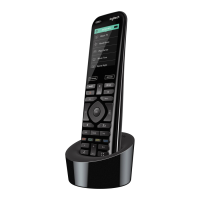
How to get the most out of your Harmony Ultimate One
O#6!(+.!N,'G'.&!7#-'!(#--#.!N,#51'-7!%A!/#6!A#11#@!&)'!&%N7!%.!&)%7!7'(&%#.9!
Important: use your Harmony Ultimate One every time!
41@+/7!'[(167%G'1/!67'!/#6,!*+,-#./!01&%-+&'!2.'!&#!(#.&,#1!/#6,!< 'G%(' 79!F# !.# &!67'!# &)' ,!,'- # &'7!&#!(# . &,#1!
/#6,!<'G%('7\!#,!-+.6+11/!&6,.!&)'-!#.!#,!#AA!#,!()+.$'!%.N6&79!*+,-#./!%7!6.+51'!&#!&,+(E!()+.$'7!&)+&!%&!<#'7!.#&!
-+E'!+.<!@%11!(#.&%.6'!&#!+776-'!/#6,!<'G%('7!+,'!%.!&)'!7&+&'!&)+&!%&!)+7!1'A&!&)'-!%.9!!
Adjust the power on delay
LA!/#6,!;T!< # ' 7 !. # &!$ # !&# !&) ' !,%$ ) &!%. N 6 &! @)'.!7&+,&%.$!+.!4(&%G%&/!A,#-!+.!'G',/&)%.$W#AA!7&+&'\!#,!<#'7!.#&!$#!&# !+ . / !
%.N6&\!&,/!%.( ,' + 7%. $!& ) '!N # @ ' ,!# . !< ' 1+/ !A# ,!/ # 6 ,!&' 1'G %7%# . 9!; ) %7!A '+ &6 ,' !%7!+ ( (' 77 %51' !%. !/ # 6 ,!,' - # & '^7!M'&&%.$7!
-'.6!+.<!%.!/#6,!8/*+,-#./!+((#6.&9!M''!&)'!F'1+/!7'&&%.$7!7'(&%#.!A#,!-#,'!%.A#,-+&%#.9!
Use the Help function to put the remote back in sync with devices
M#-'&%-'7!*+,-#./!5'(#-'7!#6&!#A!7/.(!@%&)!/#6,!<'G%('7!+.<!(#.A67'7!@)'.!&)'/!+,'!#.!#,!#AA\!#,!@)%()!%.N6&!
&)'/!+,'!#.9!;)%7!#((6,7!@ )' .!&)',' !%7!+.!#5 7&+(1'!5' &@ ''. !&)'!<' G%('!+.<!/#6,!*+,-#./!,'-#&'c!#,!%A!&)' !<'G %('7!
+,'!#N',+&'<!-+.6+11/!#,!5/!67%.$!&)'%,!#,%$%.+1!,'-#&'!(#.&,#19!!
I9 *+,-#./!01&%-+&'!2.'!(+.!,6.!&),#6$)!+! 7',%'7!#A!V 6'7&%#.7!&#! )'1N! %<'.&%A/!&)'!%776'!+ .<!(# ,,'(&!%&9!;+N!
&)'! !%( # . 9 !
39 M'1'(&!+'"99!
P9 4.7@',!O'7!#,!e#!&#!&)'!V6'7&%#.7!#.!&)'!7(,''.9!
d+7'<!#.!/#6,!+.7@',7\!/#6,!,'-#&'!,'W7'.<7!&)'!.'('77+,/!(#--+.<7!&#!7/.(),#.%U'!%&!@%&)!/#6,!<'G%('79!
e2;`X!LA!/#6!67'!&)'!*'1N!A'+&6,'!A,'V6'.&1/!@)'.!N#@',%.$!#.!/#6,!<'G%('7!#,!7@%&()%.$!5'&@''.!
4(&%G%&% '7 \ ! &)' .! &)' ,' !-+/! 5'! ( )+.$' 7! & )+& ! (+.! 5' !+ NN1 % '<! & #!( #, ,' (& ! &)% 7 9 ! ;)'! *'1 N! A '+& 6, '! 7 )#61 <! .#&!
5'!.'('77+,/! @%& )! +! N, #N', 1 /! ( #.A% $ 6,' <!7 '& 6N9 !
!
;LKX!d'A#,'!/#6! 67'! *'1 N\! -+E'!7 6,'! /#6! &+E' !7 &'N7 !& #! +<<,'77 !& )'! N,#51' -X!, '-#G'!+./! #57&+( 1' 7!




 To Next Page