EasyManua.ls Logo

Logitech MouseMan - Using the Mouse

Logitech MouseMan
12 pages
To Next Page IconTo Next Page
To Previous Page IconTo Previous Page
Loading...
Using
the
Mouse
With
the
Logitech
MouseWare
software,
you
have
all
the
advantages
of
the
Microsoft
IntelliMouse”
wheel,
and
but
you
can
also
scroll
in
Windows
95.
If
your
Logitech
mouse
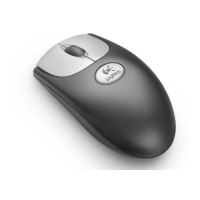
has
a
wheel,
the
wheel
functions
both
as
a
wheel
and
a
button.
Simply
click
the
wheel
like
you
would
a
standard
mouse
button.
The
mouse
wheel
also
works
like
a
button.
Scrolling
and
Zooming
with
the
Mouse
Wheel
Scroll
What
is
It?
Use
Wheel
Scroll
for
precise
up
and
down
movement.
If
your
mouse
has
a
wheel
e
To
scroll,
simply
move
the
wheel.
e
To
use
the
wheel
like
a
standard
mouse
button,
click
(press
down)
the
wheel.
The
mouse
wheel
simplifies
scrolling.
|
How
to
Do
It?
To
scroll
up,
move
the
wheel
forward;
to
scroll
down,
move
the
wheel
back.
AutoScroll
Use
AutoScroll
in
Microsoft”
Windows
95
and
in
Microsoft
Office
97™
compatible
applications
to
scroll
through
large
documents.
AutoScroll
allows
you
to
scroll
a
document
automatically
without
having
to
move
the
mouse
or
mouse
wheel
continuously.
Place
the
cursor
in
an
application.
Press
the
mouse
button
assigned
to
AutoScroll.
_
The
AutoScroll
icon
appears.
Move
the
mouse
once
in
the
direction
you
want
to
scroll
(vertical,
horizontal,
or
diagonal).
The
farther
you
move
the
pointer
from
the
starting
point,
the
faster
the
scrolling.
To
stop
AutoScroll,
press
any
mouse
button.

Related product manuals