English
7
English
8
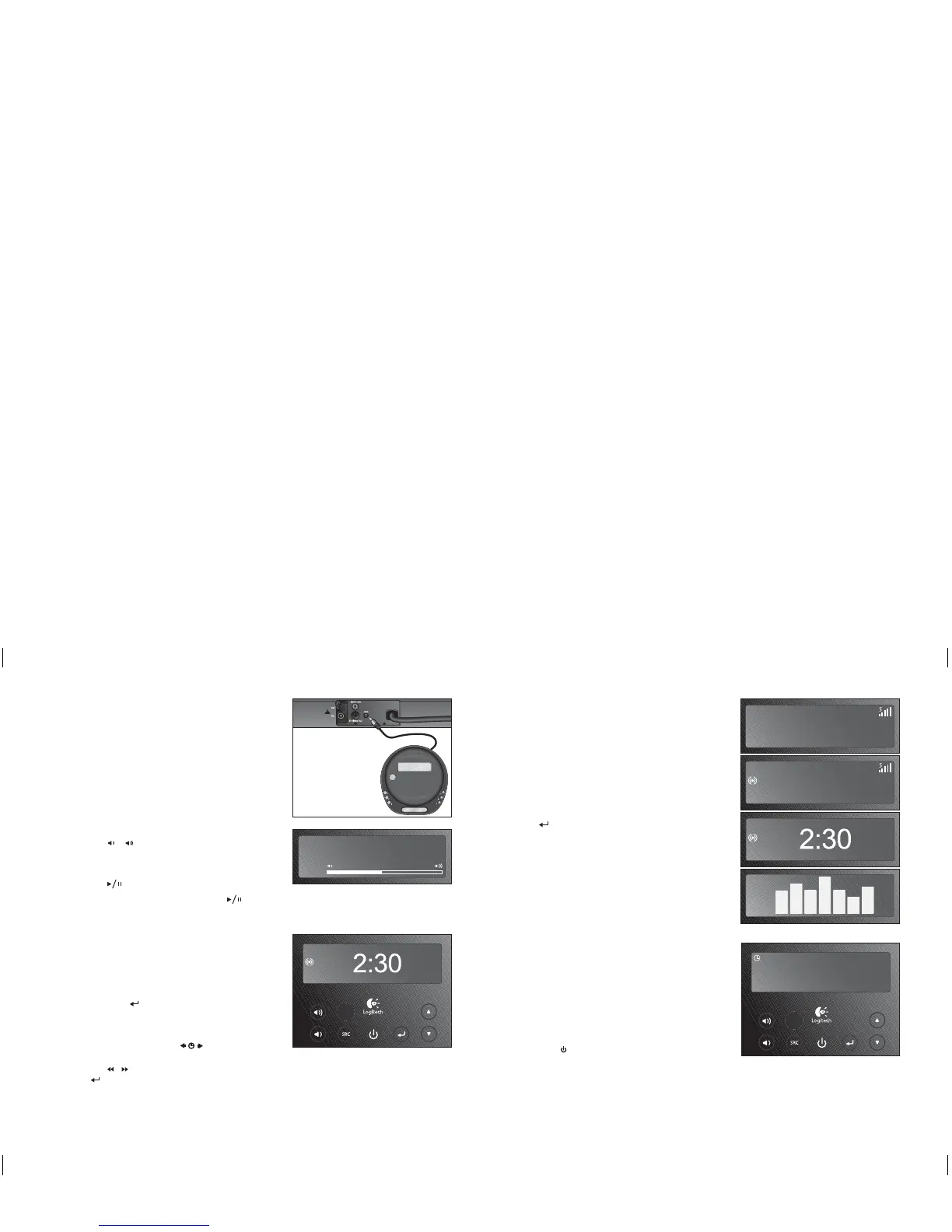
Using the Auxiliary Input
To use the 3.5mm auxiliary input:
1. Connect your source device to the auxiliary input.
2. Press ‘aux’ to switch to the aux input.
3. Press Play on your source device.
Note: Depending on your source device, you may need
to purchase an adapter cable.
Adjusting the Volume
To adjust the system volume:
1. Use (
/
) or the ( - / + ) buttons on
the remote.
To mute the volume:
1. Use (
) on the remote.
Note: When listening to the iPod, pressing (
) will
also pause the iPod.
Setting the Clock
When turned off, Pure-Fi Elite
™
will display the current
time in a large screen format.
To activate the large clock display while Pure-Fi Elite
™
is on:
1. Tap select ( ) several times — until the large
clock display appears.
To set the current time:
1. Press and hold the time
(
)
set button for
1 second.
2. Use ( / ) to change the time. Press select
(
) to accept the change.
Note: When viewing other display screens (such as
the iPod track display or radio frequency), the clock is
displayed in the upper-left corner of the display.
Display Screens
Depending on your preference, Pure-Fi Elite
™
can display
many different types of information. The following
display screens are available:
1. Radio Frequency (radio only)
2. RDS Information (FM radio only)
3. Clock (all inputs)
4. Spectrum Analyzer (all inputs)
To switch between the different screens, press
select (
).
Sleep Timer
Pure-Fi Elite
™
includes a sleep timer that will
automatically turn Pure-Fi Elite
™
off after a set period
of time.
To activate the sleep timer, press ‘sleep’ on the remote.
To increment the timer, press ‘sleep’ repeatedly – until
the desired time is reached.
You can turn off the sleep timer in one of two ways:
• Press ( ). This will also turn Pure-Fi Elite
™
off.
• Repeatedly press ‘sleep’ until the display reads
‘Off’. This will leave Pure-Fi Elite
™
on.
Getting to know your Pure-Fi Elite
™
Getting to know your Pure-Fi Elite
™
iPod
Volume
2:30
FM
107. 5 MHz
107.5 MHz
WPOD-FM
Rock - Looks Good
2:30
FM
FM
2:30
iPod
Sleep Timer
60 minutes
60
FM
1.
2.
3.
4.
FM
620-000474 Pure-Fi Elite_MNL.indSec1:7-Sec1:8 Sec1:7-Sec1:8620-000474 Pure-Fi Elite_MNL.indSec1:7-Sec1:8 Sec1:7-Sec1:8 11.2.2008 13:10:5511.2.2008 13:10:55



 To Next Page