English 5
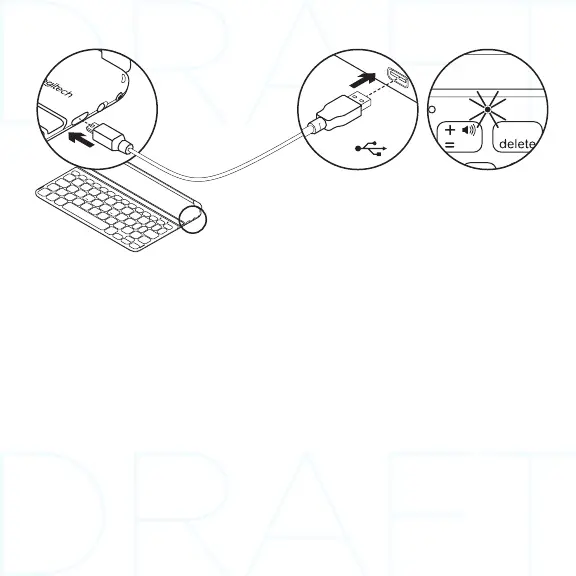
Charge the batteries
1. Plug the Micro-USB Charging cable into the
Keyboard and a USB port on a computer. The
Status light blinks green.
2. Charge the batteries until the Status light
turns solid green.
Battery information:
• A fully charged battery provides about 3
months of power when the Keyboard is used
about 2 hours a day.
• Charge the batteries when the Status light
briefly turns red after the Keyboard turns on.
• When not in use, turn o the Keyboard to
conserve battery power.
• The Keyboard enters sleep mode if powered
on and not used. Press any key to wake.
USB



 To Next Page