8 English
Status light indications
Light Description
Blinking green The battery is charging.
Green The battery is charged (more than 5%).
Red Battery power is low (less than 5%). Charge the batteries.
Bluetooth light indications
Light Description
Blinking Fast: Keyboard is in discovery mode.
Slow: Keyboard is trying to reconnect to your Apple device.
Solid Bluetooth pairing or reconnect is successful.
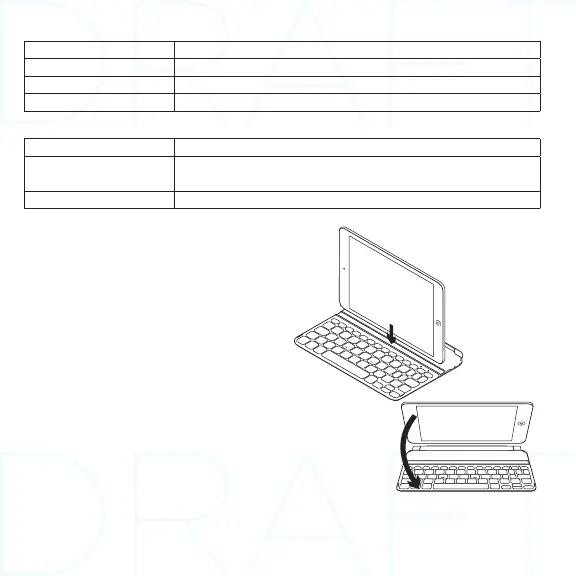
Storing the iPad mini for travel
1. Lift the iPad mini from the Keyboard.
2. Rotate the iPad mini, with the screen
side down, so the Home button is
on the right.
3. Place the iPad mini on to the Keyboard. A
magnetic clip holds the iPad mini in position.



 To Next Page