LogTag TRIX-8 V2 Work Instruction Manual Revision 10.17 Page 21/44
2. MANUFACTURING PHASE 2
The following manufacturing steps are undertaken to power up and test product to a state ready for
labelling and shipping.
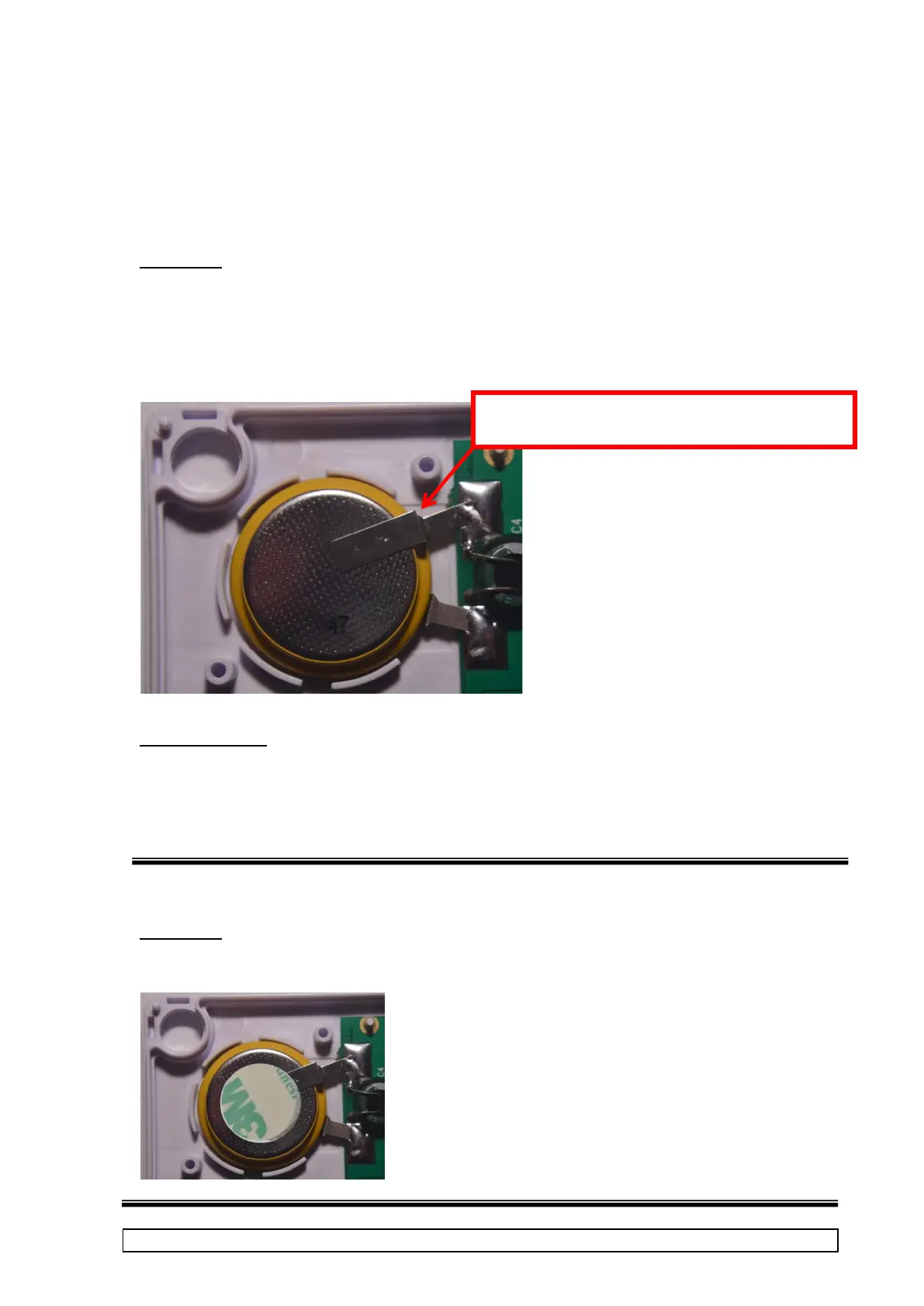
2.1 Solder on battery
Procedure:
• Place battery into case with contacts overlapping PCBA.
• Solder battery contacts to PCBA.
NOTE: DO NOT apply too much solder !
Visual Inspection
Solder joint should be shiny and fully wetted, with no excess solder. Check
polarity. Check insulation next to negative terminal and terminal not touching or
piercing insulation.
2.2 Apply foam dot on battery
Procedure:
Peal adhesive Place foam dot on top of battery as shown.



 To Next Page