Instructions for use Lojer Modux nursing bed / Version 2.5
Copyright © Lojer Oy, 2022 13
The appearance and the layout of the buttons might differ slightly
between different hand control unit models. However, all models have
identical button functions and symbols.
Deliberate or accidental misuse of the hand control must be prevented
by placing the hand control out of reach of restless patients and children
or by locking the movements of the bed from the hand control.
Never tie the hand control to the bed or to the side rail because
adjustments of the bed and movement of the side rail can damage the
wire. Stop using damaged hand control immediately.
Before moving the bed make sure that hand controls' wire is not in
danger of crushing under the wheels.
Press only one button at a time from hand control unit. Pressing
multiple buttons simultaneously can lead to improper operation of the
equipment in the surroundings.
Never leave handset close to restless or anxious patient neither never
place handset inside siderail perimeter when resting or sleeping. Danger
of strangulation in handset wire or fault-activation of handset.
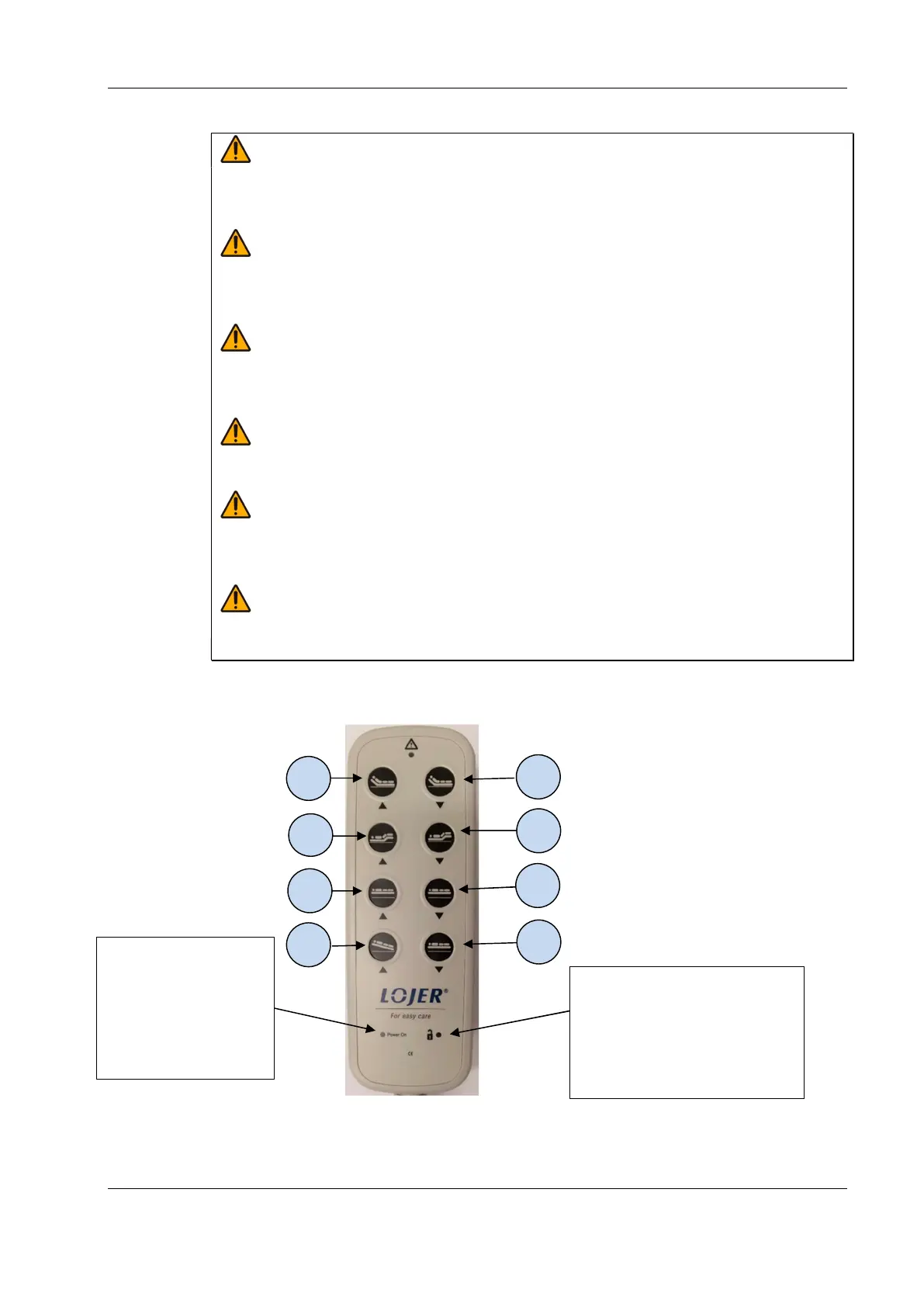
Image 14. Hand control
1 Back section up
2 Back section down
3 Thigh and leg section up
4 Thigh and leg section down
5 Sleeping surface up
6
Sleeping surface down
7 Sleeping surface tilt to Anti-
Trendelenburg -position
8 Simultaneous lowering of the
back, thigh and foot sections
and the sleeping surface, or
adjustment reset
Indicator lights on hand
control:
Power on -green light
indicates that the device
is ready to use and
plugged to mains
Locking open light indicates when
the functions operated from the
hand control are available for use.
When the locking feature is
activated, both indicator lights on
the hand control are turned off.


 To Next Page
 Loading...