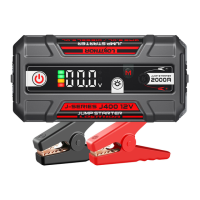
(SAFETY REMINDER: When using Forced Sta mode, the anti-sparking function and some safety
protection mechanisms are disabled. Be sure to connect to the positive and negative poles correctly.
Failure to do so when using Forced Sta mode will cause a sho-circuit condition that may result in
damage to the vehicle, Lokithor or both. Please read and thoroughly understand the instructions in the
manual before using forced sta mode. Use due caution when activating and using forced sta mode.)
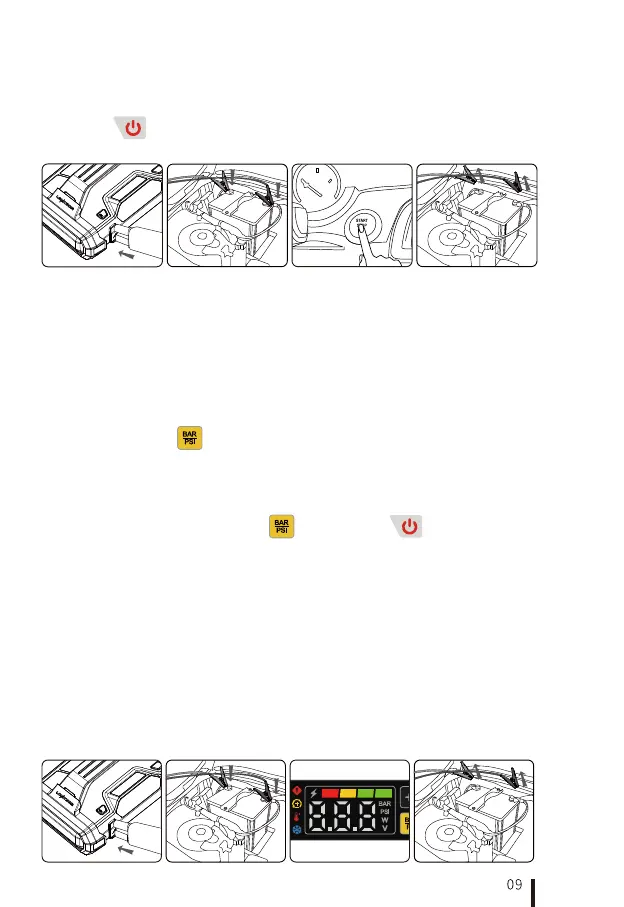
If the auto sta feature fails to detect the vehicle batte, use forced sta mode. Please strictly follow
the following steps to use the forced sta, otherwise this function will not work properly.
Step 1: Connect the jump staer clamps to the EC8 connector on Lokithor.
Step 2: Connect the RED(+) positive clamp to the vehicle batte's positive terminal., While the device
is on, press and hold the " " button for 5S to activate forced sta mode. The "Sta indicator" will
light up, showing the clamps is active! At this time, it is essential to prevent a sho circuit between the
positive and negative terminals.;
Step 3: Connect the BLACK (-) negative clamp to the vehicle batte's negative terminal, and ensure
the connectors are secure. The jump staer's overall voltage, now connected in parallel with the vehicle,
will display on the screen. Then sta the vehicle.
After jump-staing successfully, press the " "or "Power button "to exit.
In most cases, the vehicle will be able to sta immediately after the jump staer has been connected. lf
the vehicle does not sta immediately, please ensure the batte clamps have good contact with the
batte terminals and t again. Do not attempt to sta a vehicle more than ve times within a 15
minute period.
2.1.5 Please remove the jump-sta clamps from the car batte immediately after staing. Press the
"Power button " for 2 seconds to power o the jump staer. lf there are no operations for 60
seconds, the product will automatically shut down.
In auto sta mode, when the clamps are connected to the vehicle batte, a 10-second countdown begins while
Lokithor is checking the batte and connection. If the connection impedance is low, the clamp status indicator is
green. If the impedance is high, the clamp status indicator is yellow. You can adjust the clamp connection during the
countdown. After 10 seconds, you must exit the jump-sta mode and make a new clamp to terminal connection to
re-measure the connection impedance.
When Lokithor is in forced sta mode, the clamp status indicator always ashes yellow to advise caution during use.
2.2 Method Two: Forced Sta
3. Batte Clamp Connection Status (ConnectMax)
4.1 Connect the clamps to Lokithor.
4.2 Connect the red(+) clamp to the positive(+) terminal of the batte and black(-) clamp to the
negative(-) terminal on the batte, and make sure the connections are secure.
4.3 After the 10-second countdown for detection ends, the "sta indicator" on the main inteace lights
up and displays the current batte voltage of the vehicle.
4.4 Disconnect the clamps from the vehicle batte to exit the voltmeter function mode.
4. How to Use the Voltmeter Function



 To Next Page