Longevity LGAP100-4G User Manual V1.1 Issued 2020-5-13
Copyright © Cornick Pty. Ltd. 2020
Router Mode
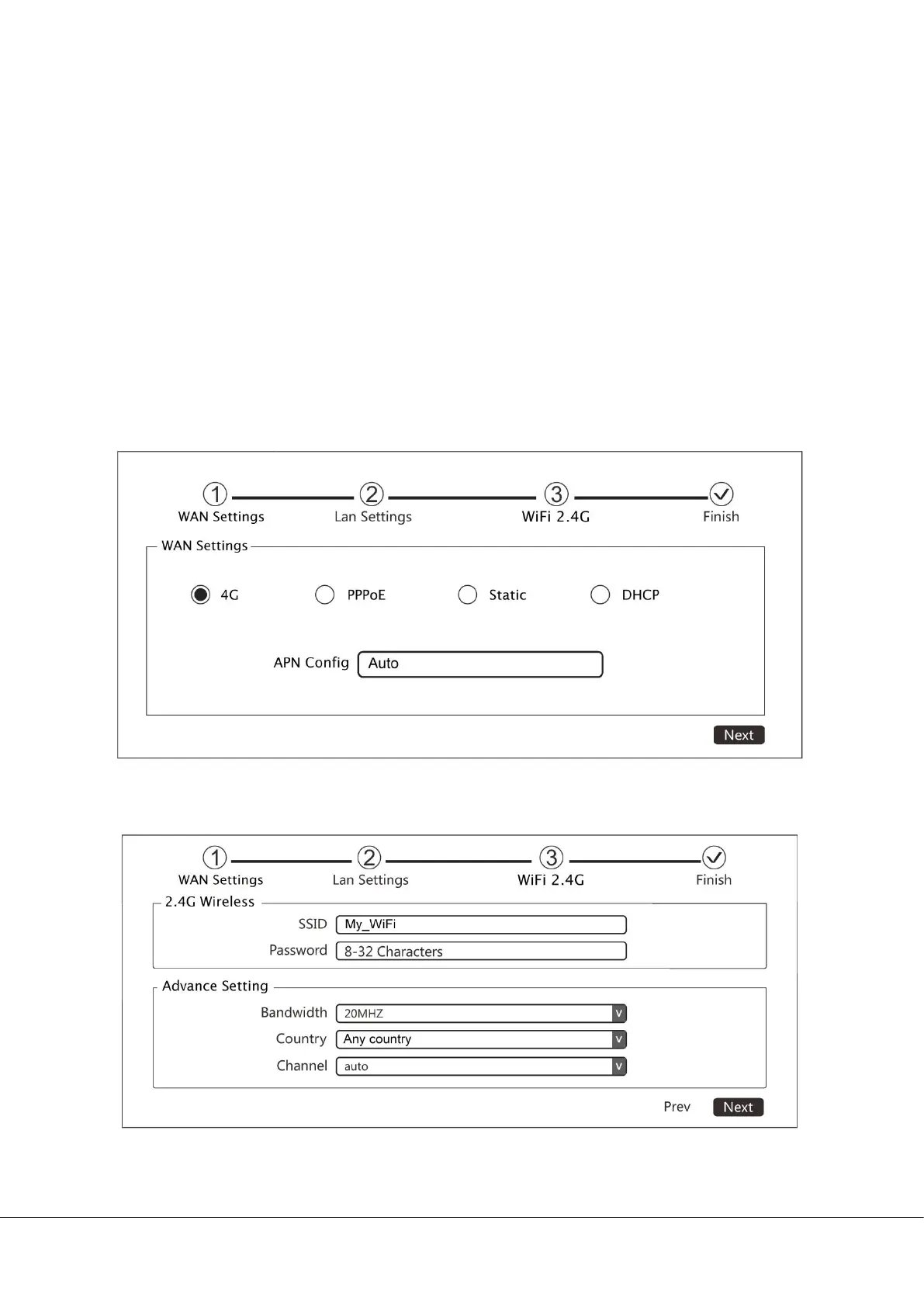
4G: In this mode, you can select automatic APN or manually set the APN
account (the APN account is provided by the network operator).
PPPoE: In this mode, you can use the router to connect to your internet
operator. Enter user name, password and Service Name for the PPPoE
account
Static: Static IP for connected device.
DHCP: The router acts as a DHCP server; it dynamically assigns TCP/IP
parameters to client devices from the IP Address Pool.
i. Set the SSID and password for the device and click Next to continue.


 To Next Page