Longevity LGAP100-4G User Manual V1.1 Issued 2020-5-13
Copyright © Cornick Pty. Ltd. 2020
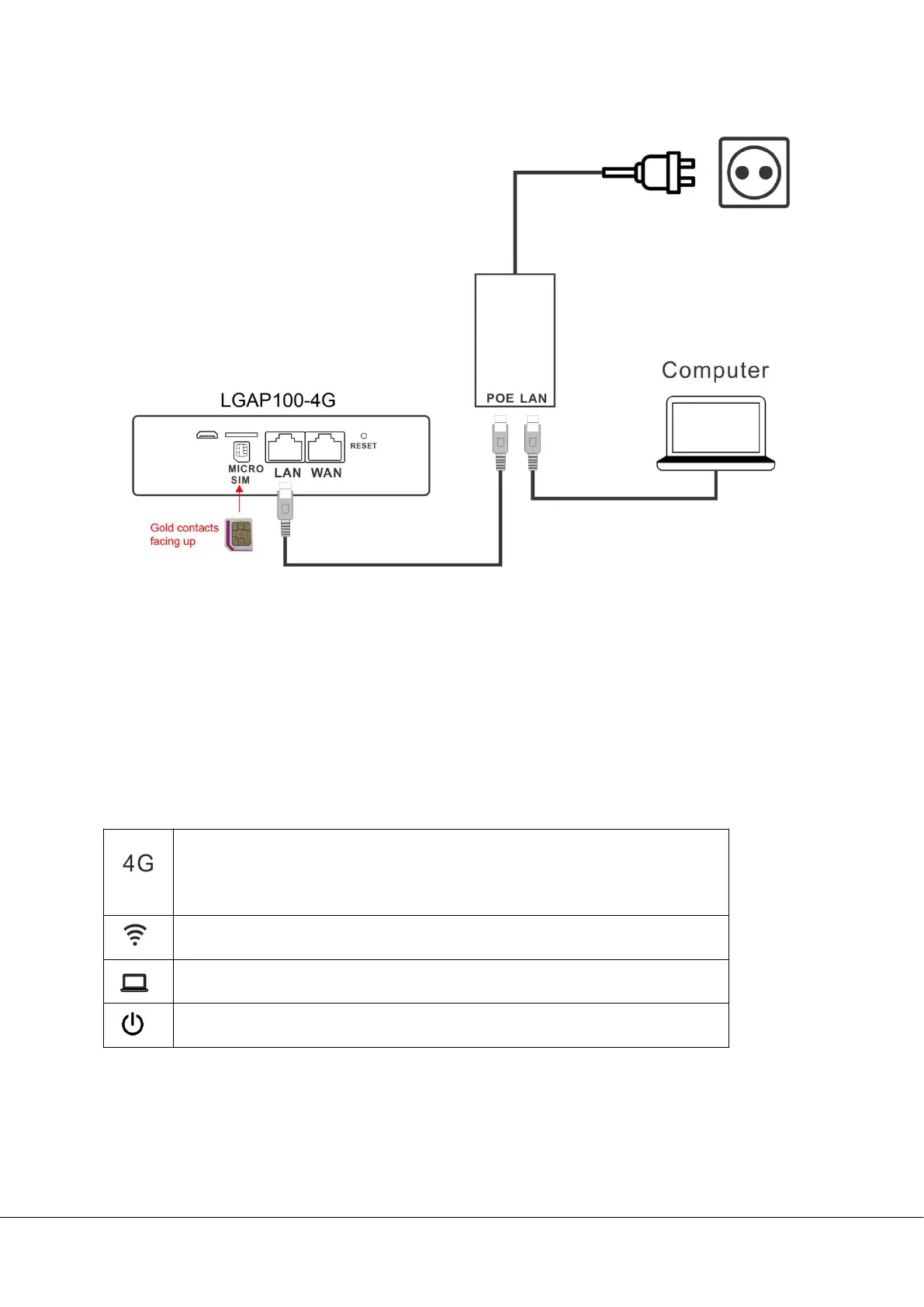
Device Connection
1. Connect the POE port of the POE injector to the LAN port of the router.
2. Connect the LAN port of the POE injector to the PC LAN port or network switch.
3. Set the PC to “Obtain an IP address automatically”, and connect the LAN port of
the POE injector to the PC LAN port or a network switch.
LED indicators
Flash fast: Searching network
Flash slow: Network registered
OFF: No network/SIM card
In Bridge or Repeater mode
Flashing: Wireless bridge or repeater mode connected
ON: In 4G mode
To reset to factory default settings, press and hold the reset button for 10
seconds.


 To Next Page