Longevity LGAP100-4G User Manual V1.1 Issued 2020-5-13
Copyright © Cornick Pty. Ltd. 2020
Bridge Mode
Ensure the WDS in the router to be bridged is enabled.
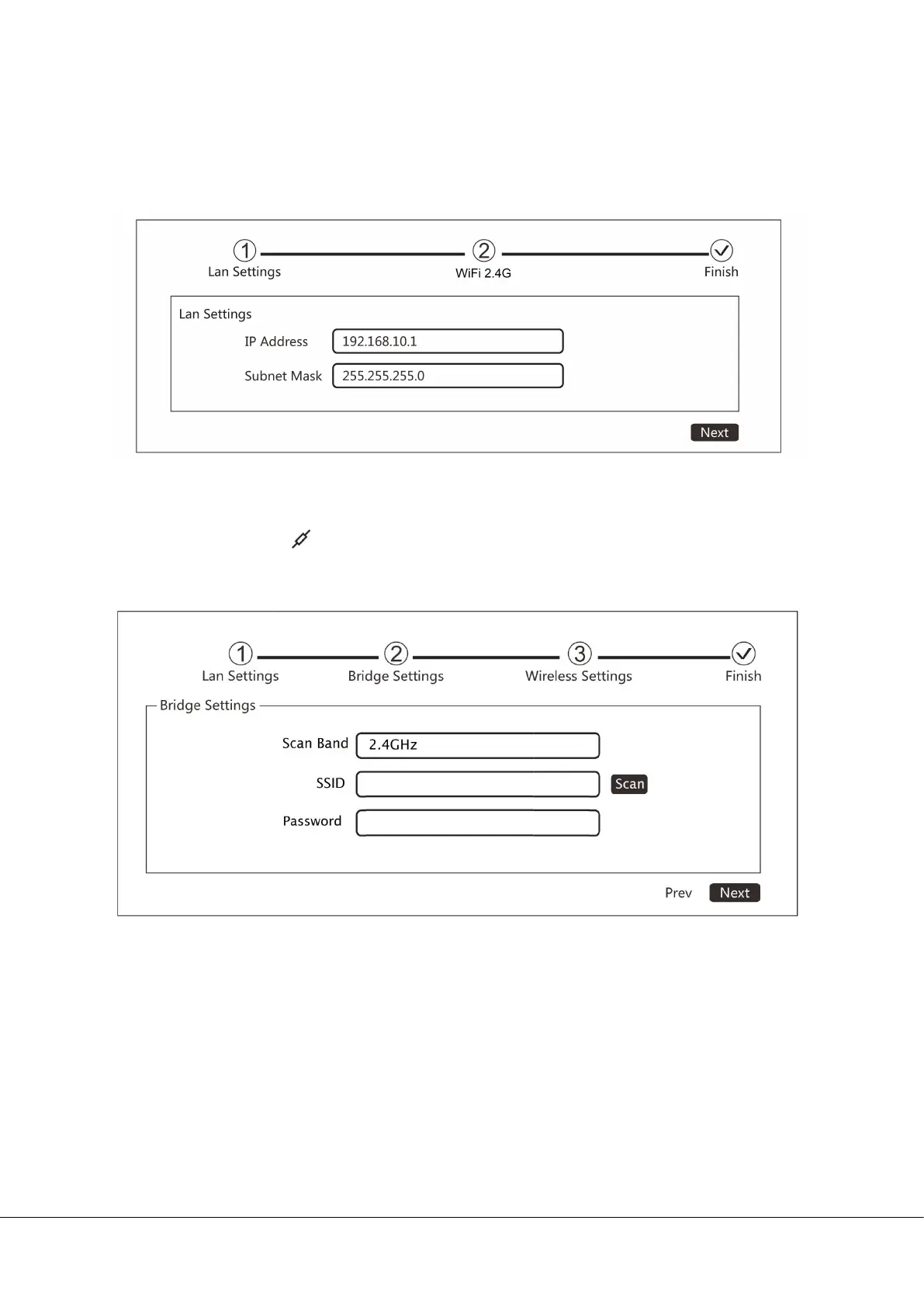
i. Change the IP address and subnet mask if required then click Next to continue.
ii. Press Scan to see all available WiFi signal and select the SSID you need
to bridge. Click to connect the selected WiFi. Enter the password of
the router to be bridged. If you know the SSID, you can also enter the
SSID direct in the SSID box.


 To Next Page