Longevity LGAP100-4G User Manual V1.1 Issued 2020-5-13
Copyright © Cornick Pty. Ltd. 2020
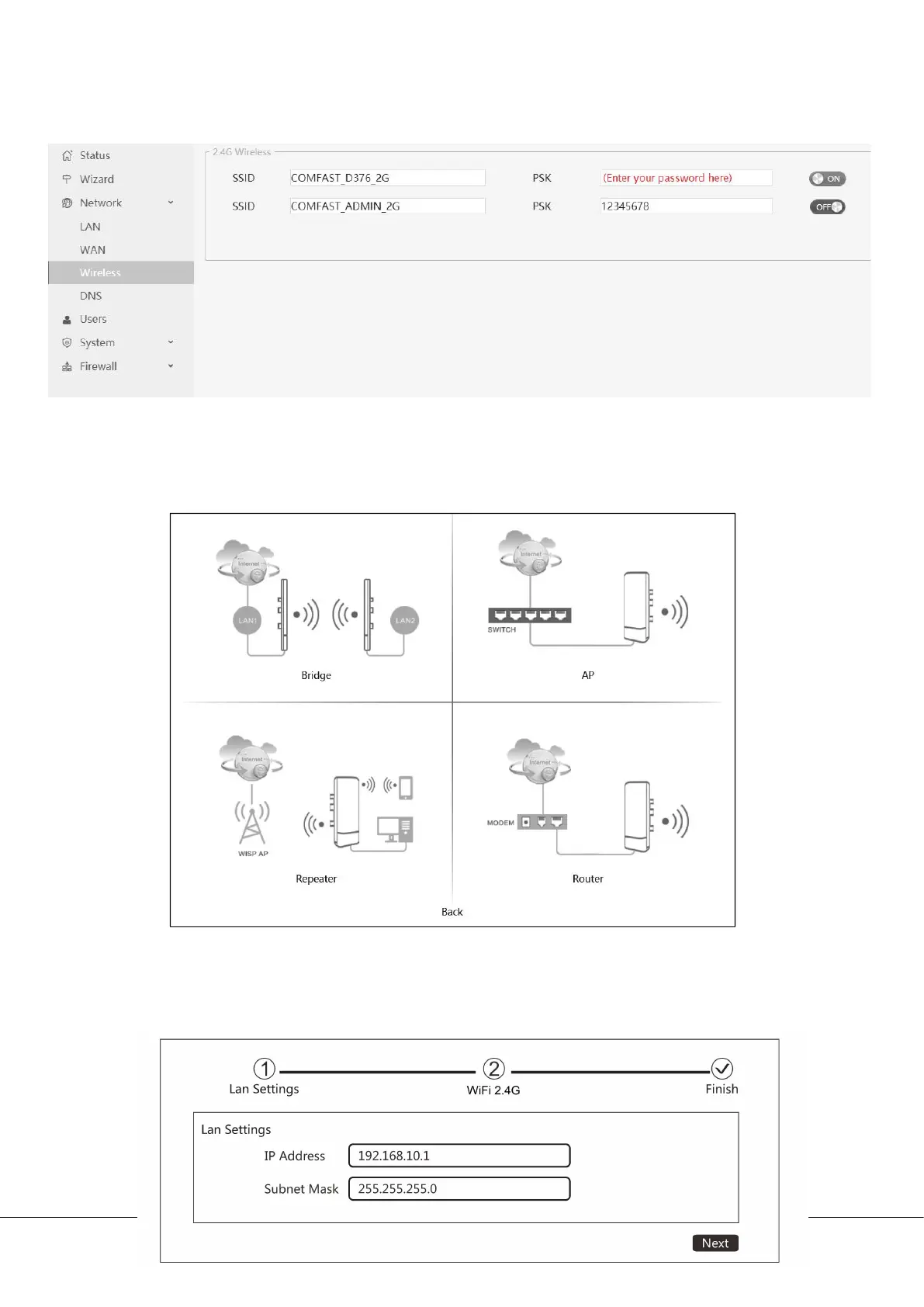
h) You can then modify the wireless SSID and password by clicking
Network/Wireless on the left menu bar.
Mode Settings
Longevity LGAP100-4G has 4 working modes: Bridge, Access Point (AP),
Repeater and Router.
Access Point (AP) Mode
i. Change the IP address and subnet mask if required then click Next to continue.


 To Next Page