Longevity LGAP100-4G User Manual V1.1 Issued 2020-5-13
Copyright © Cornick Pty. Ltd. 2020
ii.
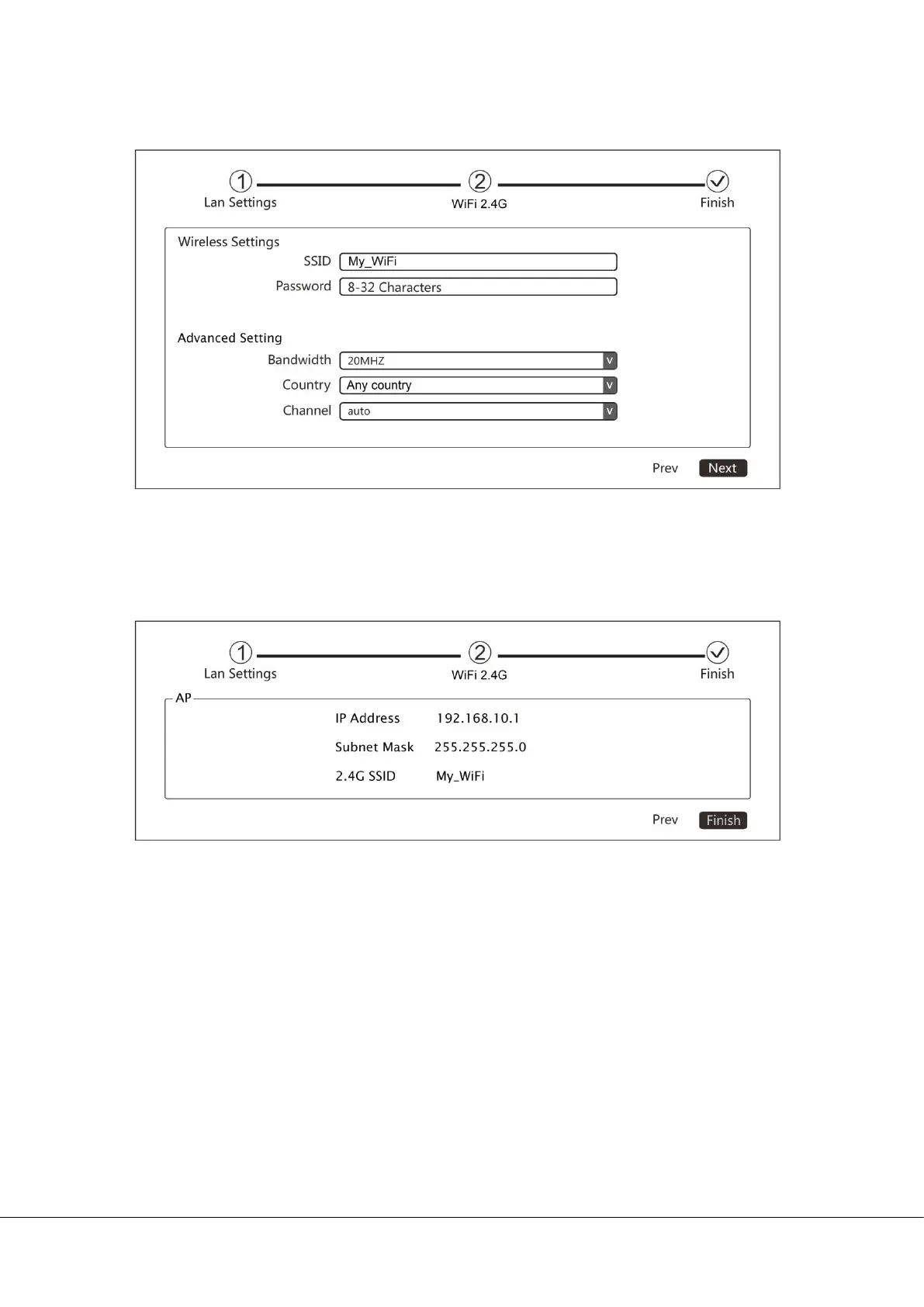
Enter a unique wireless network name (SSID) in the Local SSID field and then a
8-32 characters password. Click Next to continue.
iii.
The setting for the AP will be shown. Click Finish to finish set up. The router will
enter AP mode after reboot.
Note:
Only 2.4GHz is supported .
In AP mode, the IP address of the device connected to the AP will be
allocated by the main network router.


 To Next Page