APP
FEATURES
Page 7 V 2.0
iOS BUTTONS & LAYOUT
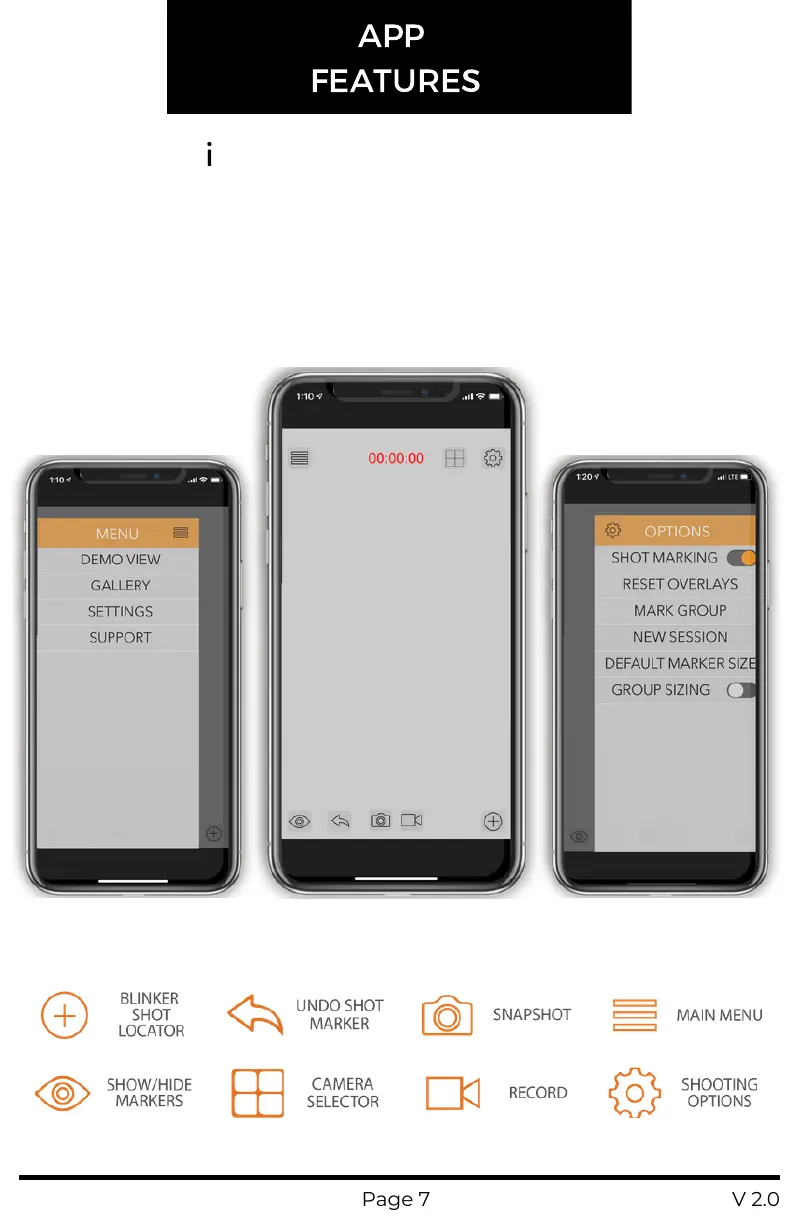
The TARGETVISION iOS app is simple and easy to use with the most
used features only a tap away. The screen shots below show the three
main screens, the home screen, main menu, and shooting options
menu. Please reference the icon guide below the screenshots for an
explanation of the home screen icons and continue reading for more
details on how each feature works.
MAIN MENU HOME SCREEN
SHOOTING
OPTIONS


 To Next Page