SETUP
&
USE
INSPECTION
CHARGING
Please inspect your HAWK system before use to ensure that all
components listed on page 2 are present. Prior to first use, you should
fully charge the system.
Use only the included charging adapter to charge the system. The
included adapter is rated for power input of 100V - 240V and power
output of 12.6V DC at 800mA. The adapter is intelligent and will stop
charging the system once the battery is fully charged. Your Longshot
system should be turned off while charging. Please allow up to 4 hours
for the camera to fully charge.
Page 2
Charger LED Color
Charge Status
Green
Red
Default state - plugged into the wall and not yet plugged
into a camera system
Fully Charged
1.
2.
Charging1.
V 2.0
BATTERY LEVEL INDICATOR
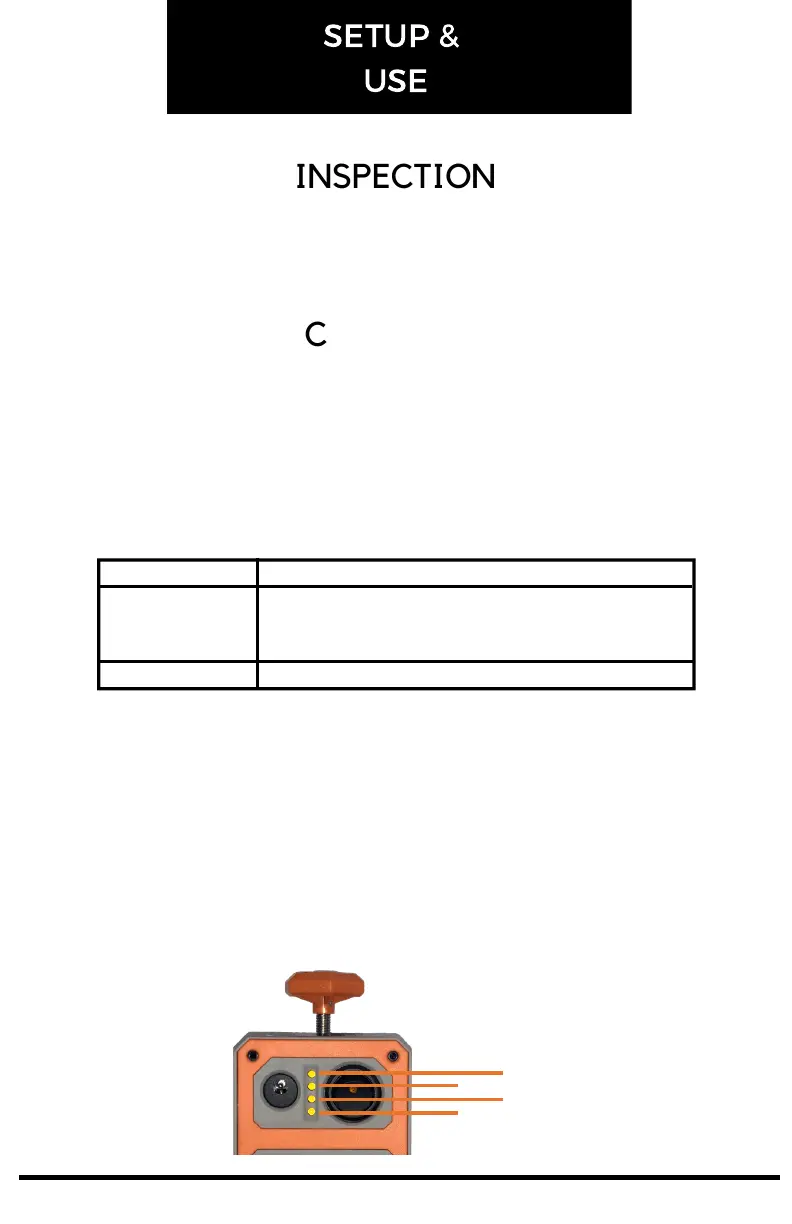
Between the charging port and power switch of the HAWK there are 4
LED's that indicate the battery's charge level. Each LED represents 25%
of the battery life. When the battery level becomes too low for the
system to operate, the LED's will flash and the system will turn off. You
may also notice a slight delay from the time you flip the power switch
until the time the lights come on, this is a result of the circuitry within
the battery level indicator board and is standard operation.
100%
75%
50%
25%


 To Next Page