H
E
F
G
D
For 96-well Unit:
• switch between plate view and strip view for more details
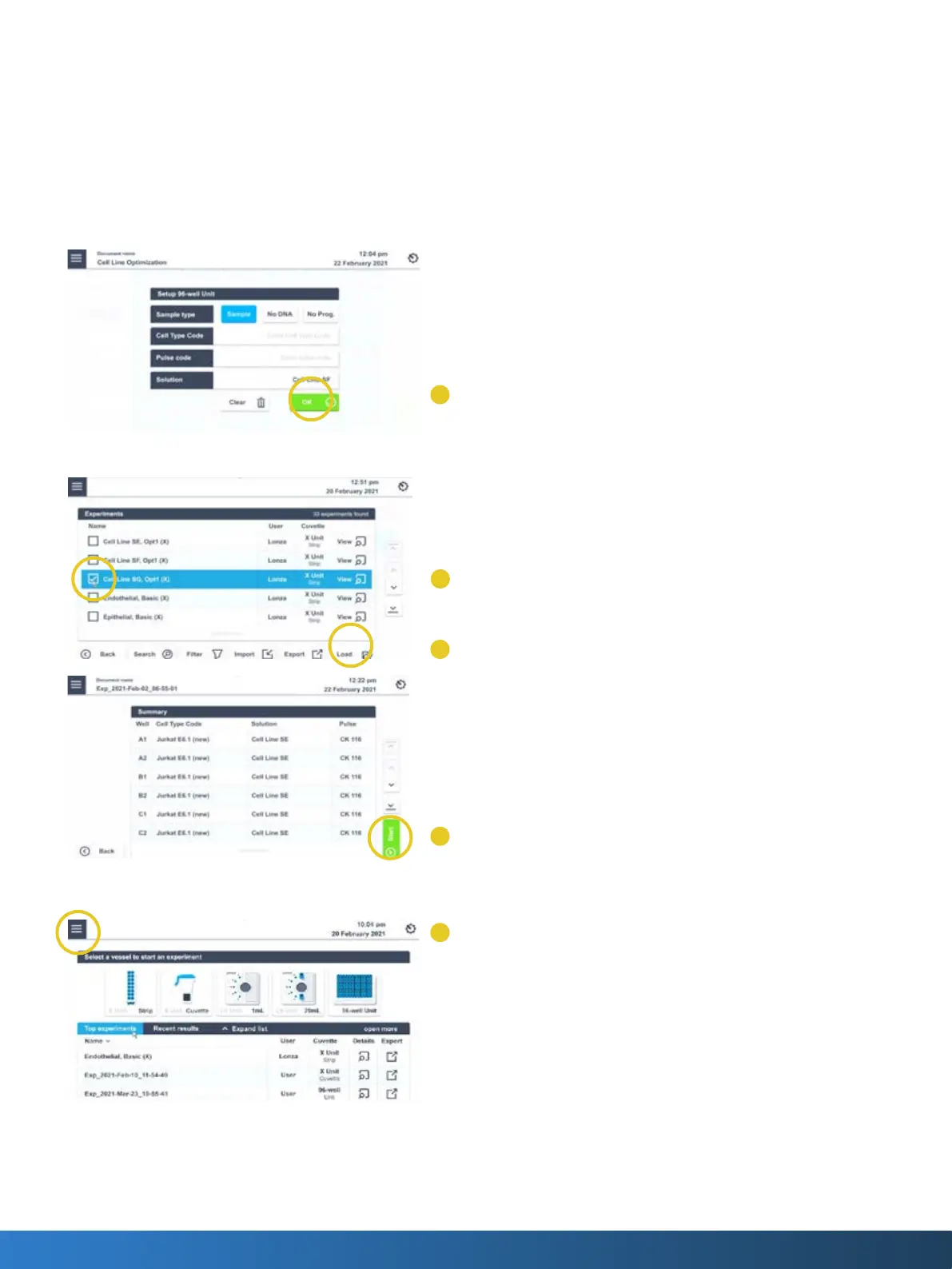
• In plate view select the wells and tap on edit to dene the sample (D)
Using predened and saved experiments
1. Tap on the accordion symbol in the left top corner of the home
screen
2. Select “Experiment”
3. Find the experiment by scrolling the screen or using the arrows at
the right side
4. Choose the experiment by tapping in the checkmark box beside the
experiment name (E)
5. Press “Load”(F)
6. Check the conditions dened and press “Next” to see a summary of
all dened wells
7. Load the sample
8. Press “Start” to run the experiment (G)
The home screen
1. You can reach the home screen any time by tapping on the
accordion menu and selecting Home (H)
2. You can start a new experiment by tapping on the vessel type
3. Load experiments by selecting “Top experiments”
4. Change the settings by tapping on the gear symbol in the upper
right corner and selecting “Settings”



 To Next Page